



Skip to content

Box connected into MAF on vRS
Featured Replies

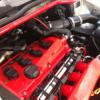
My mates just bought a octavia vRS had a few bits already done to it mapped by jabba and some other random bits, it failed its MOT yesterday on emissions and apparently he only manages to get like 140 miles of normal driving out of a tank haven't looked into it yet, but i noticed this today when i see the car, a white box connected into 2 wires of the MAF, not a clue what it is, i can only guess its one of them ebay things that give you 1000 more bhp, thinking of disconnecting it see if it does anything before i go diagnosing it

Posted Image

Also apparently has some other wires going down here, will need to look into them

Posted Image

So basically i am wondering if anyone knows what this is and what it does

Could it be something to do with a MAF gauge ?

Looks like someone took the time to create a firewall to isolate the CAI from the hot air..

Take it off straight away lol

Agreed, get it off.

Remove it bud they fool the car into thinking the air coming in is colder than it is so it messes the fuelling up. They're crap and can break the wires at the plug and cause open circuit faults.

  • Author

Apparently he has oil pressure, oil temp and boost gauges so shouldnt be anything to do with them, i think i will get it off tomorrow and see what the wires down lower are

  • Author

Right see the wires in the second picture, i didn't see them in person my mate told me about them and sent that picture over, after looking at it more, it just looks like someone has put duct tape over the normal loom to protect it from the metal heat shield he also thought the maf was part of the bits that i needed to remove (he doesn't know much about cars!) so it looks like all i need to do is remove the white box and 2 wires onto the maf and reinsulate the wires at the maf then im done :)

  • Author

Looks like someone took the time to create a firewall to isolate the CAI from the hot air..

Its a jabba kit i think, it was on there when he bought it

Create an account or sign in to comment

Recently Browsing 0

  • No registered users viewing this page.

Important Information

Welcome to BRISKODA. Please note the following important links Terms of Use. We have a comprehensive Privacy Policy. We have placed cookies on your device to help make this website better. You can adjust your cookie settings, otherwise we'll assume you're okay to continue.

Account

Navigation

Configure browser push notifications

Chrome (Android)
  1. Tap the lock icon next to the address bar.
  2. Tap Permissions → Notifications.
  3. Adjust your preference.
Chrome (Desktop)
  1. Click the padlock icon in the address bar.
  2. Select Site settings.
  3. Find Notifications and adjust your preference.
