



Skip to content

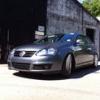
MY2008 VW Jetta Sport TDi
Featured Replies

Decided to put this up to see if there was any interest in it while I look for a Superb!!

It's in Platinum Grey Metallic, electric front/rear windows, electric/heated mirrors, a/c, sports seats. It's on just shy of 80k with service history, it was a company car before myself (3rd owner was garage I bought it from - 2nd owner was registered in Ireland, the only way we could get it taxed before I picked up the car was for him to register it to the garage!) it's has its timing belt & water pump when I bought it.

Mods done so far:-

Remapped by Angel Tuning - PD140 stage 1 map (185bhp & 347 lb/ft torque) but easily does 550 miles on a tank of diesel!)

Cruise control retro fitted

Headunit upgraded to Pioneer double din with Bluetooth

312mm brakes from mk5 GTi

Coilovers

Rear box delete with mk5 GTi style tail pipes

Red tinted rear lamps

Xenon style headlights - Depo RHD set

Smoothed front GT clip painted body colour

I've 3sets of wheels available for it:- 17" classix (original fitment on the sport) 18" Merc splits or 18" Vw Phaeton champions.

Pics:-

2b931521d569a158fabf653abafa7a47_zps6127

92a5d051e496fcdf52eda2da4edddcec_zps4037

b6a9ac4564f36011dea907fc725ba908_zpsaa4c

6c89b89b78bb8fa8fb688d999ef9c199_zps71a3

As for price, it's got just less than average miles, it's been super reliable (other than a recall for the aux heater unit)

£6000ono (or I could put it back to std for less)

Lovely looking Jetta, what interior does it have and what condition is the inside .Peter

  • 2 weeks later...
  • Author

The interior is the Std Sport front seats with 5 heasrests (nice and supportive) I've also upgraded the headunit to a bluetooth/ipod Pioneer double din.

No rips, tears or burns - I'm a non-smoker. Its a little dusty - but it is currently a family car. Cleans up well with no issues.


Are you interested?

Create an account or sign in to comment

Recently Browsing 0

  • No registered users viewing this page.

Important Information

Welcome to BRISKODA. Please note the following important links Terms of Use. We have a comprehensive Privacy Policy. We have placed cookies on your device to help make this website better. You can adjust your cookie settings, otherwise we'll assume you're okay to continue.

Account

Navigation

Configure browser push notifications

Chrome (Android)
  1. Tap the lock icon next to the address bar.
  2. Tap Permissions → Notifications.
  3. Adjust your preference.
Chrome (Desktop)
  1. Click the padlock icon in the address bar.
  2. Select Site settings.
  3. Find Notifications and adjust your preference.
