



Skip to content

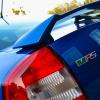
2004 Fabia vRS Mk1 Modified
Featured Replies

An absolute stunner! This should go quick. GLWTS, Jack :)

Very nice car and well cared for. Seen it in the flesh and it was spotless.

Good luck Jack

Stunning car, I WANT YOUR OEM XENONS :(

GLWTS!

PM'd Mate

  • Author

Stunning car, I WANT YOUR OEM XENONS :(

GLWTS!


Well if you buy the car, you can have the xenons for free!  :giggle:

Well if you buy the car, you can have the xenons for free! :giggle:

It'd be easier just making mine look a lot more like yours or soon to be someone else's lovely vRS!

This is my favorite car on here by an absolute mile. Looks incredible, just wish i had the money. Anyway free bump.

Absolutely gorgeous car mate in my favourite colour  - 4 weeks earlier and I would have had this off you :(

Stunning

Pm sent

Pm sent

Get it, I guarantee you won't regret it :)

Very nice mate. Need to get me some xenons :D

Sent from my GT-I8190 using Tapatalk

Does this have cruise control ? Any clutch replacement ?

Do you have original steering wheel with airbag

Thanks

Sent from my BN NookHD+ using Tapatalk

Edited by jimbo19

Get it, I guarantee you won't regret it :)

No reply yet

No reply yet

I know for certain that Jack is a very busy guy.. but you will not doubt be overwhelmed by the perfect condition of the car.. I have seen it many times and is quite literally in perfect condition :)

This is the car that first got me into the idea of a Fabia vRS after a google search. What a beaut 

Absolutely fantastic.... Possibly the best looking/condition fabia I have seen!

GLWTS... Not that you'll need it!!

One of the best kept Fabia's I've seen. Very tastefully modded too.

The buyer will not be disappointed!

This still not sold yet?

  • Author

Now sold :)

  • 1 year later...

what colour shade are them spiders, are they gloss black

Create an account or sign in to comment

Recently Browsing 0

  • No registered users viewing this page.

Important Information

Welcome to BRISKODA. Please note the following important links Terms of Use. We have a comprehensive Privacy Policy. We have placed cookies on your device to help make this website better. You can adjust your cookie settings, otherwise we'll assume you're okay to continue.

Account

Navigation

Configure browser push notifications

Chrome (Android)
  1. Tap the lock icon next to the address bar.
  2. Tap Permissions → Notifications.
  3. Adjust your preference.
Chrome (Desktop)
  1. Click the padlock icon in the address bar.
  2. Select Site settings.
  3. Find Notifications and adjust your preference.
