



Skip to content

Headlight lens / cover replacement question (Xenon)
Featured Replies

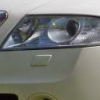
I have a pre FL octy with Xenons, the car park i park in has been dripping concrete stuff on the front of the car, paint seems ok but there looks to be a protective coating on the headlight and it seems to of broken it down and has a patch where its sort of flaked off.


How easy are they to replace, can the fronts of normal headlight (non xenon) be used or do they come as one unit?


Not happy  :thumbdown:

It will be one unit, never seen a headlight sold in parts like that

  • Author

Do you know if the housings are the same? one on ebay listed as xenon head lamp, then in description says bulb and ballast not included.

linky?

Why are you paying for the damage. If your car has been damaged then the owner is liable.

Edited by meta55b

And those signs mean nothing, they are still liable

I remember that thread now you say it. I would never back down in a case like that

  • Author

So far i have been to reception and asked who i need to speak to, iv been given an email for the manager and have sent an email explaining the situation and what damage has been caused. I haven't heard anything yet so need to follow it up, but was just looking at options to give them an idea on what it would cost to fix.

The problem is its not really major damage and you can barely see it, its easier to feel it if that makes sense? you can just about see it but i would imagine they will say it looks ok.

It doesn't matter how easy you can see it, it will only get worse and then a good chance the car will fail an mot because of it. if the flaking causes any problems with the beam pattern. 

  • Author

Good point, i will use that in my argument.

I have given up the space (well got a months notice left on it) due to high costs and the damage its causing.....

But will continue to try and get it sorted.

Create an account or sign in to comment

Recently Browsing 0

  • No registered users viewing this page.

Important Information

Welcome to BRISKODA. Please note the following important links Terms of Use. We have a comprehensive Privacy Policy. We have placed cookies on your device to help make this website better. You can adjust your cookie settings, otherwise we'll assume you're okay to continue.

Account

Navigation

Configure browser push notifications

Chrome (Android)
  1. Tap the lock icon next to the address bar.
  2. Tap Permissions → Notifications.
  3. Adjust your preference.
Chrome (Desktop)
  1. Click the padlock icon in the address bar.
  2. Select Site settings.
  3. Find Notifications and adjust your preference.
