



Skip to content

Darkside fmic, hard pipe kit and egr/asv delete. hybrid turbo install Q and A pics availabe
Featured Replies

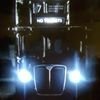
Just completed 300 miles after installed last week, just need a re-map. Happy to answer questions and give tips on the install, was far from straight forward :-)

post-104590-0-54791800-1404723100_thumb.jpg

Looks great from that pic, are you running this with the standard bumper?

  • Author

Yes mate standard bumper, needed heavily butchering to fit,had to cut out the 2 mounts under the grill and cut away a large part of the strengthener behind the bumper, took several cuts and offering up. Also had to cut away some of the fog-light support all was fouling the pipes. Cross member and radiator surround also needed cutting to allow fitting. Can put some more pics up if needed

Wow.


I knew that some FMIC's needed a bit of work to fit, but nothing like this.

  • Author

This is what had to be removed to fit the brackets :-) then extensive angle grinder and melted plastic fun

post-104590-0-00807900-1404732297_thumb.jpg

Well beyond my DIY skills. :D

i've just fitted the darkside fmic and both my bumper mounts went as well!

  • Author

what are you doing about the towing eye flanders? im thinking cut the back support and angle it straight then weld a packer in to retain the standard screw in eye, , dont fancy having to strip the front end to get that pipe off in an emergency just to tow it :-)

In all honesty i haven't really though to much about it. knowing my luck i will need to use it one day and like you say taking the bumper off etc etc is a bit off a faff!! you'll have to let me know what you do so i can shamelessly copy it hehe

Create an account or sign in to comment

Recently Browsing 0

  • No registered users viewing this page.

Important Information

Welcome to BRISKODA. Please note the following important links Terms of Use. We have a comprehensive Privacy Policy. We have placed cookies on your device to help make this website better. You can adjust your cookie settings, otherwise we'll assume you're okay to continue.

Account

Navigation

Configure browser push notifications

Chrome (Android)
  1. Tap the lock icon next to the address bar.
  2. Tap Permissions → Notifications.
  3. Adjust your preference.
Chrome (Desktop)
  1. Click the padlock icon in the address bar.
  2. Select Site settings.
  3. Find Notifications and adjust your preference.
