



Skip to content

headlight washer jets
Featured Replies

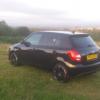
I have them on my vrs but not sure how to work them? I was holding the wiper stalk right down and forward. I can hear a motor sound coming from the front but they are not popping from under the caps? Any ideas anyone. Thanks

i think your headlights need to be on for them to operate, should spray with the standard screen jets the first time and then i think every fifth time after that.

My experience with vags is the same as above. You must have the headlights on for the washers to operate, and they work (if memory serves) every 4 times you clean the windscreen. Or something like that.

  • Author

Cheers chaps. Going to get my lass to sit in the car and try it again. Had me baffled. I didnt even realise i had them until a lad near me with a vrs pointed it out. Ive came to realise that mine is quite a good spec all of which would of cost £££ when new but does nothing to resale price other than may apeal to more buyers

If they don't work with the headlights on, chances are you have split/blocked pipes or broken "aliens" (the nozzles that pop out-look like aliens).

The system relies on pressure from the pump in the system to eject the nozzles. If you don't get enough pressure (due to the above - or possibly a broken pump) the aliens don't come out to say "we come in peace...and clean your headlights".

  • Author

Haha . They do look weird. I pull one out from under the cap and thought what the hell is that . cars only year half old so when i take it in for service il get them to look at it. Thats if i dont get it working tomorrow with my mrs helping me test it

Create an account or sign in to comment

Recently Browsing 0

  • No registered users viewing this page.

Important Information

Welcome to BRISKODA. Please note the following important links Terms of Use. We have a comprehensive Privacy Policy. We have placed cookies on your device to help make this website better. You can adjust your cookie settings, otherwise we'll assume you're okay to continue.

Account

Navigation

Configure browser push notifications

Chrome (Android)
  1. Tap the lock icon next to the address bar.
  2. Tap Permissions → Notifications.
  3. Adjust your preference.
Chrome (Desktop)
  1. Click the padlock icon in the address bar.
  2. Select Site settings.
  3. Find Notifications and adjust your preference.
