



Skip to content

Greenline badge

Featured Replies

Hi guys,

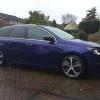
Finally fitted the new grille and chrome trim to my car after I hit a pheasant and that was pretty straight forward. However I can't seem to work out how the greenline badge fixes. It has slots which slide up and down the grooves in the grille but nothing to hold it there. Does anyone know how this attaches? Is it simply glued into position? Also how high up does it go from the bottom of the grille?

b4c6c3179186db7294c93b6853199305.jpg

67a6b2d7d30ebf0d80f294e1c8292508.jpg

be1b3c333297c394c6d446fb9486e7b7.jpg

6642df1a7de1cb12a3d56b1c564853df.jpg

Cheers in advance

Richie

looks so nice without it...:D

How did you get the top grille out Richie?

Edited by JakeBlade

I'd be leaving it off too I think.

  • Author

How did you get the top grille out Richie?

After a bit of head scratching it turned out to be fairly simple. Its held in with a couple of trim fasteners. Prise out the middle of these and then pull the plastic bung out and they pull out. Remove the two plastic covers that run either side of the bonnet catch so you can access behind the grille. Then its the trickier bit. There are numerous clips which hold it to the bumper. You have to try and bend these out the way whilst trying to pull the grille away from the bumper. Then move onto the next one and try not to let the previuos one "pop" back in. I did end up breaking a few off in the end with my heavy handedness but luckily I had the new one to fit.


I'd be leaving it off too I think.

I do want to still refit it. I think it finishes off the front end and I dont mind people knowing my tightness. Afterall its got all the other greenline badges still on it. I'd prefer to keep it original for when I eventually trade it in too. I thinkI may just end up super glueing it back on!

Thanks for the info Richie.  I was thinking of putting a smaller mesh grille insert behind the top grille, but it sounds like I'd probably end up breaking some of the tabs off too.

Create an account or sign in to comment

Recently Browsing 0

  • No registered users viewing this page.

Important Information

Welcome to BRISKODA. Please note the following important links Terms of Use. We have a comprehensive Privacy Policy. We have placed cookies on your device to help make this website better. You can adjust your cookie settings, otherwise we'll assume you're okay to continue.

Account

Navigation

Configure browser push notifications

Chrome (Android)
  1. Tap the lock icon next to the address bar.
  2. Tap Permissions → Notifications.
  3. Adjust your preference.
Chrome (Desktop)
  1. Click the padlock icon in the address bar.
  2. Select Site settings.
  3. Find Notifications and adjust your preference.
