




superbdreams
Members
-
Joined
-
Last visited
-
the tv reception on the factor fitted unit is very iffy so i would suggest don't waste your time.
-
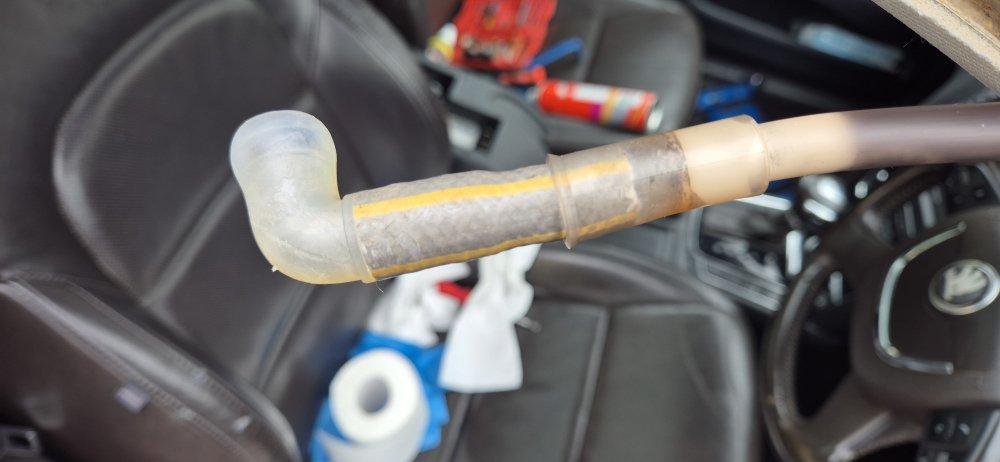
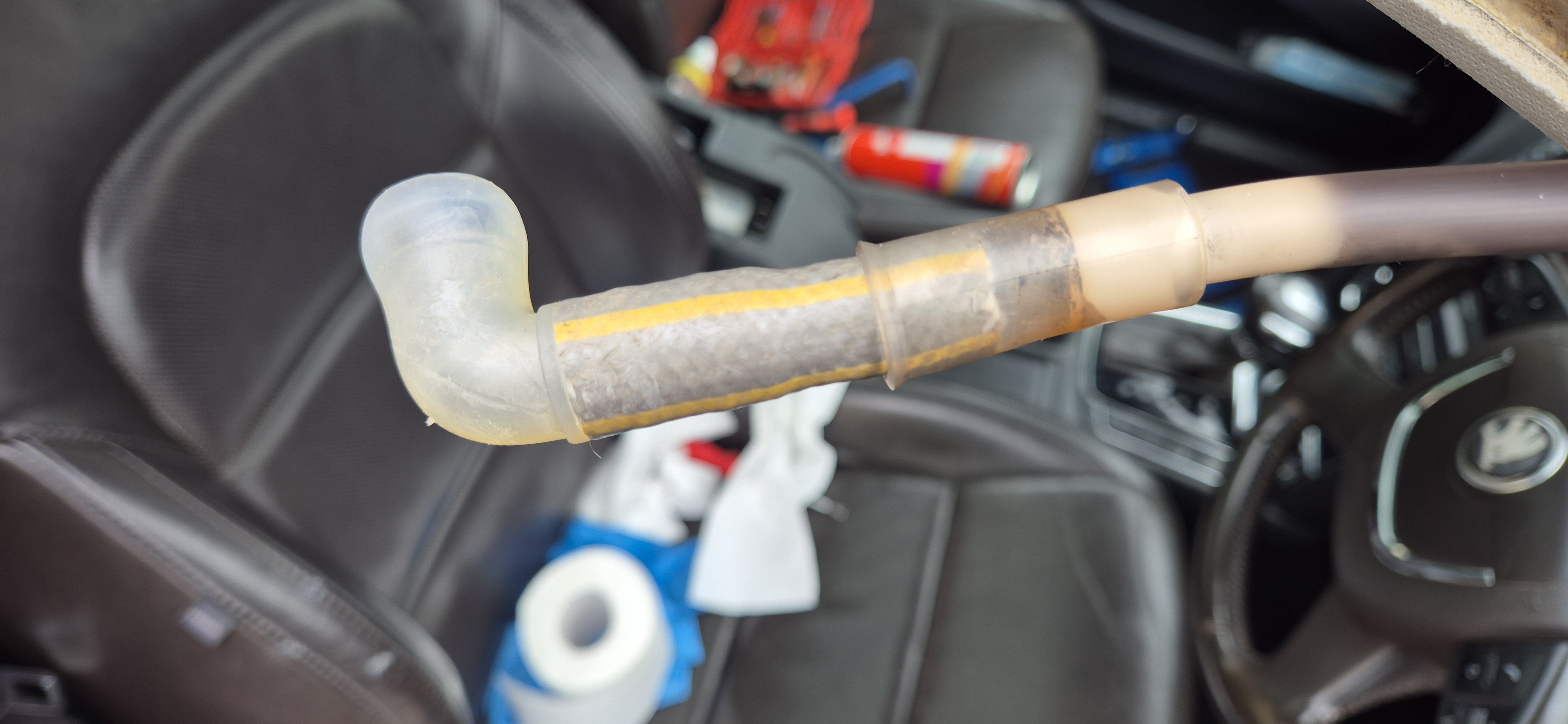
Could be the sunroof drain leaking, was on mine and has leaked for years but last year it got worse and flooded the inside of the car. I found the right angles drain connector had come off and was somehow now too short to re connect, I extended it with some garden hose and self amalgamating tape. been dry now for 6 months. Over the years i had tried all the normal "fixes" captain trolleys etc.
-
bought mine in 2015 from the linked site. very bright and work fine still, fitted exactly. https://www.kopacek.com/skoda/superb-ii/superb-ii-mega-power-led-mirror-downlight-ki-r
-
here is my post that may help
-
do it yourself
-
I have noticed that with my 2012. the hdd and aux is now greyed out where previously was selectable yet the hard drive is functioning as the sat nav works as it should.
-
scrap yard or buy the loom (costly)
-
I bet it is the ac compressor , mine has done it from new but louder as it aged. turn off ac and it will stop to prove it.
-
it would help others if you could post pics of it when you locate it.
-
sounds like the amplifier for the "sound system" fitted in the L&K versions and an option on ordering. The connector you are seeking will not be visible by looking as it is under the carpet but as the only threads i have seen showing it were left hand drive cars I can not say if it is the same side on right hand vehicles or not.
-
you would just fit a switch in the live feed to the heater circuit under the seat, the heat level would still be controlled by the original switch but if the second switch was off the seat wouldn't heat.
-
the last letter is a revision number. with each iteration ( update /design change) VAG increase the last letter . the first change would have been "A" then "b" etc It should fit and work but there is no way of knowing what is changed each time.
-
do it yourself perhaps?You need to download the firmware, burn a dvd and put that in. there are countless posts on this here if you use the search function.




Important Information
Welcome to BRISKODA. Please note the following important links Terms of Use. We have a comprehensive Privacy Policy. We have placed cookies on your device to help make this website better. You can adjust your cookie settings, otherwise we'll assume you're okay to continue.