



Skip to content

Fabia VRS SE #729 Proud New Owner!
Featured Replies

Hi everyone!


I'm the proud new owner of my first furby, #729 special edition and loving it! Don't know why I've left it so long to get one, I'm having so much fun!!  :clap:


Coming from a 2002 vw polo 1.4 is quite a difference in comparison to my furby but even from the long drive home I could tell I'd made the right choice, it was very natural and felt like it was meant to be! 


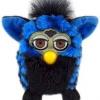
I also dug out a little old friend to join me on my many journeys (check him out on the pic!) he definitely suits the car!! 


I will post more pics shortly!! 


Niki  :notme:


http://s81.photobucket.com/user/stugolf/media/Skoda%20Fabia%20VRS%20Special%20Edition/6D74522B-898C-4769-B393-47AD89769EC9_zpss9wqthfv.jpg.html]6D74522B-898C-4769-B393-47AD89769EC9_zps[/url


http://s81.photobucket.com/user/stugolf/media/Skoda%20Fabia%20VRS%20Special%20Edition/DEEF5C1F-64A2-406F-9E92-5B561B3EB158_zpsdmqdaboj.jpg.html]DEEF5C1F-64A2-406F-9E92-5B561B3EB158_zps[/url

How's the driving experience going? Bet it's fun!

  • Author

How's the driving experience going? Bet it's fun!

It's going really well thank you! it's so much fun. I'm also new to the forum and finding myself obsessed, I can relate to the other half now, with all his forums! Had the furby just shy of a month and I'm not looking back ready to give it a bit of tlc when the weather gets better!

Hi and welcome to the forums! Enjoy your SE, they're lovely cars!

Welcome to the forum

SE Looks Very Smart :)

Hello Niki  :hi:


Nice to see 729's not disappeared.


Gaz

  • Author

Hi!!

Thanks for the welcome hellos! Will be posting some pics once furby has had a little tlc. Loving the forum.

Create an account or sign in to comment

Recently Browsing 0

  • No registered users viewing this page.

Important Information

Welcome to BRISKODA. Please note the following important links Terms of Use. We have a comprehensive Privacy Policy. We have placed cookies on your device to help make this website better. You can adjust your cookie settings, otherwise we'll assume you're okay to continue.

Account

Navigation

Configure browser push notifications

Chrome (Android)
  1. Tap the lock icon next to the address bar.
  2. Tap Permissions → Notifications.
  3. Adjust your preference.
Chrome (Desktop)
  1. Click the padlock icon in the address bar.
  2. Select Site settings.
  3. Find Notifications and adjust your preference.
