



Skip to content

Tinted headlights

Featured Replies

Who's tinted their headlights then?

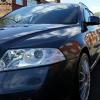
I've bought some of the tint film of eBay and wondered what it looked like fitted?

Tints over the outer lenses look really cool, "off road at a car show". Surely on the road when other drivers are wanting brighter headlights, why would you want to restrict the light output of your own? It's like going back to the sort of headlights I had to put up with when I was a young man, I must admit a long time ago! If you do tint them, go really slow at night, as you will not easily see or read the road ahead!  

Get yourself some aftermarket light clusters instead. Black lights without the reduced light output...


IMAG0304ver2.jpg


DSCF0301_2.jpg


DSCF0303_2.jpg

  • Author

I did look at some aftermarket headlights but they all seemed to be for LHD. Are yours RHD spec?

Or just split your headlights + spray the inside black just like the ones above but without the price tag + they will still be genuine better quality lights :thumbup:

  • Author

That was also an option but always like to do it to a spare set incase I **** it up lol. I did the same to my Cavalier the other month but they are easy to split as the glass isn't bonded on. Might give it a go when I feel brave and see how easy they are to split.

I'm not keen on tinting lights myself, but I've heard good things about fly-eyes - it's an expanded covering that still allows most of the light through, but gives the tint effect.  And it's reversible if you **** it up.

I did look at some aftermarket headlights but they all seemed to be for LHD. Are yours RHD spec?


That isn't my car, I took them from this thread...


http://www.briskoda.net/forums/topic/240546-help-headlamp-confusion/


Lot's of RHD Octavia's sporting black headlights though, Brimma has them, see here. He is still active on this forum, I'm sure he will share where he got them from...


http://www.briskoda.net/forums/topic/219563-black-magic-octy-ii-vrs-anyone-got-pics-with-tinted-headlights/

Create an account or sign in to comment

Recently Browsing 0

  • No registered users viewing this page.

Important Information

Welcome to BRISKODA. Please note the following important links Terms of Use. We have a comprehensive Privacy Policy. We have placed cookies on your device to help make this website better. You can adjust your cookie settings, otherwise we'll assume you're okay to continue.

Account

Navigation

Configure browser push notifications

Chrome (Android)
  1. Tap the lock icon next to the address bar.
  2. Tap Permissions → Notifications.
  3. Adjust your preference.
Chrome (Desktop)
  1. Click the padlock icon in the address bar.
  2. Select Site settings.
  3. Find Notifications and adjust your preference.
