



Skip to content

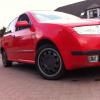
Skoda fabia 1.4 BREAKING
Featured Replies

I bought a 1.4 fabia to start a 1.8t 20v project so started stripping it and all bits I don't need are up for grabs

PM or text me with what your looking for and we can sort out a price

07585334191fec868b8ba35293f2398fe629dbd7024.jpgdba9d774e13374cc16fedcb1b7ef8629.jpga40f6c1ed905578b933499df298a2321.jpg

Cheers

what you doing with interior and are the fronts manual or electric?

I want manual to swap for my electrical.

  • Author

Forgot to mention it's a classic so manual everything and no a/c....with regards interior that'll be going

Can you take a picture so i know what design it is?

You running no interior at all?

  • Author

Well I've got a couple fabias so I don't really need the interior from this one

Get us a picture

  • Author

ee5473d93f3e53bcd5fb747eef7e76f7.jpg23241ce3d732e9f9b5f17b6b8021e544.jpg

Here you go, sorry I was workin on the car getting ready to take the gearbox off

  • Author

Not in the best condition but up to yourself

Have you got any headlamp level motors?

  • Author

Not sure, I'm going round tonight tho and I'll check

  • Author

won't be available mate sorry...


Update though, gearbox is out and engine shall be out tomorrow night - If no one wants by monday it shall be in the scrappy's


90A79F7D-C373-4038-ADDB-82307B109902_zps


11DCEDBB-8830-4FA2-A80A-2883DD747EE1_zps


0D593385-479C-4E50-AC75-4439BB9317AD_zps

Create an account or sign in to comment

Recently Browsing 0

  • No registered users viewing this page.

Important Information

Welcome to BRISKODA. Please note the following important links Terms of Use. We have a comprehensive Privacy Policy. We have placed cookies on your device to help make this website better. You can adjust your cookie settings, otherwise we'll assume you're okay to continue.

Account

Navigation

Configure browser push notifications

Chrome (Android)
  1. Tap the lock icon next to the address bar.
  2. Tap Permissions → Notifications.
  3. Adjust your preference.
Chrome (Desktop)
  1. Click the padlock icon in the address bar.
  2. Select Site settings.
  3. Find Notifications and adjust your preference.
