



Skip to content

Rear ends of VRS's

Featured Replies

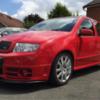
I really like the front end of my Fabia.. It's has the Cupra splitter which makes it look even meaaaaner. But when I look at the back it slightly disappoints me.. Anyone done anything to the backs of their VRS's? For example a diffuser or splitter etc

Sent from my iPhone using Tapatalk

- Different exhaust

- smoothed boot

- square number plate with boot shape to match

- boot sill protector

- de-wiper / polo wiper

- tinted windows

Just some examples of things to change, not often you see anything els like body kits.

- Different exhaust

- smoothed boot

- square number plate with boot shape to match

- boot sill protector

- de-wiper / polo wiper

- tinted windows

Just some examples of things to change, not often you see anything els like body kits.

If you go for the de-wiper I highly recommend using a Gecleant glass grommet, looks really good and very OEM :) 

Wouldn't be able to live without a rear wiper on my Fabia, I like being able to see out the rear :p

  • Author

Yeah mine smokes a hell of a lot. So wiper is used a fair bit [emoji23]

Sent from my iPhone using Tapatalk

  • Author

- Different exhaust

- smoothed boot

- square number plate with boot shape to match

- boot sill protector

- de-wiper / polo wiper

- tinted windows

Just some examples of things to change, not often you see anything els like body kits.

Thanks for the input man

Sent from my iPhone using Tapatalk

If you go for the de-wiper I highly recommend using a Gecleant glass grommet, looks really good and very OEM :)

Do you know if spider-man approves of them?

Do you know if spider-man approves of them?

Know one is ever going to let me forget that :rofl: I'll go to the next national and all people will say his "hey! There's that single guy who love's 60's spiderman"

I'll leave it at this before I get kicked off the thread (apologise to the op) but I'm disappointed you didn't put another one showing me how he approves... :(

Create an account or sign in to comment

Recently Browsing 0

  • No registered users viewing this page.

Important Information

Welcome to BRISKODA. Please note the following important links Terms of Use. We have a comprehensive Privacy Policy. We have placed cookies on your device to help make this website better. You can adjust your cookie settings, otherwise we'll assume you're okay to continue.

Account

Navigation

Configure browser push notifications

Chrome (Android)
  1. Tap the lock icon next to the address bar.
  2. Tap Permissions → Notifications.
  3. Adjust your preference.
Chrome (Desktop)
  1. Click the padlock icon in the address bar.
  2. Select Site settings.
  3. Find Notifications and adjust your preference.
