



Skip to content

Newbie

Featured Replies

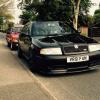
hi ive just brought my first octavia vrs and would like to show you guys some pictures, but have no idea how too upload pictures any help much appreciated 

  • Author

Skoda VRS


skoda Vrs Fan


Skoda octavia Vrs

Nice, what mods you got?

Slightly off topic, is the Cortina your's also, looks tidy , any pics.

  • Author

Thanks, mods are coilovers, Audi s3 Avus wheels, Porsche 993 turbo front brembos with feredo racing pads, shark performance stage 1, s2000 air filter, forge 007p, piper exhaust, cortina isn't mine sorry

  • Author

Today it had new lower arms and ball joints, ngk plugs, both rear wheel bearing, and calipers, a lot happier now

Brakes look amazing, cant wait to get my coilies and get my car sitting right, im getting a cupra splitter too, looks like its ment to be there, nice car dude

  • Author

thankyou outlaw ken much Appreciated  

Awesome stuff :) know the previous owner of this, so he'll be pleased to see it's wound it's way onto Brisky :clap:

Nice car man, love the black

  • Author

cheers rspowerplus its getting there needed abit of love when i first purchased

cheers rspowerplus its getting there needed abit of love when i first purchased

Did you manage to fix the rear window? :)

Sent from my SM-G920F using Tapatalk

Any more pics of the brakes please? they look ace!

;)


DSC_0113_zps2qtfhtrh.jpg

  • Author

Cheers hyphons for the picture already saved to my iPad haha yeah window was the first thing I did.

DaveMW I'll take a few pictures for you and post them up, there pretty big

Thanks

  • Author

Gave it a clean today as the sun was out

post-139904-0-43316000-1459531922_thumb.jpeg

post-139904-0-72248800-1459531938_thumb.jpeg

post-139904-0-95332300-1459531954_thumb.jpeg

post-139904-0-11654800-1459531967_thumb.jpeg

Edited by Fanvrs

Create an account or sign in to comment

Recently Browsing 0

  • No registered users viewing this page.

Important Information

Welcome to BRISKODA. Please note the following important links Terms of Use. We have a comprehensive Privacy Policy. We have placed cookies on your device to help make this website better. You can adjust your cookie settings, otherwise we'll assume you're okay to continue.

Account

Navigation

Configure browser push notifications

Chrome (Android)
  1. Tap the lock icon next to the address bar.
  2. Tap Permissions → Notifications.
  3. Adjust your preference.
Chrome (Desktop)
  1. Click the padlock icon in the address bar.
  2. Select Site settings.
  3. Find Notifications and adjust your preference.
