



Skip to content

Octavia pd140 dying

Featured Replies

Hi all been having a problem with the car cutting out. Symptoms are engine dies while driving dash powers off can hear a relay click under the dash and when the power comes back the steering wheel light on the dash is on.

I have been reading about online about this and some people are saying camshaft sensor/ wiring. Would that cause what I have described because I have only ever seen the steering wheel light come on after the battery has been disconnected.

I have checked the battery connections changed the steering wheel control module and swapped relays and I'm still getting this problem.

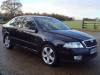
This is on my Octavia mk2 2.0tdi pd140 56reg 120k on the clock.

I doubt camshaft sensor wiring could cause that. If you want to check, locate camshaft sensor and remove the plug to it while engine on. I would of thought the engine would continue to run - (may produce eml though, and may need to clear code). Also: exercise caution of drive belts / pulleys of engine, if working on a running engine.


Your problem sounds more primary feed electrics orientated. Checked the main fusebox under bonnet for water - corrosion - signs of any damaged components / relays?

Edited by TheClient

Still on the original battery, at 10 years old it will be well past its prime.


Also check earth connection from battery to car body, it was a problem on the MK1. The issue may not be visible, so try removing the terminal at the body end and clean it all up and reattach.


As mentioned, it does sound like a primary power issue everything goes off.

  • Author

battery is less then 2 years ago. It does seem like the battery is being disconnected and reconnected within seconds when the engine turns itself back on but radio and all lights stay on. Just the engine dies and speedo dies

Edited by glenpring

Create an account or sign in to comment

Recently Browsing 0

  • No registered users viewing this page.

Important Information

Welcome to BRISKODA. Please note the following important links Terms of Use. We have a comprehensive Privacy Policy. We have placed cookies on your device to help make this website better. You can adjust your cookie settings, otherwise we'll assume you're okay to continue.

Account

Navigation

Configure browser push notifications

Chrome (Android)
  1. Tap the lock icon next to the address bar.
  2. Tap Permissions → Notifications.
  3. Adjust your preference.
Chrome (Desktop)
  1. Click the padlock icon in the address bar.
  2. Select Site settings.
  3. Find Notifications and adjust your preference.
