



Skip to content

Can't choose a colour!! argghhh!
Featured Replies

1 hour ago, adambrownb said:

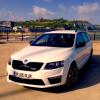
Ok I've done it! I plumped for moon white! :tongueout:


Just a teaser for you ;)


RLgKrao.jpg

  • Author
19 minutes ago, Jaco2k said:


Just a teaser for you ;)


RLgKrao.jpg

That looks amazing!!  I wish they would put LED's into the mirrors!

1 minute ago, adambrownb said:

That looks amazing!!  I wish they would put LED's into the mirrors!


There is some Chinese retrofit that adds that, but... at least the way they did it, it just doesn't look right - I don't remember where I saw it... might have been in Aliexpress.

  • Author
3 minutes ago, Jaco2k said:


There is some Chinese retrofit that adds that, but... at least the way they did it, it just doesn't look right - I don't remember where I saw it... might have been in Aliexpress.

I think you can buy the units from superskoda.  I was never brave enough to pull the mirror out to fit them.  Maybe with the FL they will add LED's - they are to the rear licence plate I think?!

20 minutes ago, adambrownb said:

I think you can buy the units from superskoda.  I was never brave enough to pull the mirror out to fit them.  Maybe with the FL they will add LED's - they are to the rear licence plate I think?!


Ah... those LEDs you meant. I thought you wanted some blinking bars, kinda like the DRLs, on the back of the mirrors. I don't think that the down facing LEDs from SuperSkoda are that hard to fit, but after seeing some videos with them, they look like they are even too bright.

Create an account or sign in to comment

Recently Browsing 0

  • No registered users viewing this page.

Important Information

Welcome to BRISKODA. Please note the following important links Terms of Use. We have a comprehensive Privacy Policy. We have placed cookies on your device to help make this website better. You can adjust your cookie settings, otherwise we'll assume you're okay to continue.

Account

Navigation

Configure browser push notifications

Chrome (Android)
  1. Tap the lock icon next to the address bar.
  2. Tap Permissions → Notifications.
  3. Adjust your preference.
Chrome (Desktop)
  1. Click the padlock icon in the address bar.
  2. Select Site settings.
  3. Find Notifications and adjust your preference.
