



Skip to content

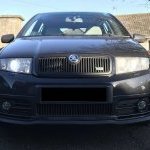
Skoda Fabia mk1 projector headlights custom
Featured Replies

Selling these custom bi-xenon headlights from my Mk1 Skoda Fabia vrs

They were made up using the H1 projectors which feature bi-xenon shutters. Mounted in oem hella headlights
Inserts painted matte black
Plug and play no modifications needed to the car just unplug old lights and plug these in. 
Comes with almost new 4300k HID bulbs just need ballasts which can be found on ebay cheap. Also includes high beam and sidelight bulbs which are standard type.
Lenses have been polished and are in good condition, look closely and there are some minor scratches/sanding marks but nothing noticeable unless you are very close - could be machine polished out if necessary
There are no adjustment motors or back covers you will need to swap them over from old lights which takes 30 secs. Same with indicator bulb holders not included.
All mountings are good no broken bits
 

oidKrJr%Q9KTteQMzOqmhw.jpg

ELMbvWPhSW6gNteHdl1oDg.jpg

Ajs4PdfNR7WIFa4NfERrCA.jpg

cMpJIpDfTgalT134PlrVnw.jpg

Edited by clarendon462

  • Author

YoTbVd9BSzuE%E5dferGXg.jpg

Opah+BEzRdegJam5DBESzQ.jpg

oFclRqbsTp2B20GdUmaabA.jpg

bJmbq6KhRhqkyE3VBBfsHg.jpg

Could you do £90 posted for a round number?


PM me and I can get payment sorted. 


My lights are rather tired and I’ve been meaning to upgrade. 

  • Author

Sold.

Update to say they were shipped quickly and I was sent a comprehensive guide on how to fit them as well. 

Exactly what I wanted.

Create an account or sign in to comment

Recently Browsing 0

  • No registered users viewing this page.

Important Information

Welcome to BRISKODA. Please note the following important links Terms of Use. We have a comprehensive Privacy Policy. We have placed cookies on your device to help make this website better. You can adjust your cookie settings, otherwise we'll assume you're okay to continue.

Account

Navigation

Configure browser push notifications

Chrome (Android)
  1. Tap the lock icon next to the address bar.
  2. Tap Permissions → Notifications.
  3. Adjust your preference.
Chrome (Desktop)
  1. Click the padlock icon in the address bar.
  2. Select Site settings.
  3. Find Notifications and adjust your preference.
