



Skip to content

Is this the perfect spec Superb?
Featured Replies

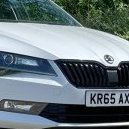
Along with browsing Rightmove for houses I can’t afford, I like to have a look at Autotrader and fantasise about what spec I would have for a superb. I think I might have just found the perfect one:

280PS, estate, l&k, dcc, 9.2” screen, canton, pan roof, heated windscreen, heat and cool seats, 3 zone climate, rear seat heating, assistance camera without being too new to be intrusive, removable towbar, petrol blue, heated steering wheel, high line reverse camera, blind spot detection, auxiliary heater.

https://www.autotrader.co.uk/car-details/202610146991152?utm_source=share&utm_medium=ios-app

Only things I can think of to enhance it: dcc slider mod, 30 colour ambient lights, virtual cockpit.

Edited by Binx1310

that is fantastic it's good all the goodies!

you need to add only the sleep package and the rear shades and i think it's got everything!

very rare to see a fully loaded car ... nice find!

  • Author

It’s quite something! I think someone was playing “tick all the boxes” on the configurator and accidentally pressed “buy”!

Also missing folding the rear seats from the levers in the boot!

Just a shame I can’t afford it otherwise I’d seriously consider chopping mine in for it!

Edited by Binx1310

There are some decent deals on there at the mo. A few with digidash too.

Tbh you really don’t want to discount the hatchback. You lose such a tiny amount of boot space proportionally - it’s still bigger than anything in class; it’s only really the load lip that make a material difference.

Create an account or sign in to comment

Recently Browsing 0

  • No registered users viewing this page.

Important Information

Welcome to BRISKODA. Please note the following important links Terms of Use. We have a comprehensive Privacy Policy. We have placed cookies on your device to help make this website better. You can adjust your cookie settings, otherwise we'll assume you're okay to continue.

Account

Navigation

Configure browser push notifications

Chrome (Android)
  1. Tap the lock icon next to the address bar.
  2. Tap Permissions → Notifications.
  3. Adjust your preference.
Chrome (Desktop)
  1. Click the padlock icon in the address bar.
  2. Select Site settings.
  3. Find Notifications and adjust your preference.
