



Skip to content

Who / What is "Skoda Special Operations"
Featured Replies

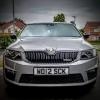
I've recently bought a 2nd hand Octy 2.0 Tdi Elegance.

The supplying dealer told me it was an ex Skoda Manager's Car, and the V5 has Skoda Auto, Delaware Drive, Blakelands, Milton Keynes as the previous registered keeper - I guess this is the SUK head office address.

However, the stamp in the service book has Skoda Special Operations, Dover in as the supplying dealer.

Just wondered who they are and what they do? Perhaps its where their spies are based!

They are the importer, thats where the cars come into the country.

  • Author

Not as exciting as it sounds then!

I took the car into the dealer near where I've started my new job this week and they picked up that it had not been checked for the dual mass fly wheel recall. Apparently it needs one so they are getting the parts in to do it.

Rather worrying that Skoda managers ignore their own recall notices :eek:

I think a letter will be sent to SUKCS and the supplying dealer on Monday!

SUKCS

:rofl:

It would probably need to go into a dealer for them to check the system. if it hasnt been in as yet then it wont have got picked up.

If a letter was sent out to the vehicles registered keeper the driver may never have know as the keeper might not be who drives it.

They are the importer, thats where the cars come into the country.

I thought they came in at Grimsby, or am I behind the times again :D

Create an account or sign in to comment

Recently Browsing 0

  • No registered users viewing this page.

Important Information

Welcome to BRISKODA. Please note the following important links Terms of Use. We have a comprehensive Privacy Policy. We have placed cookies on your device to help make this website better. You can adjust your cookie settings, otherwise we'll assume you're okay to continue.

Account

Navigation

Configure browser push notifications

Chrome (Android)
  1. Tap the lock icon next to the address bar.
  2. Tap Permissions → Notifications.
  3. Adjust your preference.
Chrome (Desktop)
  1. Click the padlock icon in the address bar.
  2. Select Site settings.
  3. Find Notifications and adjust your preference.
