



Skip to content

Inicators - silent night
Featured Replies

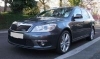
Bit seasonal really but the indicators on my vRS have decided silent night should be a permanent arrangement. Didn't realise until it stopped how much I was sub-consciously relying on the comforting clicky sound telling me they worked!

I see a few threads on Octavia's where indicator switches fail or play up on models before 2005, does the Fabia have same "combined with hazard light switch" arrangement as on the Octavia?

Looks like on the Fabia vRS you'd have to lever the whole centre vent/hazard switch assembly out to gain access and see if its just a connection needs remaking or cleaning.

Could take it to the dealer's and have it looked at under warranty but they're about 20 mile round trip and I guess this afternoon if they are working will be full of cheer and joyous abandon before bailing out to join the holiday throngs. Not sure if they are playing again until the new year or at least middle of next week.

i wouldn't imagine there would be any technicians available at this time in the afternoon , usually half day on a Saturday i'm sure

it'll be next Wednesday or the new year before you can take it in , just keep an eye on the dash for the flash

I think that I saw in a nother post on this subject that the clicky sound comes the the instrument pod (speedo, recounter etc) and that you have to replace the whole thing. If that's the case it'll be worth the 20 mile trip to the stealers. You'll probably find that your "lights on" buzzer doesn't work either.

  • Author

Checked this morning and none of the warning sound features work any more - parking light, lights on with door open etc. so I guess the unit in the instrument cluster has packed up unless its a fuse gone somewhere. All the functions still work just no sound effects.

I'll take it to the dealer on Wednesday for a "warranty inspection", and go from there.

the centre vent actually comes out very easily :)

blunt knife and gently lever it out at the top, once sticking out a bit dot he same at the bottom and voila!

don't know about the fabia's but the clicking on the octavia and i suspect most other cars is relay switching so unless you have the newer fabia with one click indicators that are probably electronically controlled then it should be the same :)

It was the dash panel insert that caused the problem when my second fabia stopped making any sounds with the indicators. One word of advice though, when you take it in take the spare key and the tag with the codes in. If Skoda UK are closed next week the dealers will need the tag to program the new DPI assuming they have one in stock. Also both keys will need to be reset to the new DPI.

My dealer forgot to tell me to bring both keys in which caused some fun!!!

The Fabia doesnt have a flasher relay. The indicators are controlled by the central electrics ECU. And as mentioned the dash buzzer will be the fault.

  • 3 weeks later...
  • Author
The Fabia doesnt have a flasher relay. The indicators are controlled by the central electrics ECU. And as mentioned the dash buzzer will be the fault.

Confirmed last Friday, new dash insert due mid week for fitting this Friday (assuming stock at SUK or factory).

Curiously after checking out last week it all worked again until I put the hazard flashers on which rendered the whole thing silent again, so I guess there must be a fault somewhere in the circuit loop.

Hopefully will be sorted by the new insert, will make a note to take the keys and code. :thumbup:

Create an account or sign in to comment

Recently Browsing 0

  • No registered users viewing this page.

Important Information

Welcome to BRISKODA. Please note the following important links Terms of Use. We have a comprehensive Privacy Policy. We have placed cookies on your device to help make this website better. You can adjust your cookie settings, otherwise we'll assume you're okay to continue.

Account

Navigation

Configure browser push notifications

Chrome (Android)
  1. Tap the lock icon next to the address bar.
  2. Tap Permissions → Notifications.
  3. Adjust your preference.
Chrome (Desktop)
  1. Click the padlock icon in the address bar.
  2. Select Site settings.
  3. Find Notifications and adjust your preference.
