



Skip to content

Fabia 2 collected yesterday
Featured Replies

hi

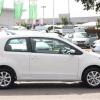
My second ever post. I collected a new TDi 1.9 Fabia 2 in Slate Grey yesterday. done 100 gentle miles at 60 mpg now and averaging 63 mpg.

Quite impressed with quality of dash board - iuncluding air vents. I am now pleased I ordered it with black & silver dash - as all black does not look as good a I thought it would.

Impressed with the quality & yes the tailgate does require a slam. as to heated mirrors I do not know what all the fus is about - just turn the switch to the heated sign all the way around.

Glad your enjoying your new car.

hi

My second ever post. I collected a new TDi 1.9 Fabia 2 in Slate Grey yesterday. done 100 gentle miles at 60 mpg now and averaging 63 mpg.

Quite impressed with quality of dash board - iuncluding air vents. I am now pleased I ordered it with black & silver dash - as all black does not look as good a I thought it would.

Impressed with the quality & yes the tailgate does require a slam. as to heated mirrors I do not know what all the fus is about - just turn the switch to the heated sign all the way around.

glad your chuffed with it. i too found the boot on my first demo fab needed a slam, but the second didnt. i think its simply a case of badly aligned boot locks. worth taking back to the dealer to let tham have a bash. my first one with the boot issue is still waiting for a alloy so i havent tapped them up on it yet.

just wait till youve done a few more miles and loosened her up a bit ;)

Enjoy!

Create an account or sign in to comment

Recently Browsing 0

  • No registered users viewing this page.

Important Information

Welcome to BRISKODA. Please note the following important links Terms of Use. We have a comprehensive Privacy Policy. We have placed cookies on your device to help make this website better. You can adjust your cookie settings, otherwise we'll assume you're okay to continue.

Account

Navigation

Configure browser push notifications

Chrome (Android)
  1. Tap the lock icon next to the address bar.
  2. Tap Permissions → Notifications.
  3. Adjust your preference.
Chrome (Desktop)
  1. Click the padlock icon in the address bar.
  2. Select Site settings.
  3. Find Notifications and adjust your preference.
