toni8b
Members
-
Joined
-
Last visited
Everything posted by toni8b
-
1.8 will get you multilink suspension. This reason alone is enough to purchase for me. Also I think it has bigger better brakes (I may be wrong though).
-
How can it be faster than vrs? Its heavier for sure.
-
You are lucky it were not the fuel lines. you couldnt tape that
-
Is sound insulation really that good? He is driving at 200kph and it sounds really silent when he speaks.
-
New Octavia is Nice face, shame about the ass
-
I just leave it alone until it starts behaving normally.. Once it even remembered a new station on its own
-
According to the manual, it doesnt: https://www.skodapeaceofmind.co.in/Skoda_TCD/Brochure/OctaviaRS245/OctaviaRS245-brochure.pdf Kerb weight without driver [kg] 1 403
-
I think of this as relaxing sounds, like a waves from an ocean!
-
I would never remove rear wiper, I find this very useful especially when its showing.
-
Rear lock is under the right part of the door handle, which you remove by popping from the bottom up.
-
How do you adjust boot catch on a saloon? I dont have electric boot closeure (I close it by hand). Sometimes when I close the boot and get into the car and start driving I get a warning message on maxidot that the boot is opened. And when I stop and check, the boot indeed in not fully / properly closed. Can this be adjusted so the boot closes properly?
-
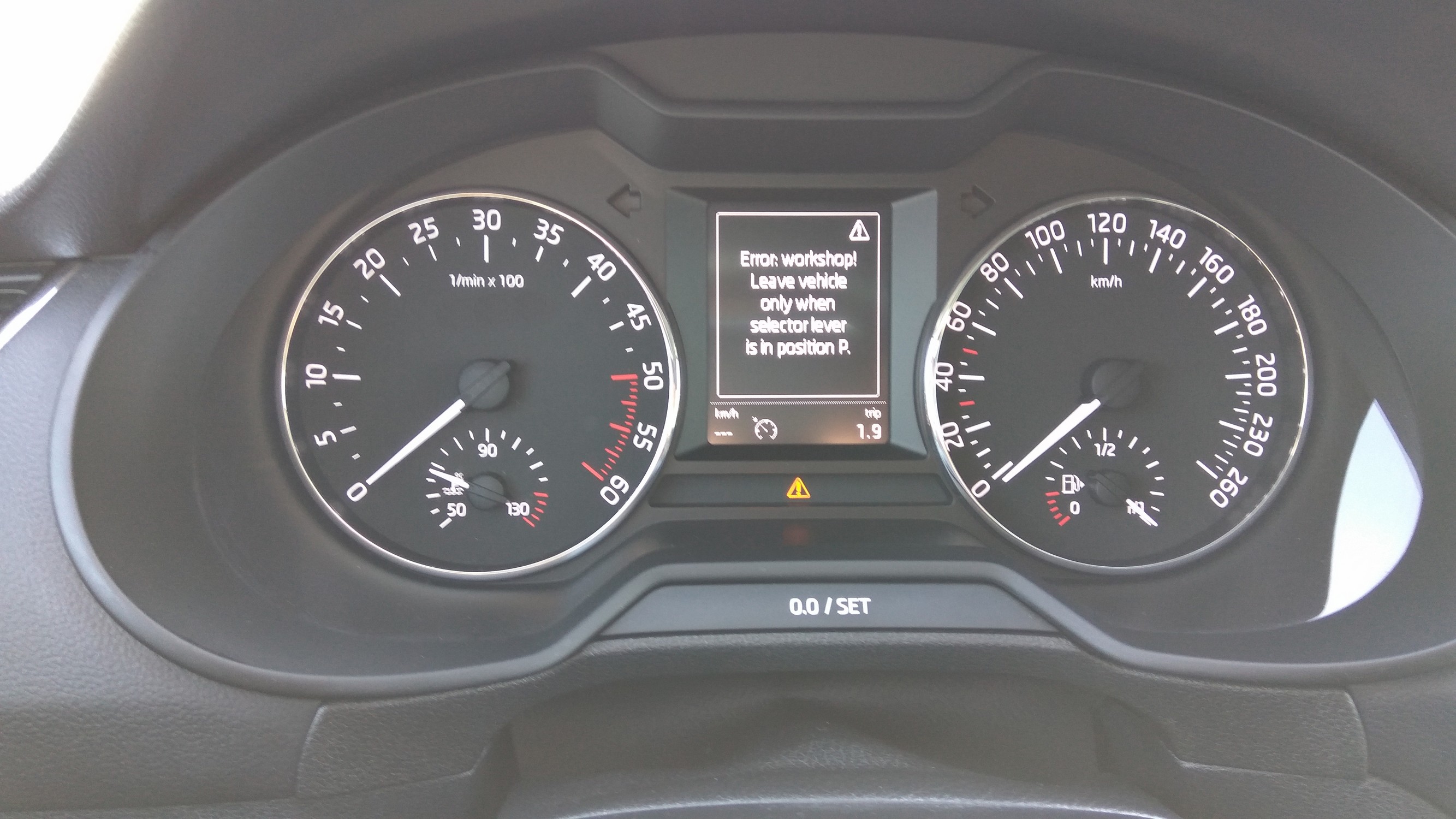
Recently I had this error pop up few times just as I started diving, manage to capture a photo this time. When I restart the car, the error disappears. Found this thread with some interesting answers: http://www.golfmk7.com/forums/showthread.php?t=18199 Anybody had this problem with Octavia?