Matmacka
Members
-
Joined
-
Last visited
Everything posted by Matmacka
-
Yes this is just so you can see your driving eco friendly, you can change that screen to other things like radio, phone sat nav and stuff, as for mode button on first editions its only in SE L not SE unless you paid for it i believe (none first editions the mode button is a extra paid thing)
-
was very unsure on this colour but after seeing it all waxed up, looks really nice!
-
is that the race blue?
-
with the clock this is true when i had the dealers car for a few days (20 plate) it never had the clock, but mine (70 plate) does and seems the same for others, but youd think they the same with them having updates, odd!!??
-
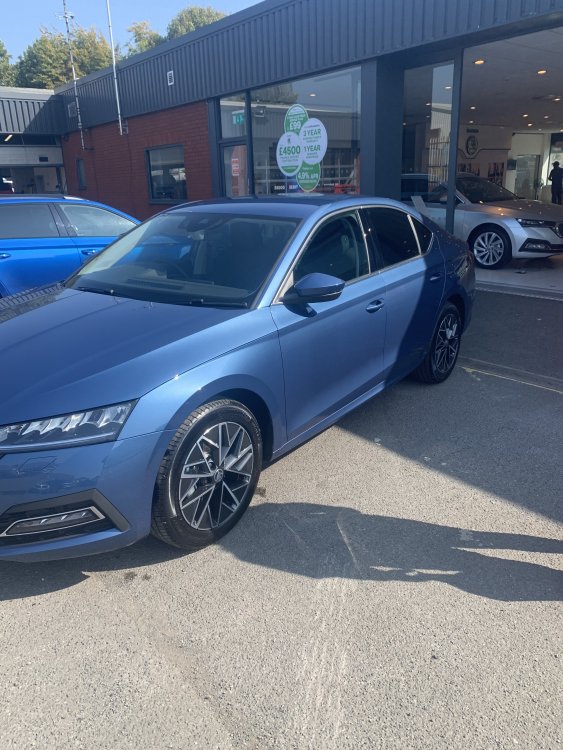
Mine the day i got it, love the colour and alloys!
-
i have standard lights and had no issues at night
-
ahh ok, and yeah ive not had that issue with satnav, odd how some do and some dont
-
did this fix your issue with high beam? And i had the update last week with dealer and not noticed a thing, although i never has the km issue to start with
-
you can activate a primary user without the dealer, the dealer side is to activate the lock unlock feature via app (still dont work for most) , myskoda wont even let me login says email invalid 🤦♂️
-
nope i have some missing, i believe you can download onto a usb and add that way, never got round to doing i tbh
-
yayy ahah and ur welcome! Once u het used to it its easy, dont forget one ur done with wifi turn it off and put data commection back on rather then wifi, Whats not showing up buddy?
-
also you click settings on infotainment-scroll down to wifi- then i believe connect to wifi or search for wifi
-
you have connect to wifi (this allows car to connect to a network) or you have hotspot (connecting a device to car network) you want to be connecting the car to wifi, once you get your head around it youll find lots of different things and settings lol, does take a while
-
You need to press login not register as thats to make another account, have tou tried parking up outside your house and connecting to your wifi then trying it?
-
once you make an account get it logged in on the car, once this is done phone your dealer to activate it you will need to take your drivers licence as proof (this just turns on extra features like unlock and lock although they've never shown on app for me lol)
-
Make sure if your password has no capitals on first lefter you turn keyboard to none caps as it automatically changes the first letter to a capital when typing password in
-
very poor, wouldnt mind if it was a bit but its a lot and you cant miss it, will try and get a pic next time, when i spoke to dealer i was gobsmacked when they said its common and nothing can be done as if change it would just do it again, very strange that if they know it does this why not fix it?
-
was a bit disappointed lol expected something new at least aha
-
mine gets terrible condensation, when i told dealer they said its common with the octavia and nothing could be done
-
Had my recall done yesterday, not noticed a single thing lol
-
try driving the new kamiq if you think octavias lane assist is harsh thats even worse in my opinion when i had it for a few days
-
I think if you lock with key and then press in the handle this turns if off, but my dealer did say the key goes to sleep after about 40secs
-
had this talk with someone else, think you have to have sim e-data brought from skoda for it to work
-
never knew you could claim expenses back lol, ill give that ago and yeah i bet they will
-
i prefer the digital cockpit