
Billywizzo
Members
-
Joined
-
Last visited
Everything posted by Billywizzo
-
Cheers, I will mention them to my dealer when I talk to them about my car.
-
What dealer are you dealing with. Maybe worth mentioning that someone else has a similar problem and the dealers may be able to talk to each other to sort it out. I am dealing with Allams of Epsom.
-
No idea how new the system is but I would think it would have come down from Audi and VW before it gets to Škoda or at least a version of it. Not that happy that the same fault has reappeared but will give the dealer another chance to sort It out. If after them looking into it it keeps happening I will be looking at rejecting the car as I almost did until it was apparently fixed the day after I dropped the keys and registration documents at the dealer asking for a full refund. They suddenly had it fixed and asked if we would be happy to keep the car which we did but maybe that was a mistake.
-
Funny enough mine reads the road signs wrong sometimes. I have had it think it is on a parallel road and try to rapidly slow down as you described, I also have had it showing 45 in a 30 and 110 while on a 70 road, so showing KPH not MPH. The reading in KPH is not so much a worry as it then wants to go faster but the other way keeps you on your toes 😂. Hope they can sort the travel assist out otherwise I will be asking to reject the car.
-
Does your fault stay on or disappear during the journey. The annoying thing is the fact it is so intermittent.
-
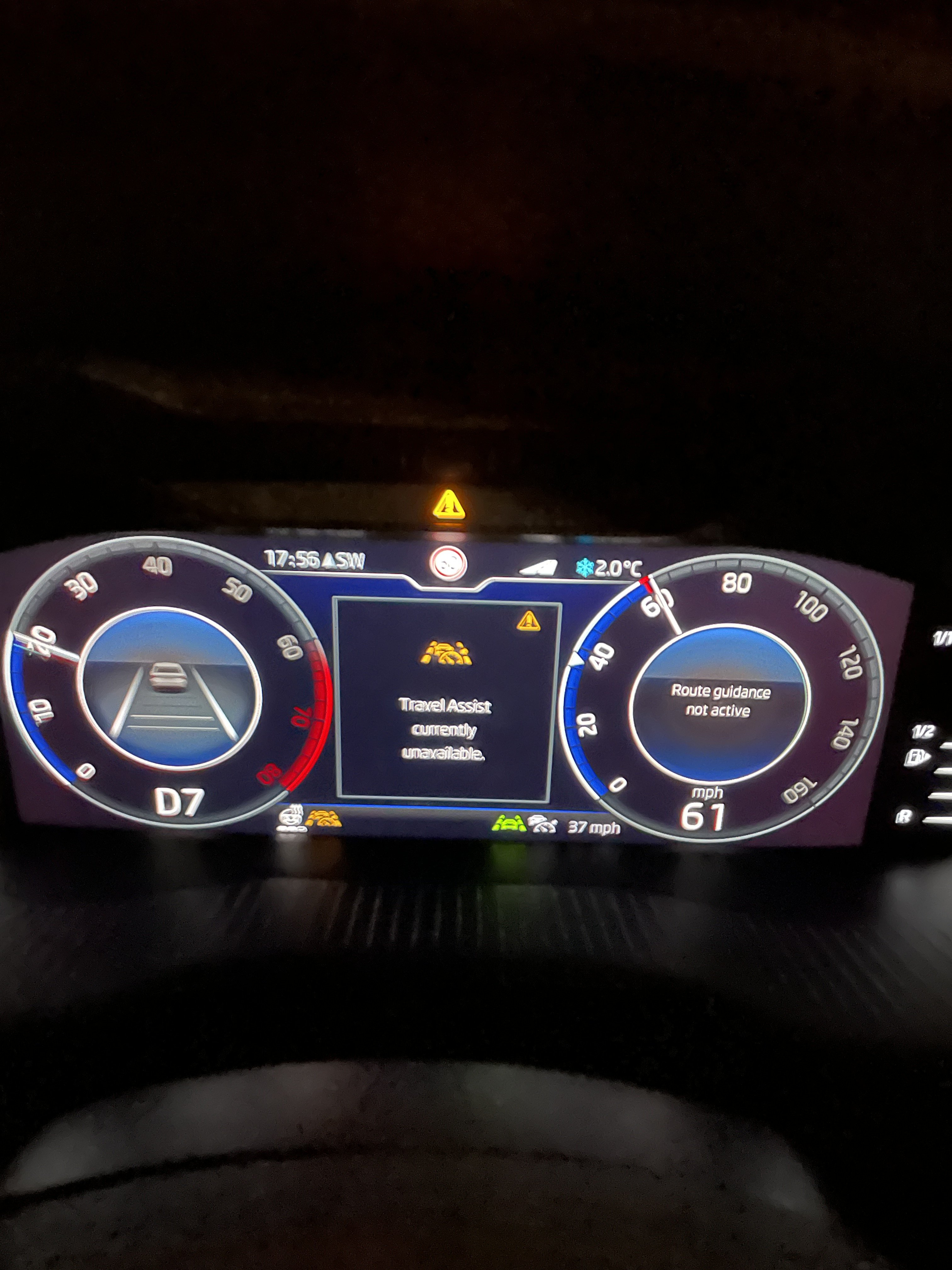
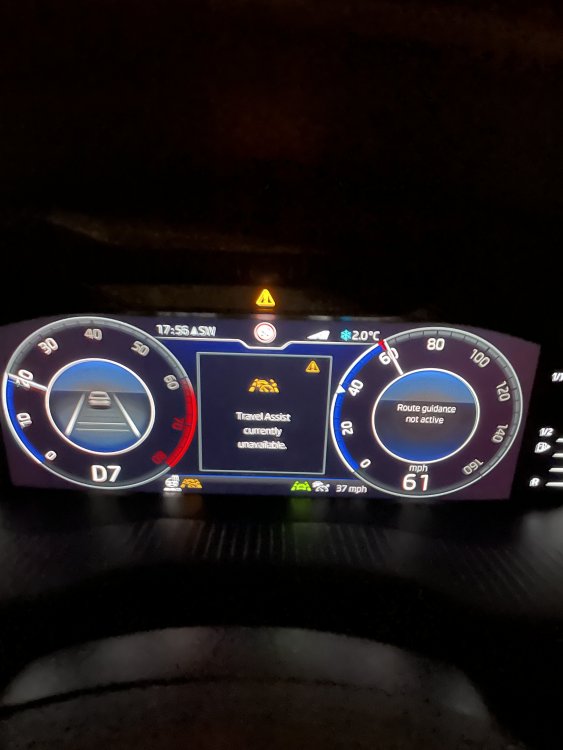
So since accepting the car back, the travel assist fault has appeared a couple of times. I have had the travel assist unavailable alert with the amber triangle and amber travel assist symbol. It has always cleared itself after a short time and has not stayed in for a while journey so far. I have contacted the dealer and the car if going back to see if they can find out what is wrong.
-
First it was the camera above the rear view mirror needed replacing and they had trouble calibrating it, then it was a coding problem that they didn’t really explain except they could not fix it and it had to be done remotely by Skoda main technical department. No mention of the steering wheel. All seems good now but I have had the road signs reading the wrong speed a couple of times. While on a 70 mph road it was showing 110 so showing in kph I believe, better than showing a slower speed. Others have had similar happen, I did let the dealer know but will probably have to wait till the new year/lockdown to end before I can chase it up.
-
All I wanted to know is if people who have travel assist installed use that all the time or do they use ACC on its own at any time.
-
No, according to Škoda, lane assist will just bing to warn you that you are leaving the lane, adaptive lane assist will turn the steering wheel to try to keep you in the lane, unless you are indicating to move lanes. Adaptive lane assist will not pick a lane for you, that is still up to you. All it will do is try to keep you in the lane you are in. ACC, once set will adjust your speed as required to keep a gap between you and the car in front, say on a motorway, lane assist it separate to ACC. Travel assist will use ACC, Traffic sign recognition, lane assist, traffic jam assist and the navigation system to assist you driving when it is turned on, like to slow down the car down for corners and things like that. It is like a more advanced ACC that was why I wondered if people with travel assist only ever use that or ACC on its own. Hope that makes sense.
-
The adaptive lane assist will put an input into the steering to move you back to the centre of your lane if you venture to close to the white lines, normal lane assist will just give you a warning you are crossing the white lines. My main question was when do people who have travel assist use that system and when do they use ACC on its own, or do they just use travel assist.
-
I asked about it on Twitter and got this reply from Škoda Hi, we apologise about this issue. It is something we are aware of and it has been raised with the relevant teams who are working to resolve it. So hopefully it will be sorted allowing us to do updates.
-
I know that the info is wrong, just trying to find if there is a work around to update the maps as it does not seem to find the files via the USB ports. Maybe it is a glitch or they forgot to check it would update via them or don’t want us doing the update ourselves on the latest cars. If the update portal shows an update then I assumed that it is for my car so just wanted to have the latest version. My connect app seems to be fine. Always shows the correct info when I look at it.
-
When I put in my vin in the update portal is shows a 25 gig update and also shows radio logo updates. Mine in an MIB3 I believe.
-
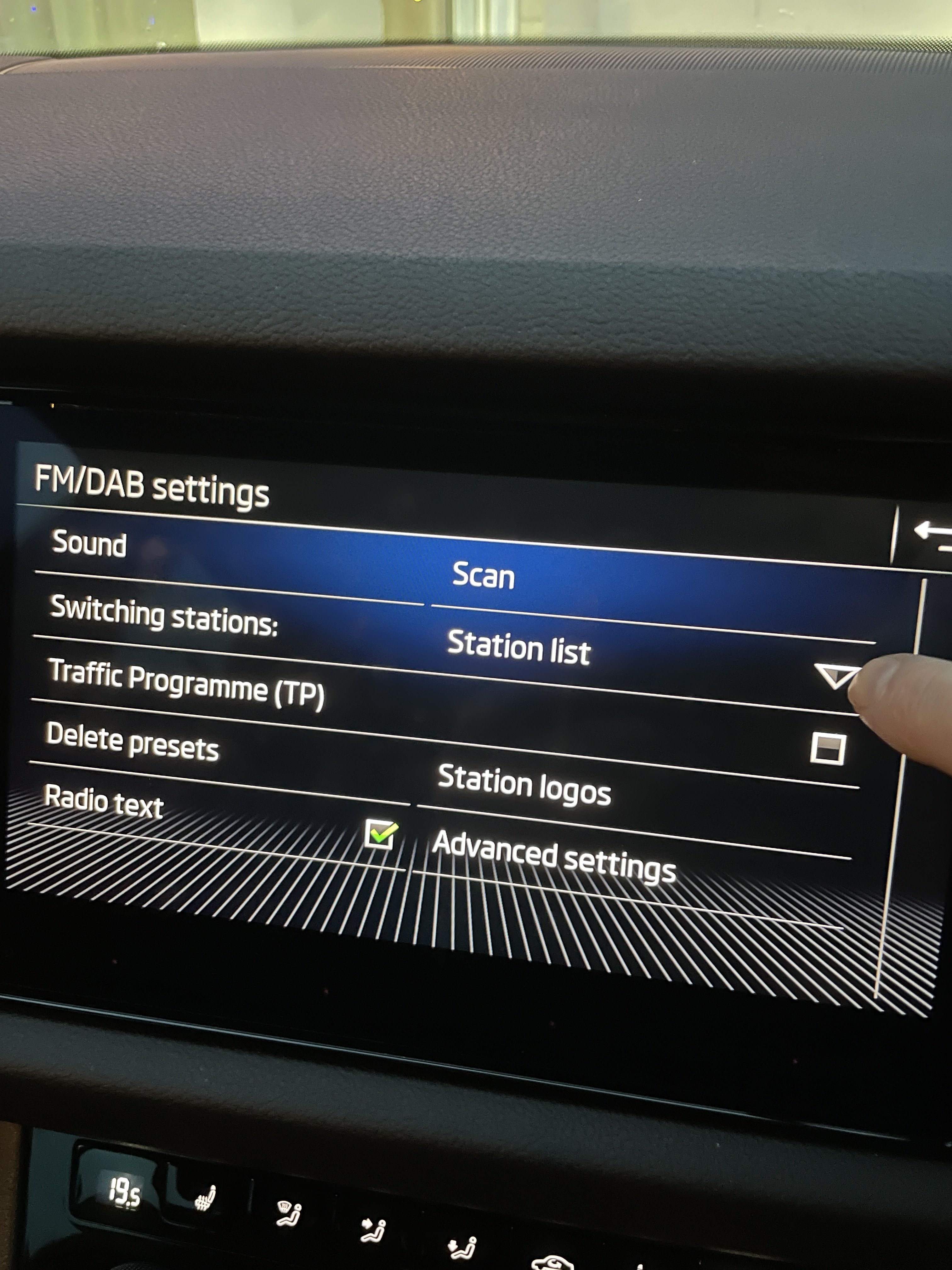
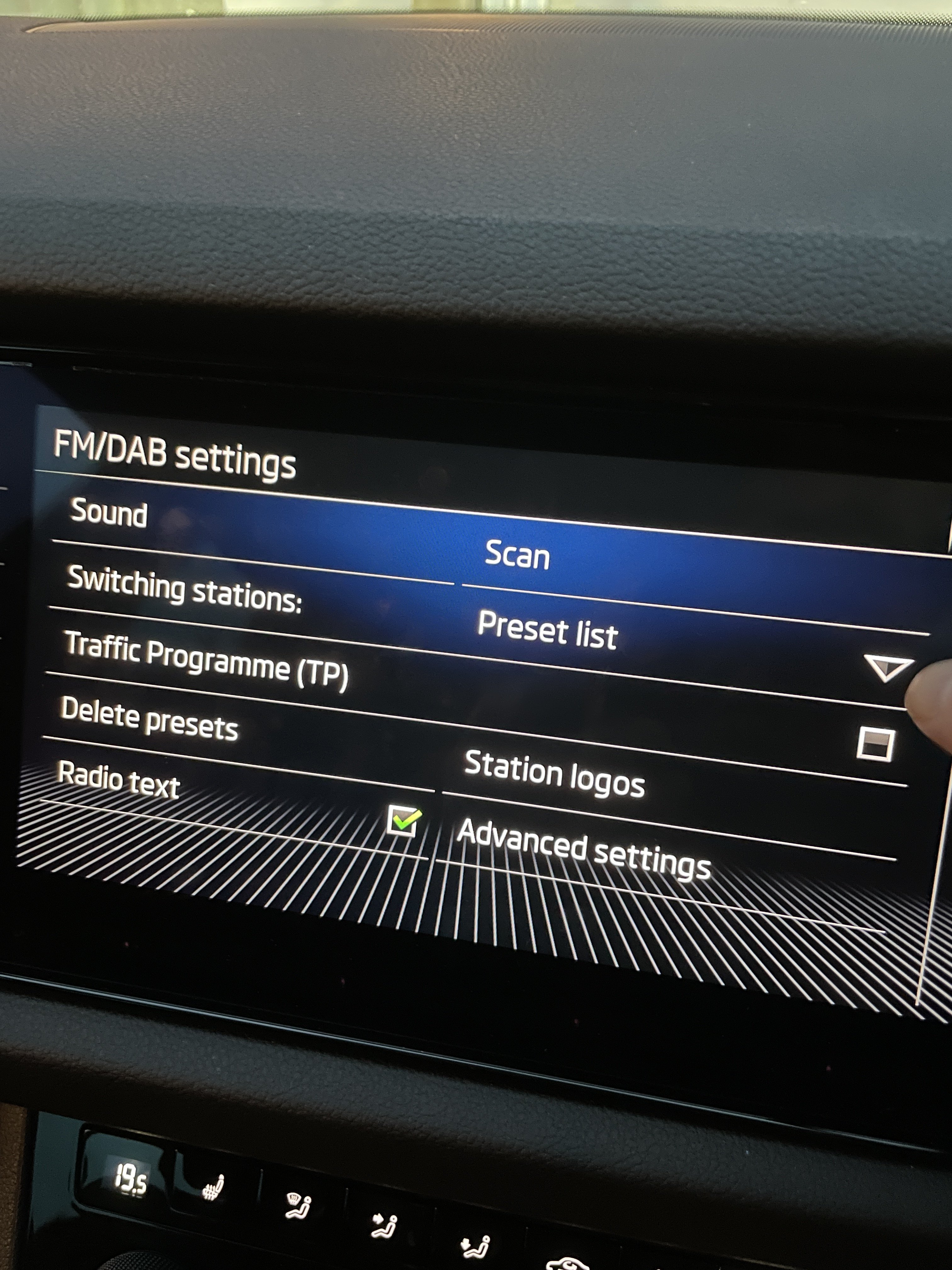
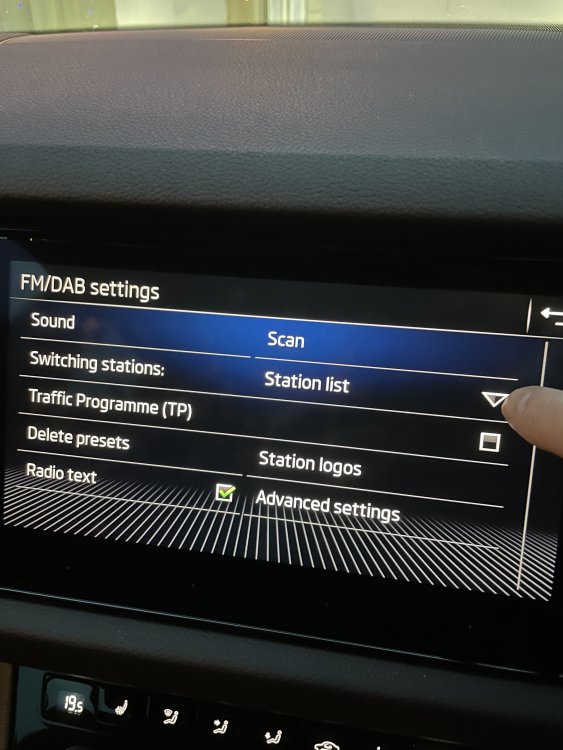
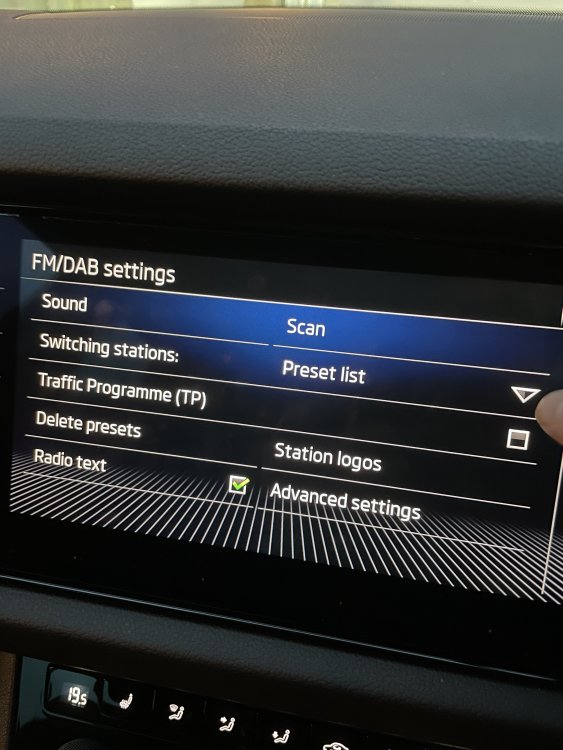
If you go into settings from the radio page and change the option switching stations. That will change it from selecting your presets or from selecting station from the main station list. I believe that is what you are after so it scrolls through your preset stations when you press the arrows.
-
My guess is they will want it to be a dealer only service and you will probably have to take it in to be updated, or it will be done during your service if done at Skoda dealer. Or it will now be an on over the air update and you just have to wait untill it is your cars turn.
-
My navigation database is 20.10. My car was built just before the date of the new update that is why I assumed there was an update for my car, also the update website shows the update when I put in my vin number.
-
I tried formatting the drive both ways but no luck. Looked for other posts and see others with other Skoda cars are having problems. Guess they didn’t think about updates when they remove the SD card slot. Just have to wait for an OTA update if they do that or a fix from Skoda.
-
Sorry about that It does not show the update files on my usb drive
-
Anyone with a new car MY21 managed to update the maps using the USB C ports. I have tried but it does seem to show the update I have on my USB drive.
-
Cheers. Guess you cannot update the logos on the latest models then. I did find the logos I wanted and added them to the file and separately on my usb drive but no luck. My car was delivered end of October so probably the latest model so will have to live with it.
-
Only have one logo for the main radio stations we use. No logos for Absolute Radio or RadioX which I use the most. Just cannot seem to get it to find any logos on my usb drive so I can put them on the car.
-
Having problems updating the radio station logos on my columbus system I have downloaded the logos onto a usb drive but when I try to update a station logo it just shows a blank screen and no logo to select. Tried both in a folder and not in a folder on the drive. They are .png files I know the car can see the usb drive as if I put music on it, it will play that fine. Any one any ideas what I am doing wrong
-
We have had a software/coding problem with our car and the dealer told us that Škoda have made it a lot harder for anything on it to be recoded on their cars. The dealer could not do it on our car and had to get the main Škoda technical department in head office to sort out the coding problem with our car. Just be sure that what you want done can be done after you have the car delivered
-
Got a call today to say the car was fixed and did we want to keep it and cancel the rejection of the car. We had a thought about it and have decided to have the car, so will be a happy Kodiaq owner again at the weekend.
-
We spoke to the dealer today and he basically said returning the car was what he would do as they cannot say when or if the issue will be resolved. Now we need to decide on what to do about a new car, the Kodiaq ticked every box when we were looking before so no idea what to look at next.