SManu
Finding my way
-
Joined
-
Last visited
Everything posted by SManu
-
Let us know what they tell you. I thought it was a charging thing...quite weird
-
Finally I could check it and...mine does it as well! Passing aliens or Skodas sound like a feasible explanation lol
-
I'll try to look at the first point next time I'm charging, for the second one I don't think it's possible as it's an indicator that the car is charging properly.
-
I asked about it in Spain and it was not available yet.
-
The funny thing is that "ACC is intended primarily for use on motorways" as per our manual.I guess that we'll need to get used to where and when is the right timing to use it. I didn't try it in a traffic jam which it seems a quite ideal situation. Thanks for the responses!
-
It happens to me already and yeap it did try to slow down the car but I was ready and reacted quickly. I've already share it with skoda Spain and I'm waiting for a response. Quite dangerous indeed if you're using acc, if not it's simply annoying.
-
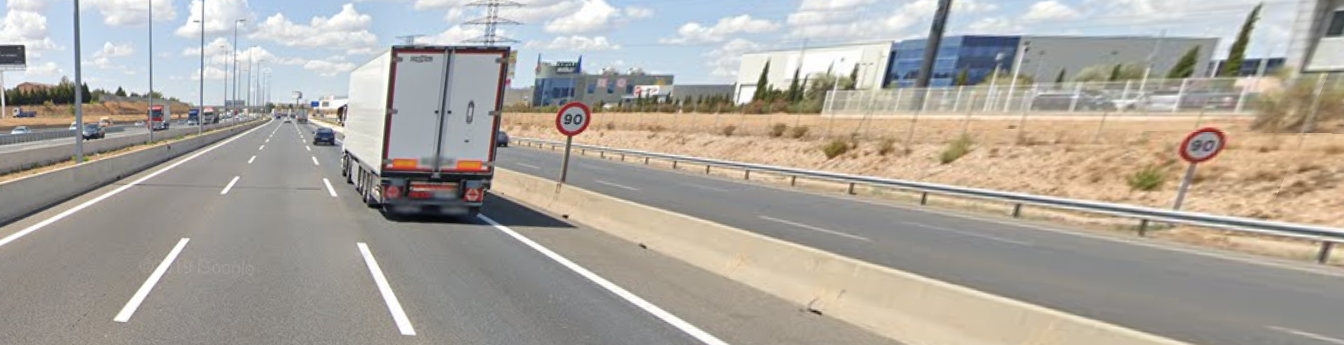
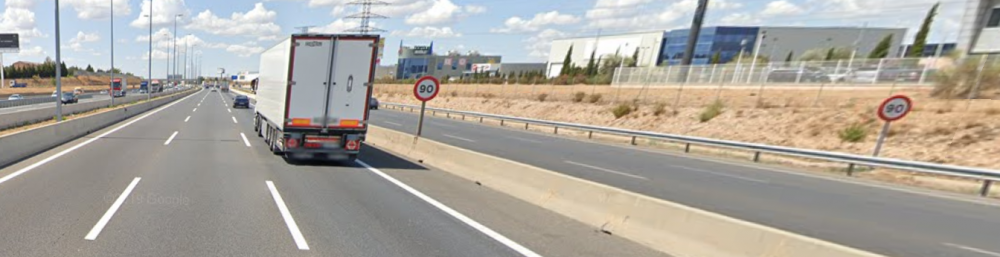
I don't know whether to typify this as an issue or a situation. I would like to know if anyone else is experiencing the same. While driving the recognition works smooth...so smooth that if your driving in a road with another road in parallel it will read as well their speed limit and show it in the HUD. Imagine in a highway (120Kmh) with a parallel exit with a 90kmh speed limit. It would show the 90kmh and you can imagine what happens if you're using ACC... I don't know if there is a way to in case of mismatch use the nav info or I will need to choose whether to keep it active or to turn it off. One example of the situation I'm picturing is in the google maps screenshot. In this case instead of the 120Kmh of the highway it will show 90kmh. .
-
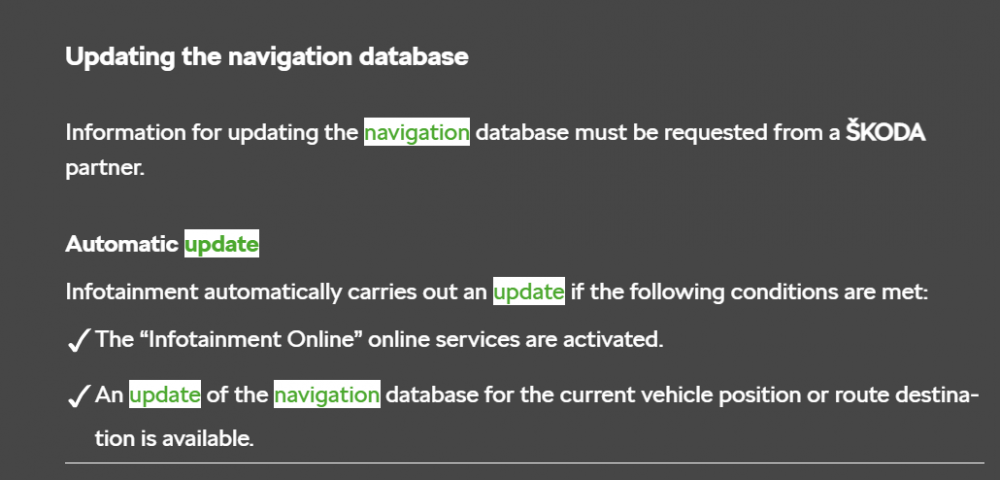
I know you can send routes to the car gps through the Skoda connect web. I've never used it as I prefer Google maps/waze..I need to figure out the way to send POIs to the gps to start using it. Regarding the lock/unlock in my case it states it needs to be validated at the dealer.
-
Yeap it's an OTA.
-
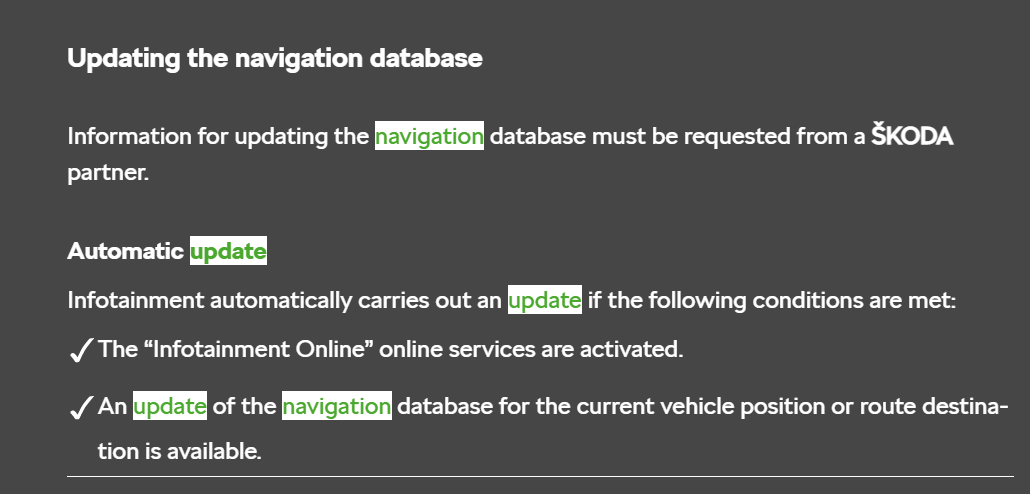
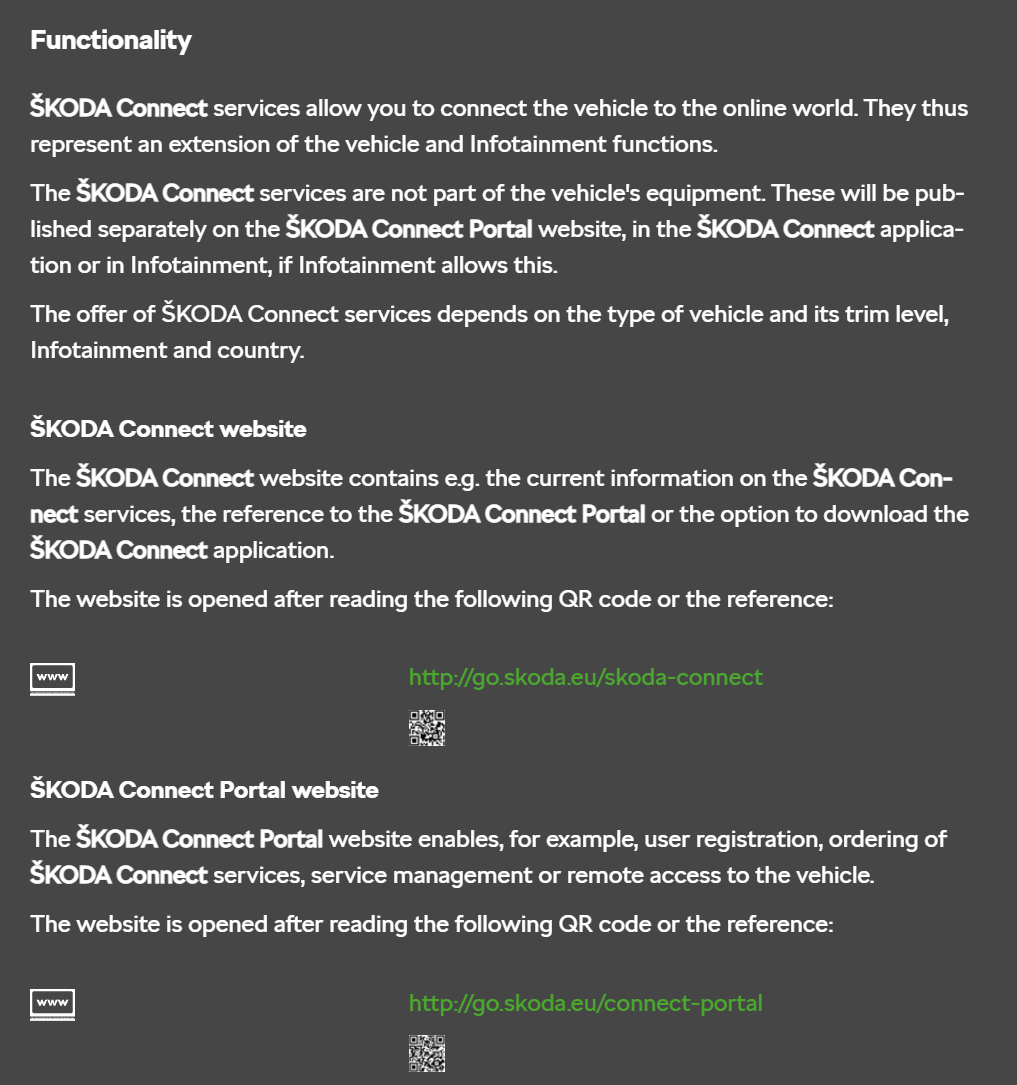
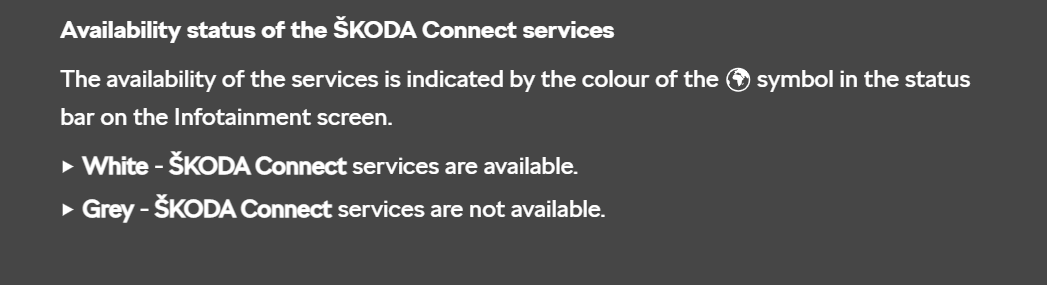
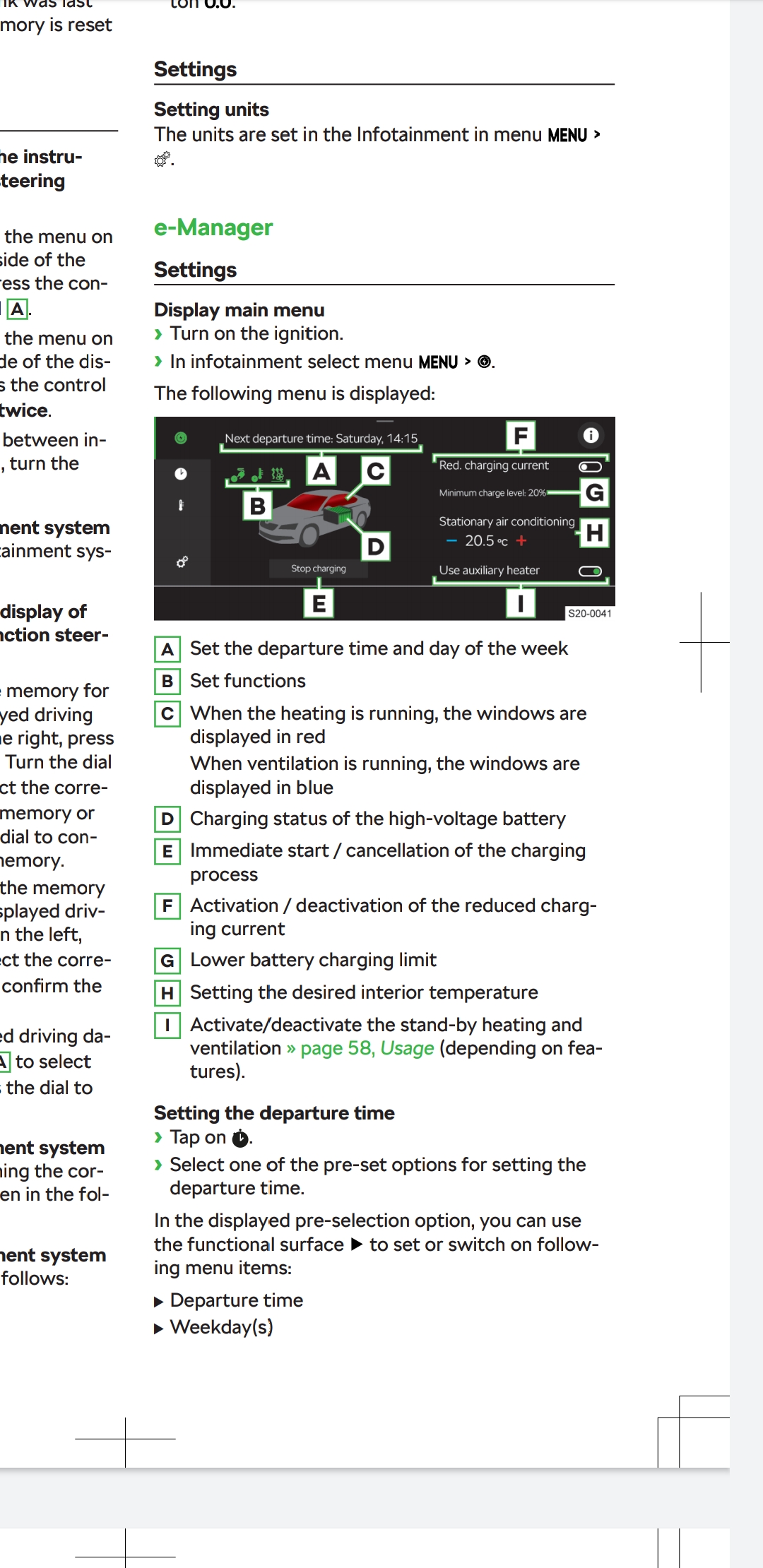
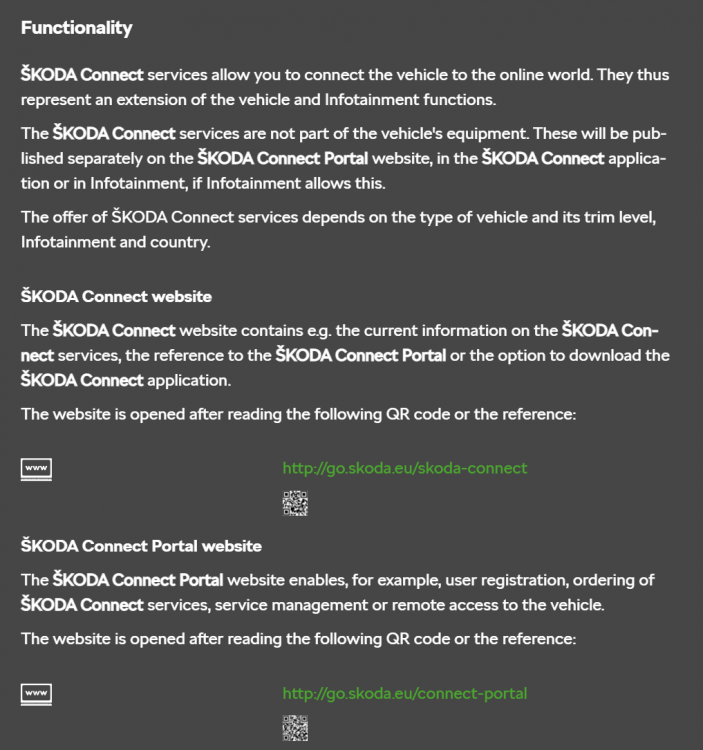
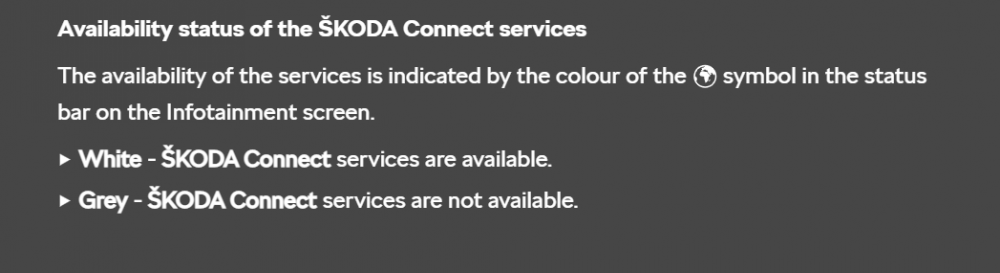
Tthere is no skoda connect functionality in the car. There is an icon, though. If it's grey it will be mean you don't have internet thus no skoda connect. (see the attachment) As Gax said there is nothing to configure on the car, the skoda connect function is to be able to log-in in the app or a web browser and all the functionality is there. More info on the attachements extracted from the manual. Cheers

-
Thanks!!
-
I've it in my iV and I love it. It's a pretty personal decision, though.
-
Couldn't agree more. I've been an iV owner for a couple of months already and looking forward for my first long trip (+600km) this week. Car is super comfortable, lots of interior and trunk space, more than enough horsepower, lots of gadgets, I love the design and so far I've just got the no internet issue which it has been ok during the past month. The safety assists are quite useful for the time being. I've been quite impressed with the electric power and the range, I'm easily doing 45-60+ kms on pure electric which is more then enough for my specific needs. On the other hand, I do agree that the infotainment is quite complex for a car and not useful at all while driving however most of the things you might wanna do you can do them through voice commands or with a couple of clicks. All in all I'll buy it again.
-
Thanks for the comment!! It makes a lot of sense indeed. What it does not is that there is no mention about it in the manual and that neither the dealer nor skoda Spain were able to give an answer... Thanks again!!
-
In my case after the fuse removal it has being working for two weeks in a row and counting! On the other hand Skoda Spain contacted me to tell me that they are still waiting for an official answer from the technical department...
-
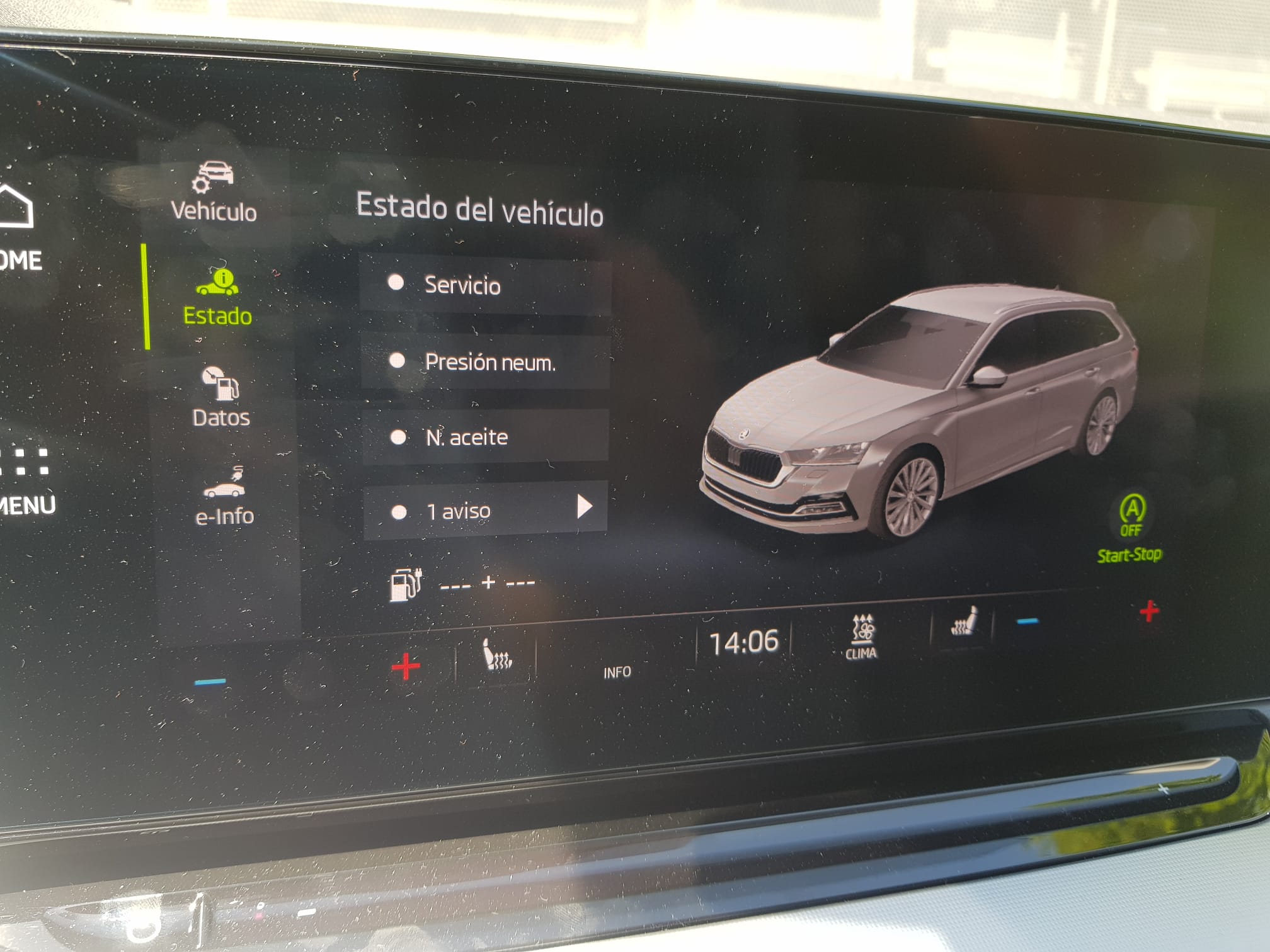
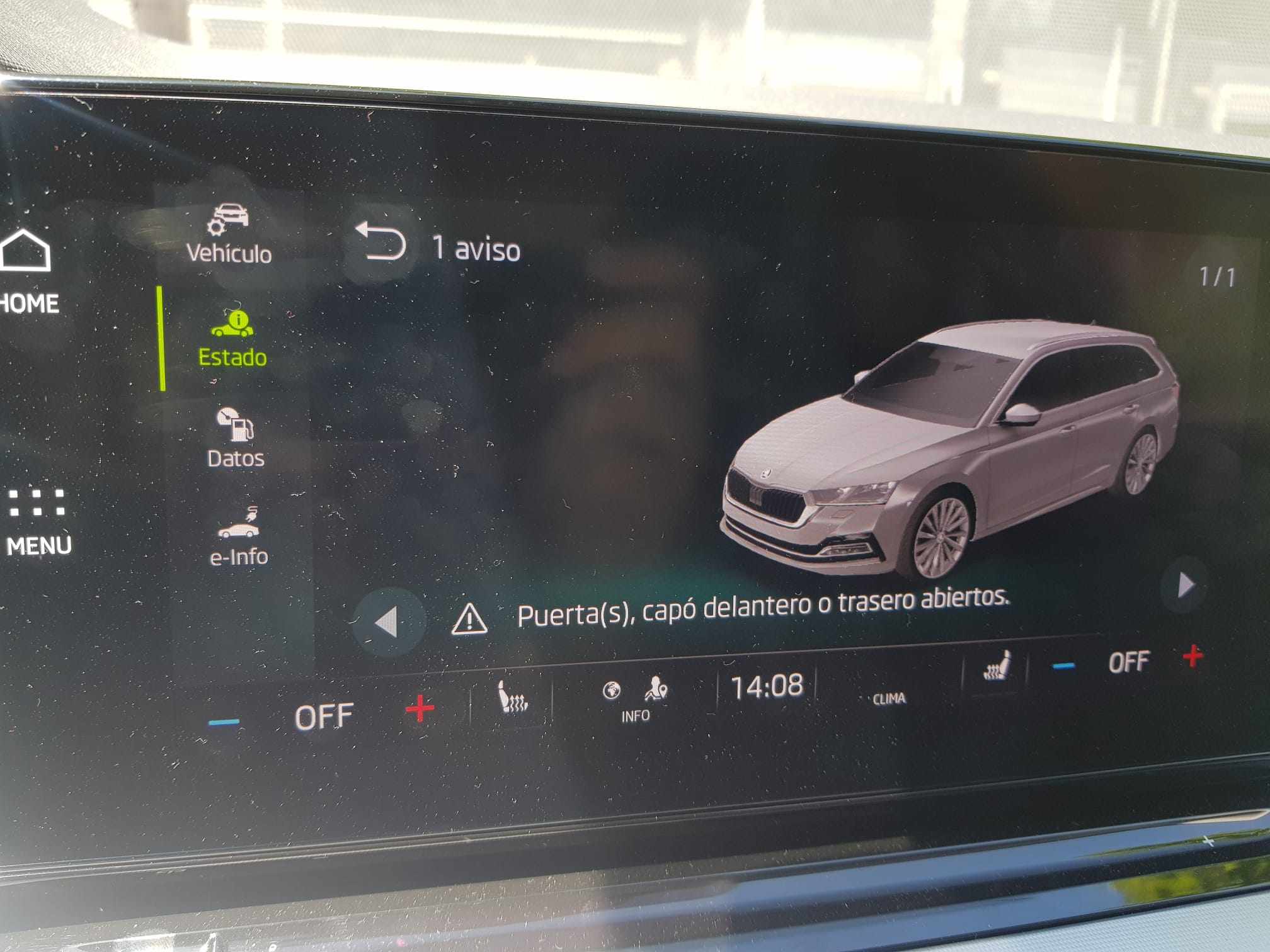
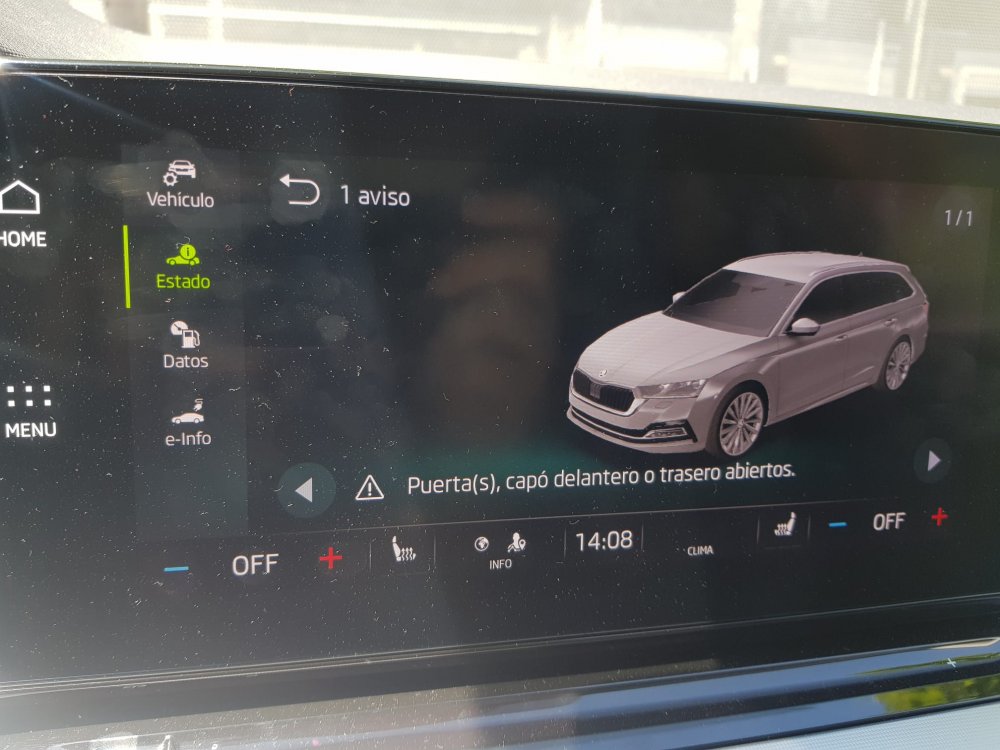
In my case if you try to look at the warning it stays weird things. Once it was that I had the trunk or the engine compartment open (both of them closed) but yes I assume is a warning they don't have linked correctly to the infotainment like hey remember you're plugged in. The weird thing is that you have as well the green plug... Perhaps green plug is charging and yellow sign is you're plugged... The dealer told me to forget about it with the basic explanation that perhaps while charging some systems are off and that's the yellow warning about
-
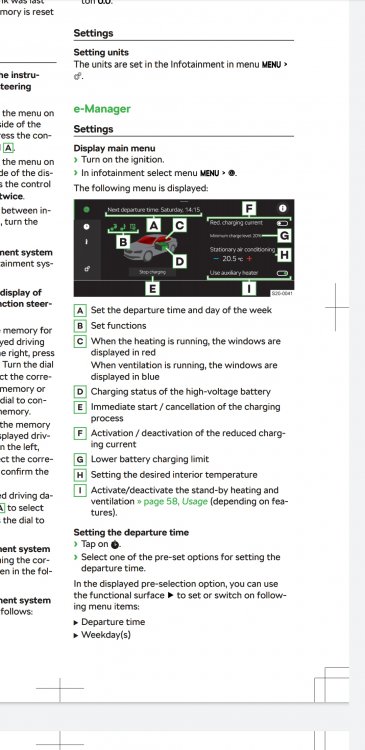
I talked with Skoda about it. They told me not to be afraid of the 100%. In fact the car changes the pace of the charging when it reaches 80% to protect the battery. Furthermore we have the 8 years battery warranty at 80% capacity so I won't bother so much. Related to set up a maximum I don't think it's possible, what I do know is that you can set a minimum. See the attached image or look in the manual for the e manager. Do you mind answering a question? While you are charging it do you have any icons displayed on the virtual cockpit? I'm getting a yellow warning apart from the green plug. Just wondering if this is happening to other people. Cheers
-
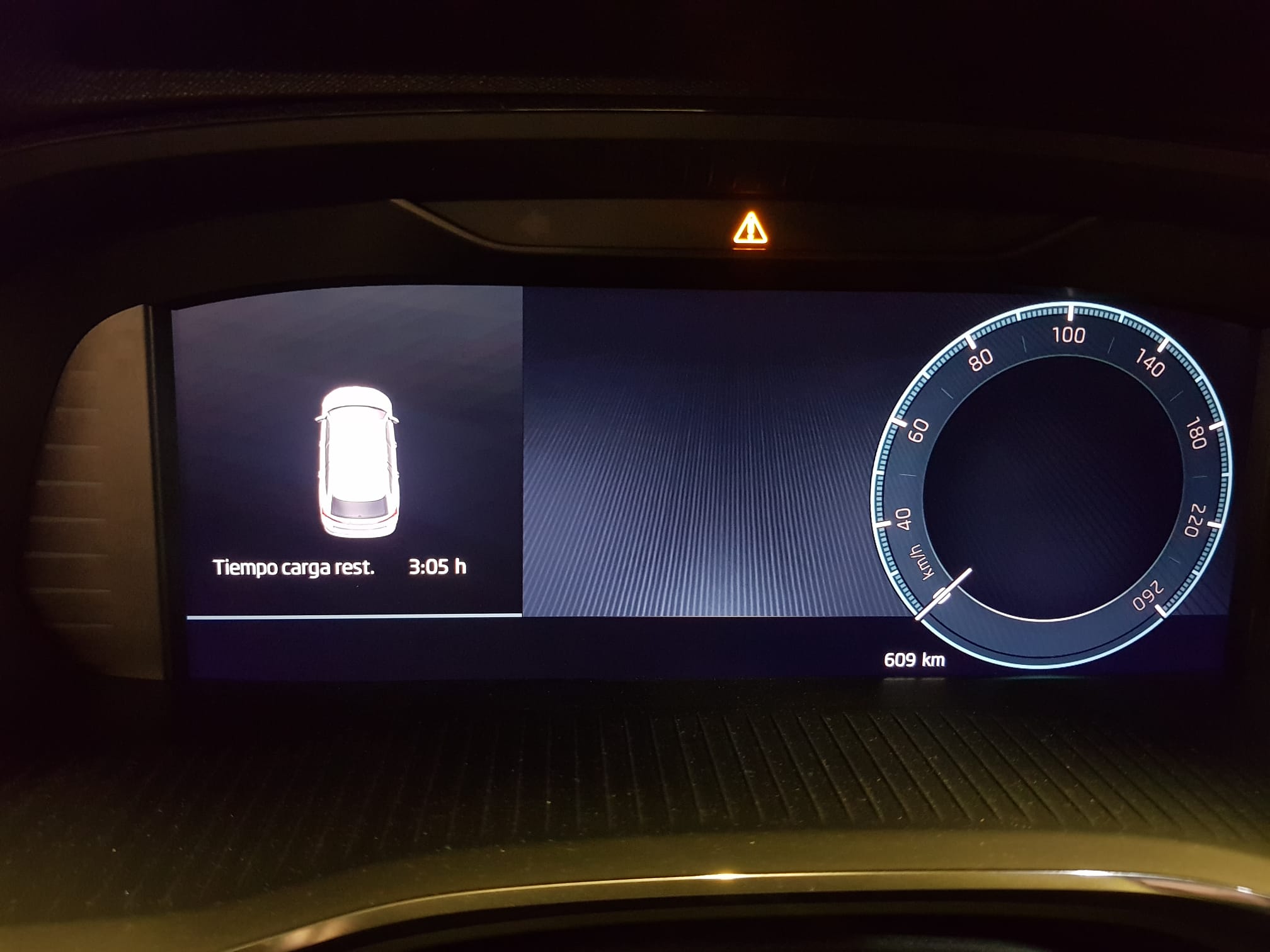
According to the manual indicates a warning along with another warning light... therefore it indicates many different warnings. In this case I needed to check the car status in the infotainment to check what it was
-
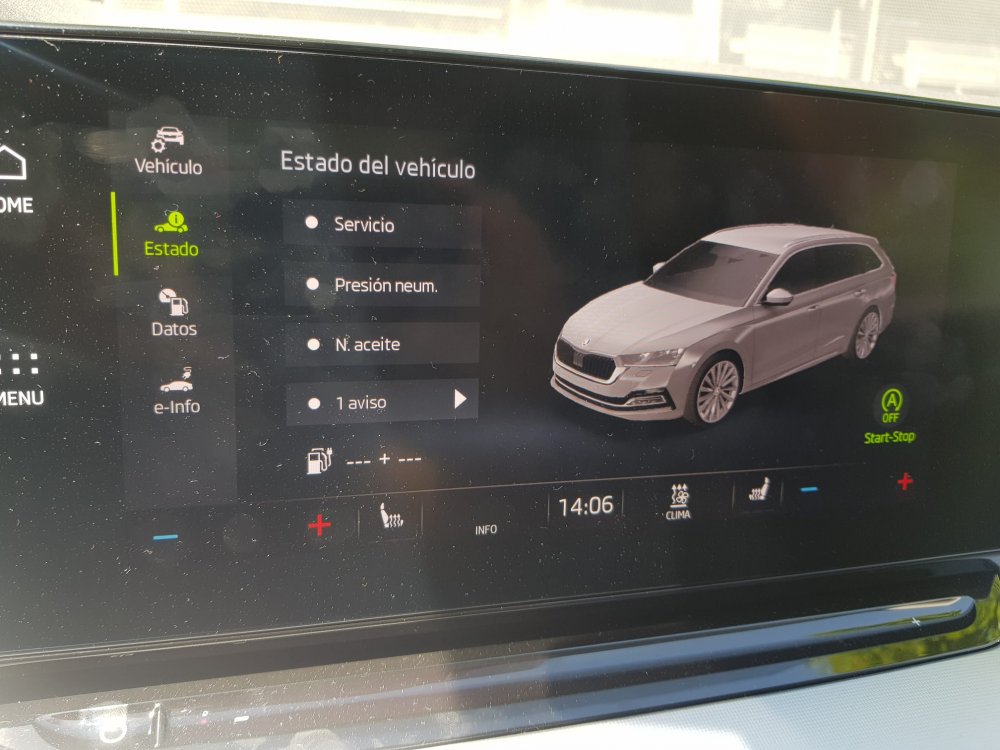
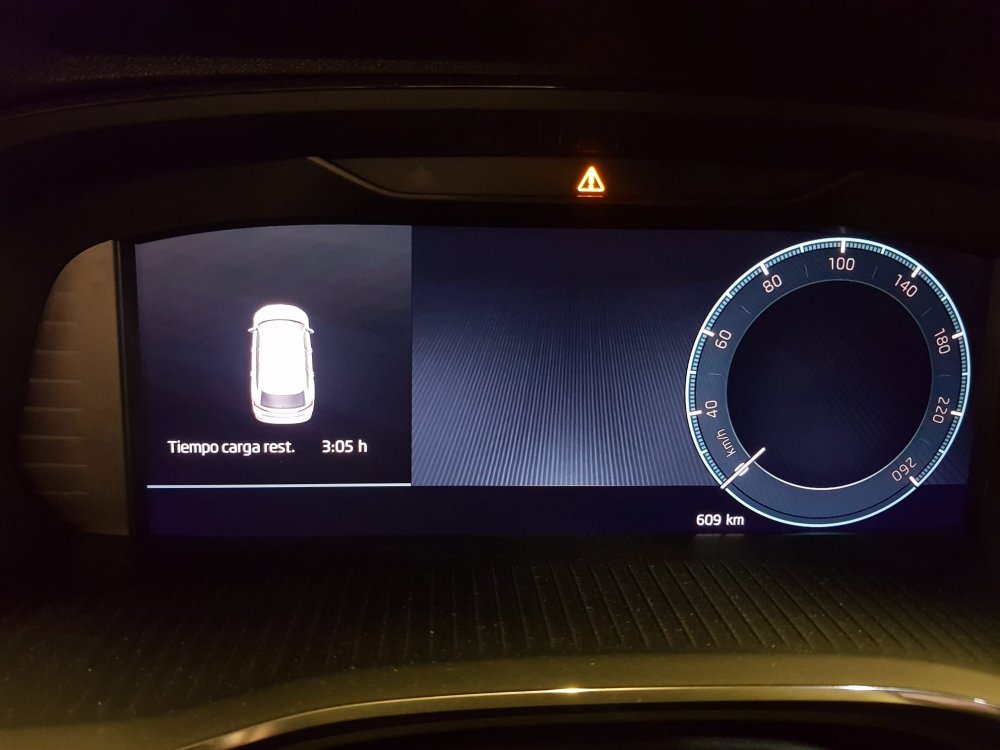
Hi! For those of you with the iV model... Do you have a yellow warning light in the virtual cockpit while charging? I'm trying to figure out what this is. There is no info in the manual about any warning sign while charging. Checking the car status in the infotainment I did a couple of tests today in different public charging points. One time it said function not available, the other one that something was open (door, trunk or engine compartment) although everything was closed. I've contacted the dealer and still waiting for a response. At least it seems it's not related with the charging itself, car charges perfectly. Sw version: 1788 Thanks!!
-
In my case I've set it up in auto and with flatter roads it works perfectly. I can do around 60 kms easily. On the other hand I won't expect to much regeneration but enough to stay in those numbers, there is another hidden feature that supposedly set the gear in n automatically to save some battery/fuel. One question for those of you with the plug in model. While you're charging which icons do you have in the VC? I'm seeing apart from the green plug and the expected time to full load a yellow warning triangle.I've not clue if it's normal as the car charges properly with no issues. I've checked the manual and it says nothing. I contacted skoda yesterday but they told me to wait to the next working day for a proper answer...
-
So...all in all it seems the problem still happens in 1803 We'll have to wait. I contacted today again Skoda Spain just to check how my case was going and still "under technical verification"
-
Another personal view, I do have the heads up display as it was included in the stock car I bought. Honestly I wouldn't pay for it, it offers no real benefit from the virtual cockpit and if you use polarized sunglasses you will not see it... Regarding the panoramic sunroof, I've it and I love it though it's a quite personal decision. GPS having Android auto and apple car play I consider it useless as well, you don't get the nice map on the cockpit that's right but you still get basic indications (I've a samsung Galaxy s8). I've both options (again included in the stock car) and normally I've ended up using Google maps or Waze due to the car internet issues. Living in NZ perhaps you can consider the winter pack for the cold days instead. Cheers!
-
Is it for free or do you need to pay them to do the upgrade?
-
Thanks guys! It happened to me as well, I realized about it today after a couple of weeks driving...
-
It's my first car which this kind of set-up and that fact brings me a lot of doubts...Do we have now to go more frequently to the dealer? Which kind of improvements would it bring? Will they call us in order to get it? Is it free...? Yeap.. Cars used to be simpler...