timster
Members
-
Joined
-
Last visited
Everything posted by timster
-
Ah, you mean that. Maybe you just need to zoom closer? Haven't gotten mine yet, so cant really tell
-
Hey, Can someone check the part numbers for liftback Style or hybrid vRS (iV). I'm wondering since they are same ride height. Just want to confirm, that they are different.
-
You mean the Street/Earth view? That was removed already on 2017 Golf's
-
These days you just have to yourself make sure what you're buying. My previous Golf had dipping passanger side mirror by default, and luckily I noticed that Octavia's do not have it. So for me to have the mirror dip while reversin was an 30€ option BUT it required 1000€ seats
-
On VAG cars they work fairly well and are convienient to have the map in front of me. Also PHEV's use the map to use battery differently.
-
Are you indeed missing some options? If you have folding mirrors, try checking the options that you have them enabled. If they are enabled, turn them off and on again. I once had that bug. KESSY's point is obviously to open/lock doors without touching keys. How did you try them? Also make sure you dont have keys inside the car.
-
-
This should be in delivery times but: If all goes well, after next week!
-
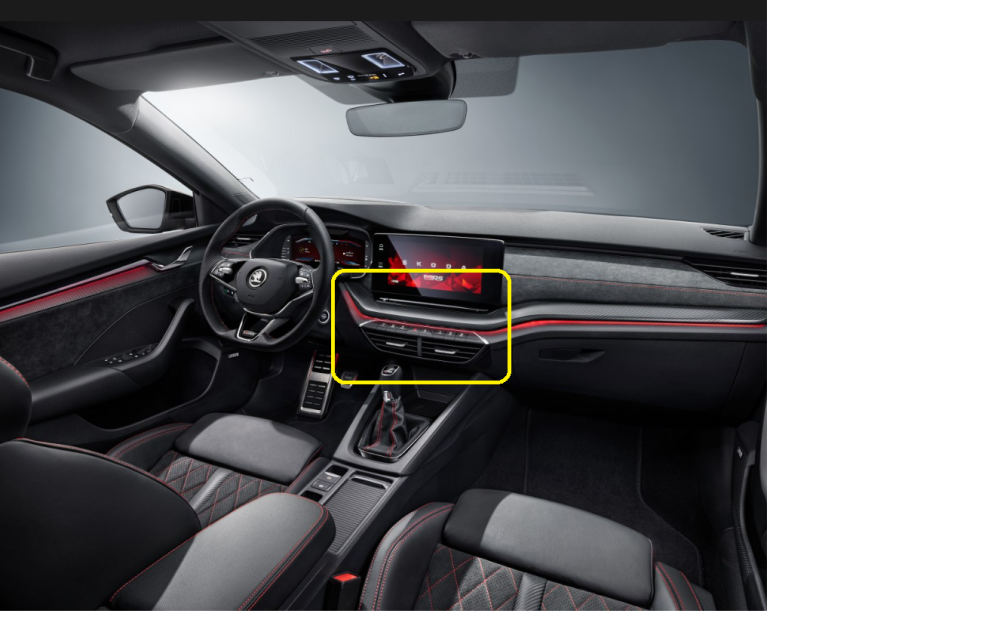
Hey, Has anyone got some ideas for a phone holder in the marked area? I would not like to block/disable the vents, but perhaps stick a holder in some crevice. I could even 3d print the holder, but would like some suggestions for it. And no other place is suitable. Only the center console area.
-
Pretty sure he would be whining here if there would be any problems
-
Having hard times waiting for this! 😇
-
So my Octavia is getting near to me. OBD11 with 2y pro subscription is waiting to arrive perhaps next week. Could you guys confirm/assist me on the settings i'm planning to do for the RS iV. Headlight washer delay to 2500ms Start/Stop button heartbeat (***) ACC overtaking enable Normal cruise Light assistant memory Daylight rear lights (****) Trunk alarm sound off Foglights on revers (if not alreadl) Keep windows working after shutdown Seatbelt warning disable (*) Lock car when running (*****) Needle sweed (Didnt see it enabled on youtube videos) (**) Disable beeping when opening door when engine on Are these are doable with OBD11? I believe the headlight washer delay requires an SFD unlock, which is possible with the Pro? Can someone confirm that these all are possible and has been done? Can i do all of them with the OBD11? (as much with long coding as possible) I've got 200 credits, which i can also use. But would not like to spend all at once Listed the ones i found some steps. Are they working? * Control unit 17 -long coding- seat belt warning version1, version 2 or off- set off to turn off warning ** Control unit 17 -long coding-Staging set yes *** https://forum.obdeleven.com/thread/7261/engine-button-heartbeat-effect-keyless **** 1.Module 09 - Electronic control unit 2.Adaptation 3.Daytime running light 4.Tagfahrlicht-Dauerfahrlicht aktiviert zusaetzlich Standlicht: - (Change value to On) ***** Control Unit 09 -> Adaptation -> ZV allgemein -> funk bei klemme15- set active
-
I will Yeah, they are making sure people wont hit the battery on rocks or something. RS iV is unfortunately same height as normal iV or any other normal petrol/diesel model. Just stiffer shocks.
-
Can you share a picture of that?
-
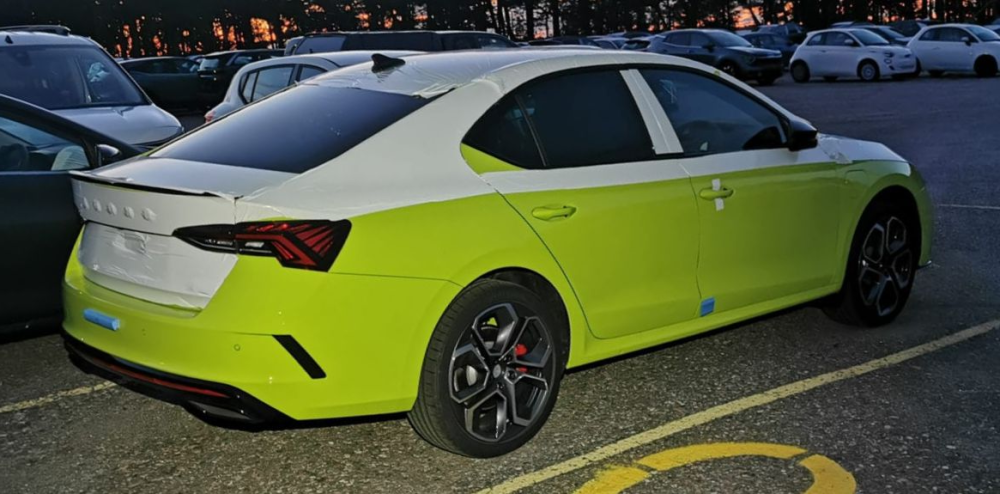
Got news today. My vRS iV has arrived at my country. Guestimate is that i might have it in two weeks.
-
We'll see how it feels eventually. Yeah, i'm getting the iV vRS. Just got news that it has arrived my country. So i'll have it soon. yeah there is the option to go beyond stiff. But well. We'll see how it works out. Haven't driven iV VRS with DCC. Unfortunately its not lowered like petrol version 😞
-
What is this?
-
I'm getting mine with DCC, and i was hoping the DCC "normal" would be same as standard vRS. Disapponting since the drive modes always reset on start. So i'll have to hit "invidual" every time i start the car IF it's really a bit softer than standard vRS. I was trying to figure this out before i made the order. Eventually i got the Challenge+ pack which came with DCC, so was just hoping that the DCC "Normal" is same as standard VRS. Would really like to know for a fact, how it is.
-
Where do you get this information about standard being stiffer than DCC "normal"? Thats really disappointing news for me, since it always defaults to normal.
-
This sure does look like the text projector. Perhaps you need to have your lights set to ON if there is not enough darkness?
-
Can you take a picture under your door? I'm going to loan your topic a little. Wonder if that light could be changed for something else? I'd rather have some other text, or even better just have a regular light under it. The Text light is not so practical. edit: Tempting: http://www.kopacek.com/Skoda/OCTAVIA-IV/Octavia-IV-MEGA-POWER-LED-safety-door-lights-with-GHOST-light-RS-WHITE
-
I've got that on my 2017 VW golf. Would have it on Octavia if possible. I believe its priced right, so IF you keep the car, it does give you some ease of mind.
-
My car has its reg number! I guess that means its only a matter of logistics.
-
Auto mode also looks for cars ahead of you. Which means it will brake with regen, if the car in front of you slows down. This happens even if you don't have cruise enabled. I like Auto the most. Since it lets me coast when possible, but does slow down using map or other cars. You can always manually use regen by holding the left paddle or switching to Sport mode from the gear knob. Return to auto by holding right paddle, or going back to D.
-
If you car was already in the parking lot, it had the VIN (motor?) number already. VIN is prepared for the car when they start manufacturing it. I've had my VIN for few weeks, and was able to add it to skoda app last week. So perhaps that just means, that your car (like mine) is finished very soon