Smoothrunnings
Members
-
Joined
-
Last visited
Everything posted by Smoothrunnings
-
oh that's interesting.. ok yeah love Manual for fun its defiantly quicker, but i cant be arsed any more with constantly changing gear in traffic etc etc. Will check for the sticker as it may need dealer service and give my local a call to soo.. what is the 34H5 update any other way to see if its been appled..? p
-
Hi All Many thanks for your responses. Yes i only have the 1.4 but put the DSG in to manual mode take off the T\C and run up is enough to make me want to slow down when the needle hits 60 ! Seems like this Pedal Box thing is where i need to be, the car has plenty of power for me ! 50 mph -80 mph flies by with plenty more left. Conversely the 1.4 in Auto (even using Sport) feels a little lacklustre in the 0-20 area and it just seems to rev too hard in the lower gears so loosing the overall acceleration..? By enlarge im going to be driving around quite happy in Auto on either Eco or Normal but would like something just a little extra when its play time. Am i making any sense... Anyone have a good recommendation for the supply and Fit of a Pedal box in the south east (Guildford \ Portsmouth \ Southampton etc). Kr P
-
Hi Norms That sounds just like the sort of thing I'm thinking of doing. Was looking at one of these for an under seat Sub which has a little amp built in. https://www.alpine.co.uk/p/Products/SingleView/pwe-s8 As for the rest of the speakers haven't looked yet as i wasn't sure of the size. P Did you do the A Pillar tweeters too ...??
-
Ok idiot mode engaged..... Pedal Box....? Induction Kit... ? I do IT not mechanics ... P
-
Hi All I have a stock Octavia 2014 Octavia TSI in 1.4. As i understand it the output when new should of been about 120 Bhp. I've been thinking about how i may get this up a little. Yes the quickest way may be with a re-map but the performance % increase will take it above the level my insurance company will cover. Is there another way to add between 10 - 15 Bhp and would this even be noticeable \ worthwhile ..? I'm not a racer but i like a prompt drive P
-
Hi All I have a 2014 Octavia TSI Elegance (Saloon). About the only optional extra missing is the Canton package. The Head unit is an "Amundsen MIB1" which i have a few gripes with but by enlarge is ok (Although it irks me that i cannot skip between albums) I play music through the SD card formatted in mp4a @ 320. So the sound is good-ish but far from immersive. From memory the last time i replaced a Car Stereo and speakers in a car (long while ago) they said it all depends on the Head unit i wasn't sure why, and never asked. Anyway any thoughts as to my options to upgrade the speakers and improve overall sound quality.?? I did look at upgrading and re-coding to a more recent head unit but it was over 1k, which is a 10th of the price of the whole car so i cant go that far unfortunately even then it would of still been to an older model.. I'm assuming \ guessing that the head unit does the bare minimum to drive the sound system and it doesn't have a lot of beef in it to manage any thing over the factory fitted speakers so an Amp is probably needed ..?. [I'm not looking to see the glass vibrate and have the car bounce at the lights !] I'm thinking of a a slimline Under Passenger Seat Sub (One with an Integrated AMP perhaps to give the MIB1 what Skoda never did in the first place) BTW Would any other Amp Supplement or replace that of the Head unit... ? Front Door Speakers (Size and brand .... ???) Rear Speakers (Size and Brand ... ???) Not Sure if the door post has mini Tweeters in or not... Parcel Shelf Speakers are not an option as i take it out on occasion. So Audiophiles Any ideas on what i can do.. Kr Paul
-
Hi All Many thanks for the reply's really much appreciated. @ ckyliu Please do send on your list that would be fab..! Yes I'm not going all out for the detailing thing ! Just looking for a really nice clean down once in a while. (You never saw my last car.. a good wash equated to a thunderstorm) So been doing some work and arrived at the same conclusions. I'm going with the AutoGlym Polar range and the MJJC pro attachment with a "Woolly Mammoth" microfiber cloth all seems pretty standard. However when the sun eventually comes out was thinking about adding a top coat of wax after to really make the black paintwork pop. Using the below Soft99 KingOfGloss Dark. (Would this work well ... IDK) Reading the forum it seems well received. https://www.cleanyourcar.co.uk/soft99-king-of-gloss-dark In relation to pressure washers do you have them set at maximum pressure or toned back a bit Kr Paul
-
Hi All Never really owned a nice car before but now i have a super 2014 Octavia Saloon and the paintwork is in top condition As all my other motors have been more "service" orientated I would run them thro the carwash once in a while and that was it. If i want to take better care of this one (which i do) what sort of kit do i need. Can a pressure washer be used for the initial washdown if so any recommendations i don't want to use somthing that could damage the existing paint etc. Read a lot about "SnowFom" which seems to be some type of shampoo I'm unsure how this is applicated.. Any advice on overall process including drying waxing and polishing and associated products gratefully received. Dont want to go overboard with styling \ detailing but would like a nice finish. Where do you purchase from any links appreciated. Any thoughts Kr Paul
-
got that thanks. All checked it just normal nothing added nothing under seats etc etc.
-
Hi All I got the code flashed without issue, and have posted a thread on the process I used elsewhere on here. A couple of the issues are defiantly fixed in regard to playback from Media and DAB reception. The screen is really much responsive, but after about 20 mins running it becomes significantly less so and is still very laggy where you find yourself pressing the screen harder with multiple taps.. Does any one have a MIB1 unit they could check in theirs ? As it works to begin with i don't think its actually broken.??? Must be a code issue somewhere in there. I guess to fix i need to upgraded to something like the below https://www.vw-retrofit.co.uk/product/skoda-amundsen-mib2-5-set-with-8-glass-screen/ BTW What on earth is a "Canton" and how do i know if i have one as it seems i also need to swap the associated amp... Getting jolly expensive just to fix a dodgy screen..... P
-
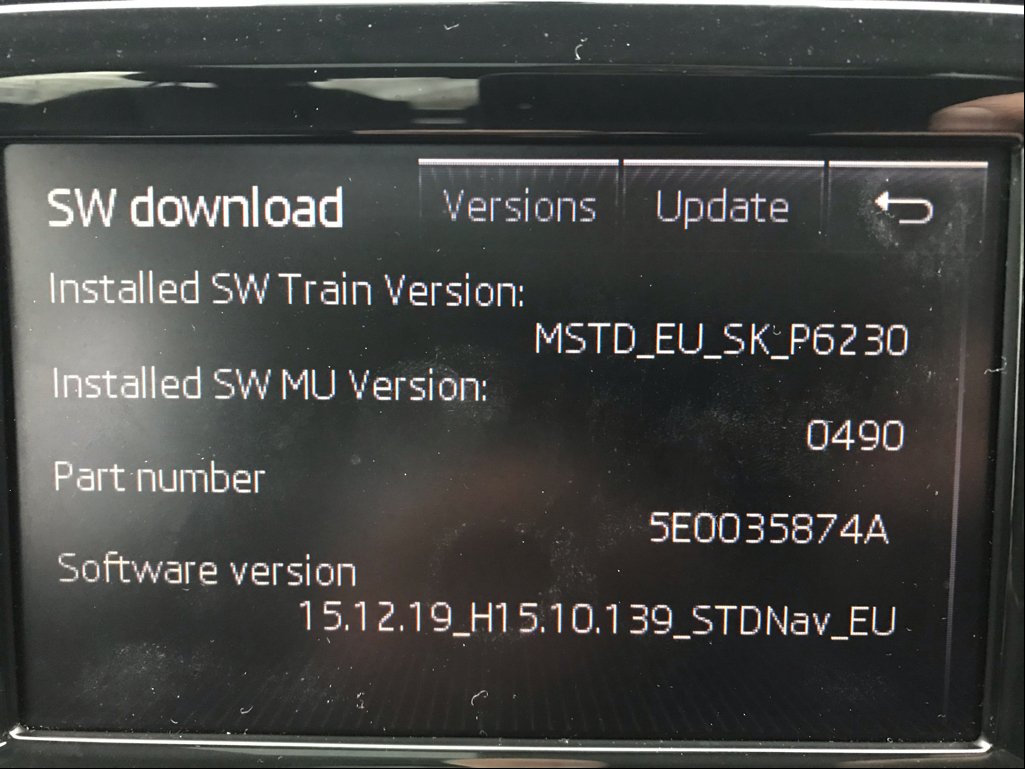
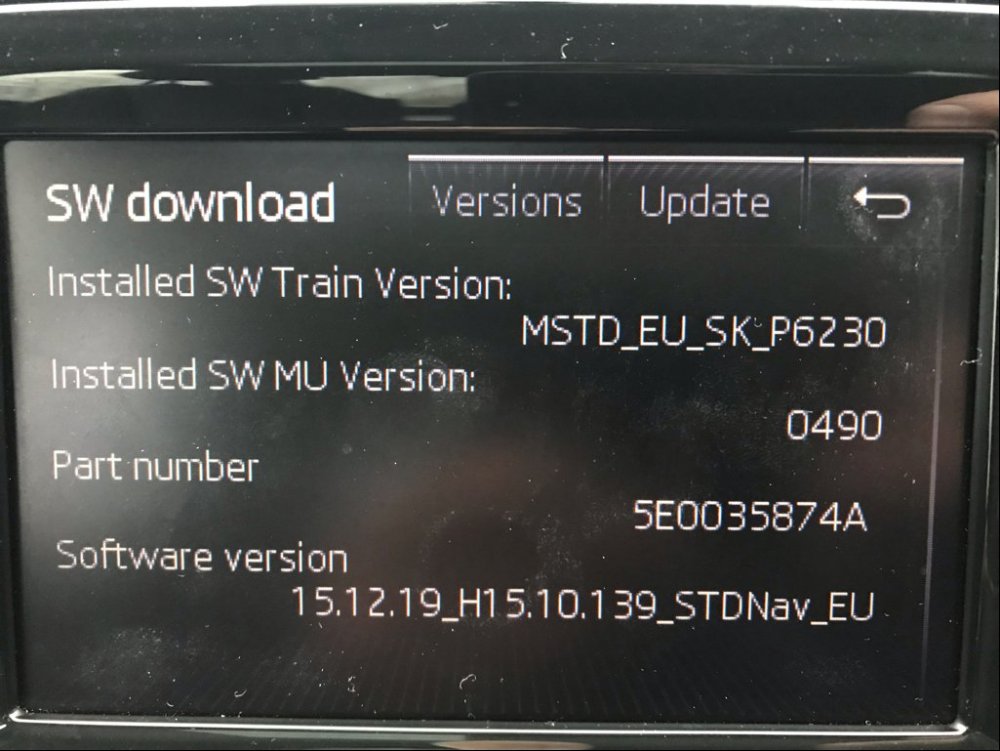
Final Running Release Data Shown Below (POST UPGRADE)
-
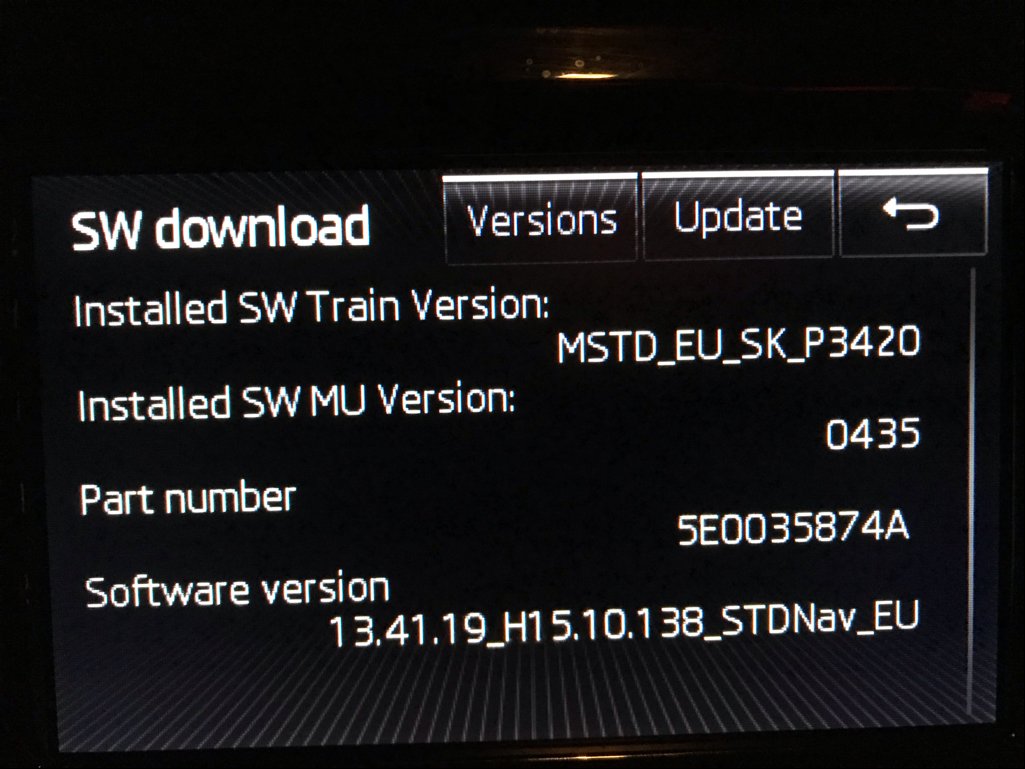
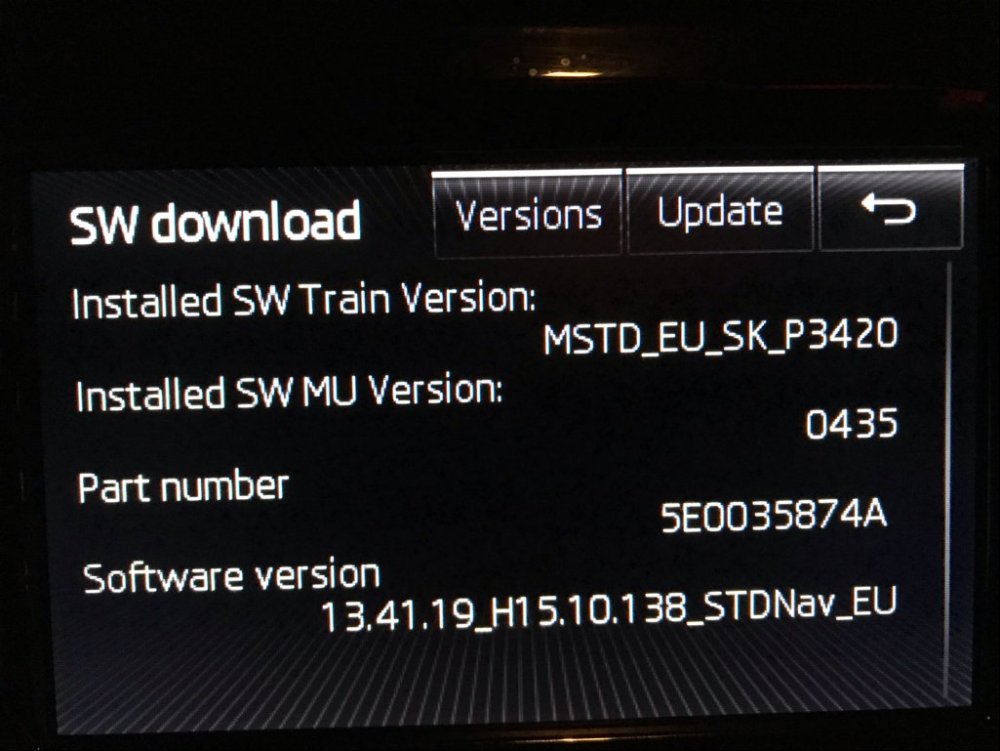
Initial Running Release Data Shown Below (PRE UPGRADE)
-
Hi All Wanted to start this thread as while there are many many posts on the topic of firmware updates to head units, not too many seem to cover the actual process end to end so thought it may be nice to share the guide i put together from multiple sources and i wanted to make it as detailed as possible to help anyone in the same boat as me.. I will try and answer in this post all the questions i had to save you the bother of looking on loads of different sites and threads Full disclosure:- As an IT professional all my life, I am familiar with the inherent risks and problems which can be associated with Firmware updates, but I don't know cars at all. Before going ahead, I did a lot of reading, research googling and you-tubing so be warned the process may be relatively simple but if an update like this goes wrong, it will cost you to have it fixed and I'm sure running the update will in itself invalidate any warranty. Any updates completed are 100% at owners' own risk. Neither I nor the forum site BRskoda maintain any responsibility for the process or any files downloaded or the source from which they were obtained. I cannot supply a copy of the source code please used don't ask, nor can i tell you whom can or might, but they are out there. You know who you are and you have my deepest and sincerest appreciation At the time of writing my Mib1 unit was running 0435 and 0490 was I believe the latest available. The Update file I used for 0490 was named MSTD_EU_SK_P6230.zip These are only my own findings and results when running a code update on an Ambulsmen MiB1 unit this process could change in future releases. Your outcome could be different. Before posting the below I cleared with moderators. Initial Prep Think do you really need to want do this..? (I had unimpressive DAB reception and very poor response on the touch screen using v0435 I heard it was improved in later releases). I wouldn't do it unless there is a likelihood of it definitely fixing an issue or problem which you are experiencing. Check and Confirm what sort of unit you have. Press and Hold Menu button for 5 seconds. Obtain below data as pictures and refer to another source to obtain the correct and appropriate files for download. [I strongly recommend using multiple virus checkers on the file or performing the initial extract a virtual environment] Personal Recommendations Plan and re-check everything (once started you cant stop it) Be slow and methodical DO NOT rush Print off the instructions and process to work through. Give your car a good 40 minute spin out on a quick road to top up the battery without using any utility which may put extra strain on the battery. (See this link to check your battery Status https://www.youtube.com/watch?v=cqM79n7MeJw ) Run the update during the day for better light and so you wont need to use the cabin lights to see what you are doing. Disable daytime running lights to prevent additional and unnecessary battery drain. Get out and check your lights are actually off. The upgrade process will take 45-60 Minutes be prepared for that. - Do use a battery charger or jump pack the unit could well brick itself if power continuity is lost midway through the flash. I got one in a well know UK wide Auto-parts store for a shade over 30 notes. [Beware the charger you use will need to be Start Stop compatible if that's a technology in your car]. A big shout out to the below whoever you are you helped me build this guide https://www.youtube.com/watch?v=gWXJI8V9OEc&t=213s https://www.youtube.com/watch?v=2Sj5-KHuhRk https://www.briskoda.net/forums/topic/378192-amunsen-mib1-firmware/?hl= amundsen https://www.briskoda.net/forums/topic/480534-experience-of-upgrading-the-firmware-on-amunsden-mib25-system/ Process Format an SD card as FAT32 (mine was 32Gb). (Use a clean one not your SKODA one) Using 7Zip extract the contents on to the SD card. --- This should leave 3 Folders and 1 Text file on the SD Card. With the car ignition off remove any inserted SD cards CDs and USB media. Insert SD Card containing the Firmware Update in to slot 1 Attach battery pack \ charger confirm it is working as expected. ----- TURN ON IGNITION ONLY ----- ----- DO NOT START THE CAR ----- ----- ENSURE LIGHTS ARE OFF ----- ----- ENSURE AC \ FANS \ HEATED SEATS - ETC ETC are all OFF ----- Power on the ICE unit Press and hold Menu button again for 5 seconds Choose Software Download Versions Select Update Select the source (SD Card) [all others will be greyed out] Select the Release version detected First the Metadata will be validated Press Start A note is displayed say how "The update may take longer than 60 Minutes to complete and not to start the engine or interrupt the process once started" is shown Click Next The appropriate code will copy from the SD card to the unit The Unit will now restart and then download and restart multiple additional times (About 15. I lost count). (Up to this point the process will have taken approx. 20 mins) The Software update process will now create a "Mirror Copy" (multiple horizontal lines showing a copy percentage against each of them) When each line has finished its copy and reached 100%; The Unit will reboot, upon resume it will start on the next line The Unit will start another set of multiple Software downloads and restarts. The Unit will restart again When the screen Titled Software Update Result is displayed Click Update Summary Review the updates applied and return to the previous page. Click Close If displayed Cancel the Diagnostic Tester warning to check for error codes. These will however be visible to your Dealership upon service have them cleared for best practice. The Unit will restart again. [For the final time] Once the update has finished wait 5 minutes for any last background processes to complete Press and hold Menu for 5 seconds to confirm the new version is running. (Now expected to be 0490). I Started at 12.05 and following the above my update was complete by 12.48 Issues in 0435 Touch Screen not responsive DAB stations missing from radio + reception often poor (where i know we should have reception Was considering upgrading external Ariel) Playback from SD Card would not move on to next Album (when organised in to folders) SatNav UI well a bit "basic"... Status in 0490 Touch Screen 100x better DAB radio now works like DAB Radio (I live in a not so hot spot for reception.) Playback from SD card fixed Not had opportunity to play with the NAV yet (will try and post tomorrow) Conclusion:- If you have the stones for it; and you do have similar problems the upgrade is well worth the effort. IMO Update 0435 is S*!t and is full of bugs... Keep the wheels turning guys. Have a good one
-
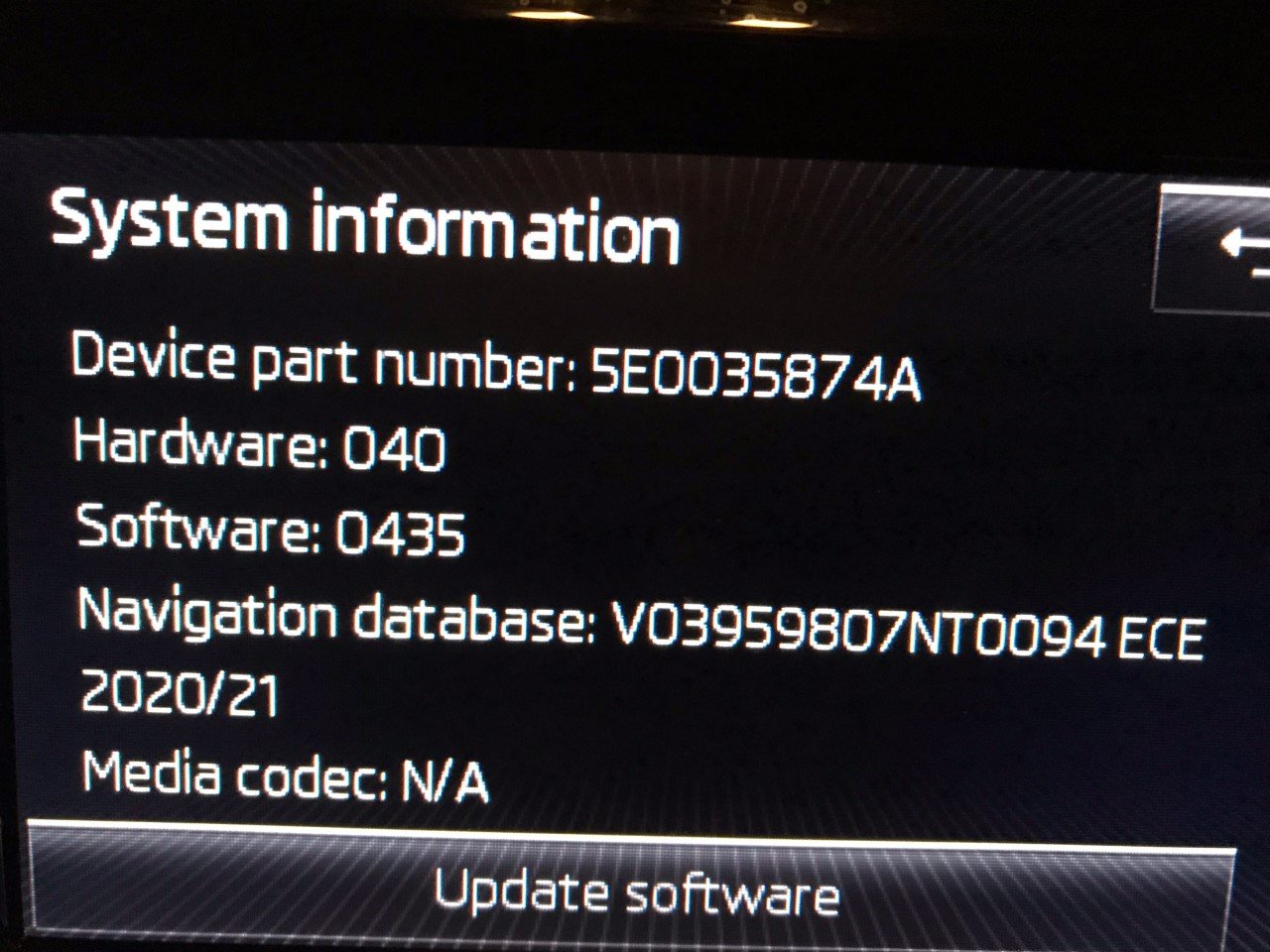
Hi all Just purchased a 2014 Octavia saloon. I have an MIB1 Amundsen which was way way out of date (without checking about 8 years). I downloaded the latest version from the Skoda site. Extracted the files to a directory on my laptop Backed up the original version Formatted the OEM Skoda Maps SD card as FAT32 Copied the new version from my laptop on to the SD card Back in slot 1 I now have Maps for 2020/21 Job done ! P
-
Hi All Been trawling the forum all morning. Is anyone running Amundsen MIB1 software code later than 0435 and if so which version is it (I think the latest is 0490 but am unsure of the improvement's \ fixes in it over 0435) ..?? I have the Nav unit 5E0035874A
-
On the assumption that the signal wont get any worse.. Any ideas if one of these will fit or has anyone fitted one to an Amundsen mib1 previously..? https://www.halfords.com/technology/car-audio/stereo-fittings/autoleads-dab-film-antenna-smb---dab-aa1-338357.html
-
Hi all sorry I'm really no good with cars which is why I'm here i guess ! Yes you are correct 2014 Octavia Saloon. Downloaded the owners manual PDF associated to my VIN from Skoda.co.uk it has nothing like the above image and if i run a find in it for "Aeriel" there are no results returned. P
-
Ok just checked nothing visible in any of the rear side glass. Is there a link for the manual so i can read more. p
-
Many thanks for all the assistance. Have some good options now. After running a factory reset and Maps update i may just stick with the original if i can get a Firmware update run on it. Anyway next on to DAB, in my wifes car the reception here is pretty good in my Skoda Octavia i can only get half as many stations. Where is the DAB aerial i cant see one anywhere,!! There is a sharkfin on the roof but other posts on the forum indicate this is only for the purposes of FM and NAV. I assume it would likely be better if replaced with the whiptail sort. Kr Paul
-
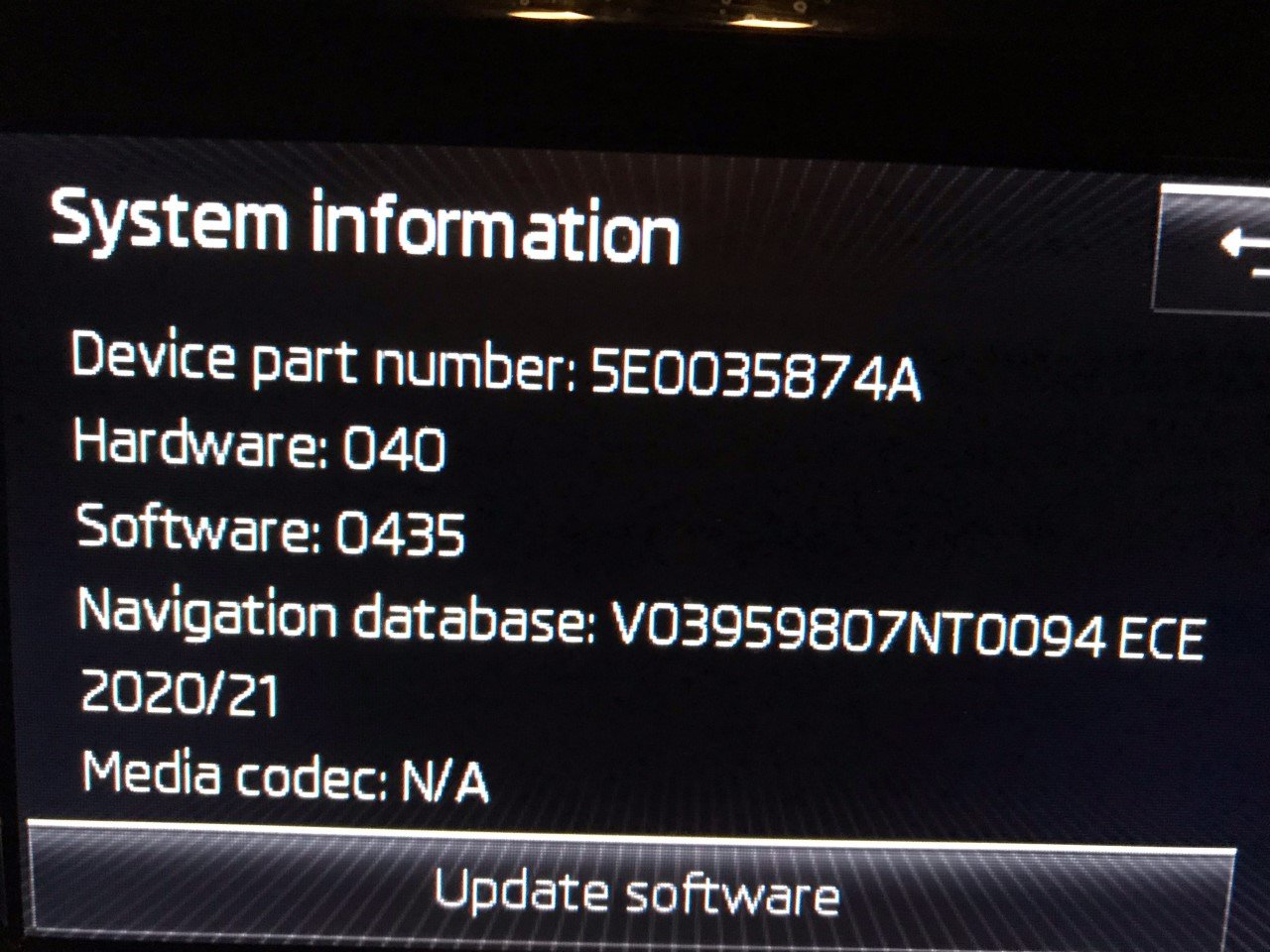
Hi All Pretty new here and to Skoda. Finally found a thread on FW updates !! I have a 2014 Octavia with an Amundsen MIB1 installed (have updated maps already,) Current FW shown below. Any ideas as to the latest version released how to get a copy and install it ..? Any problems or things i should be looking out for during or after the update ?? Is there a change log for bug fixes and enhancements \ improvements ?? Lastly can i go direct from my current version to whatever is the latest available ? Kr Paul
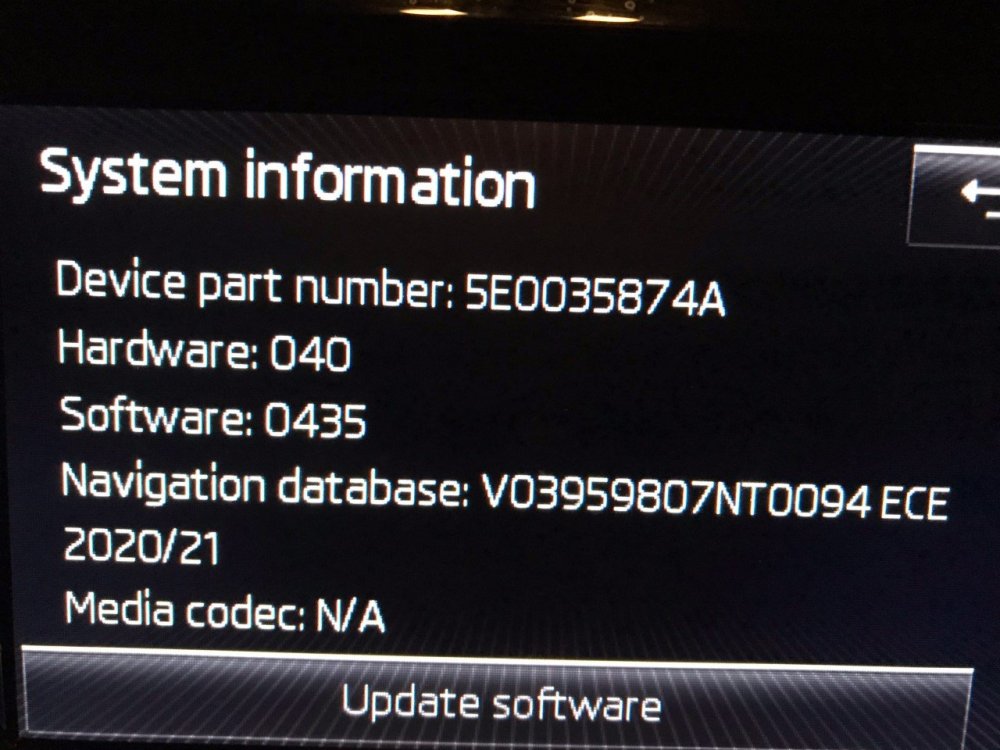
-
Ok started to get my head around the unit now these are the latest running versions. Kr Paul
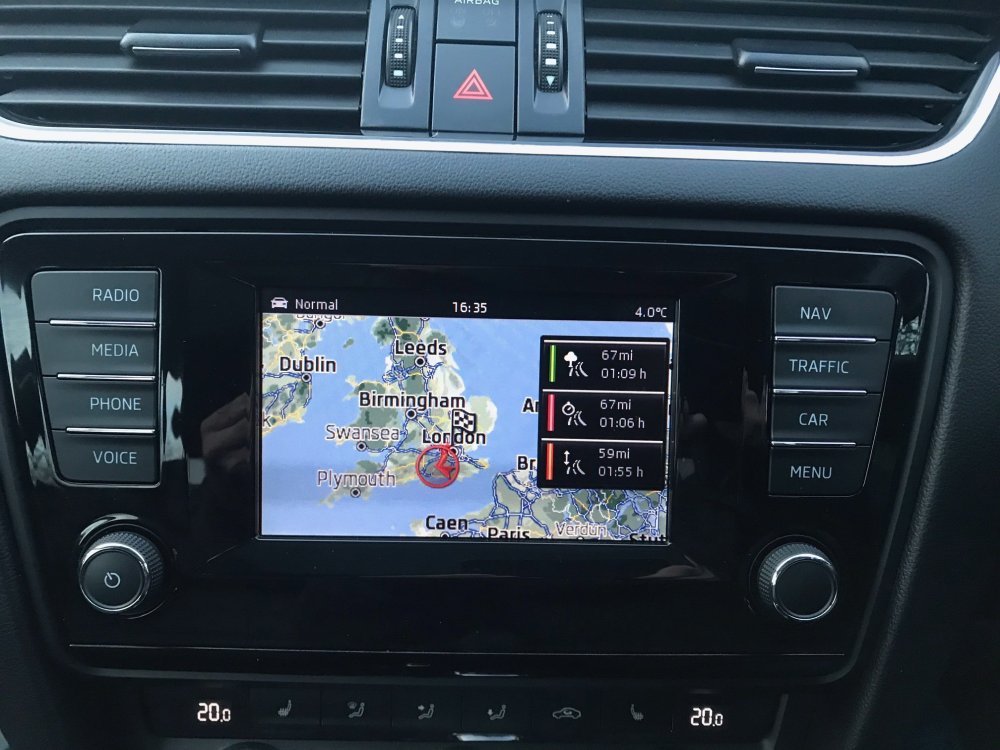
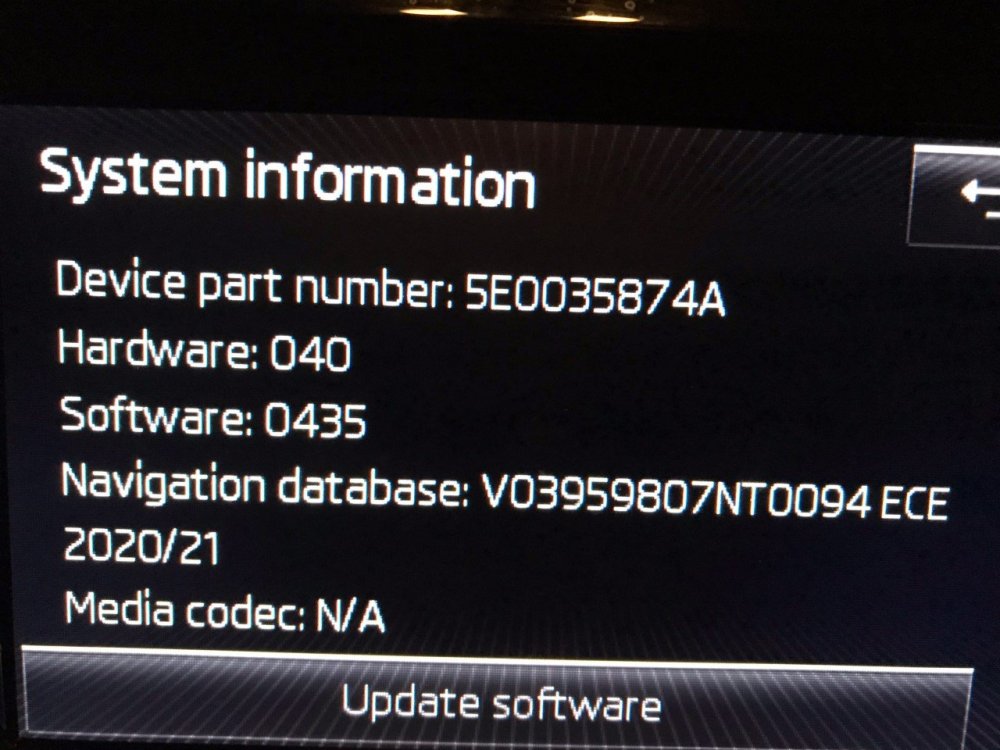
-
Hi All Many thanks for your assistance. So been looking in to the NAV software update which is a faff but not hard its over 5 years out of date so well due an update which the vendors website gave me.. So im guessing there will also be a potential code update. But am still looking at a unit upgrade me thinks Currently running.. DBINFO File PartNumber1="8V0060866E " PartNumber2="5G0919866AE" PartNumber3="5E0051236 " PartNumber4="5F0060884AD" PartNumber="8V0060866E " ApplicationSoftwareVersionNumber="0064" SystemName=" ECE 2017 " And it looks like the latest (available to me) is DBINFO File PartNumber1="8V0060866M " PartNumber2="5G0919866BD" PartNumber3="V03959807NT" PartNumber4="5F0060884CJ" PartNumber="8V0060866M " ApplicationSoftwareVersionNumber="0094" SystemName=" ECE 2020/21 "
-
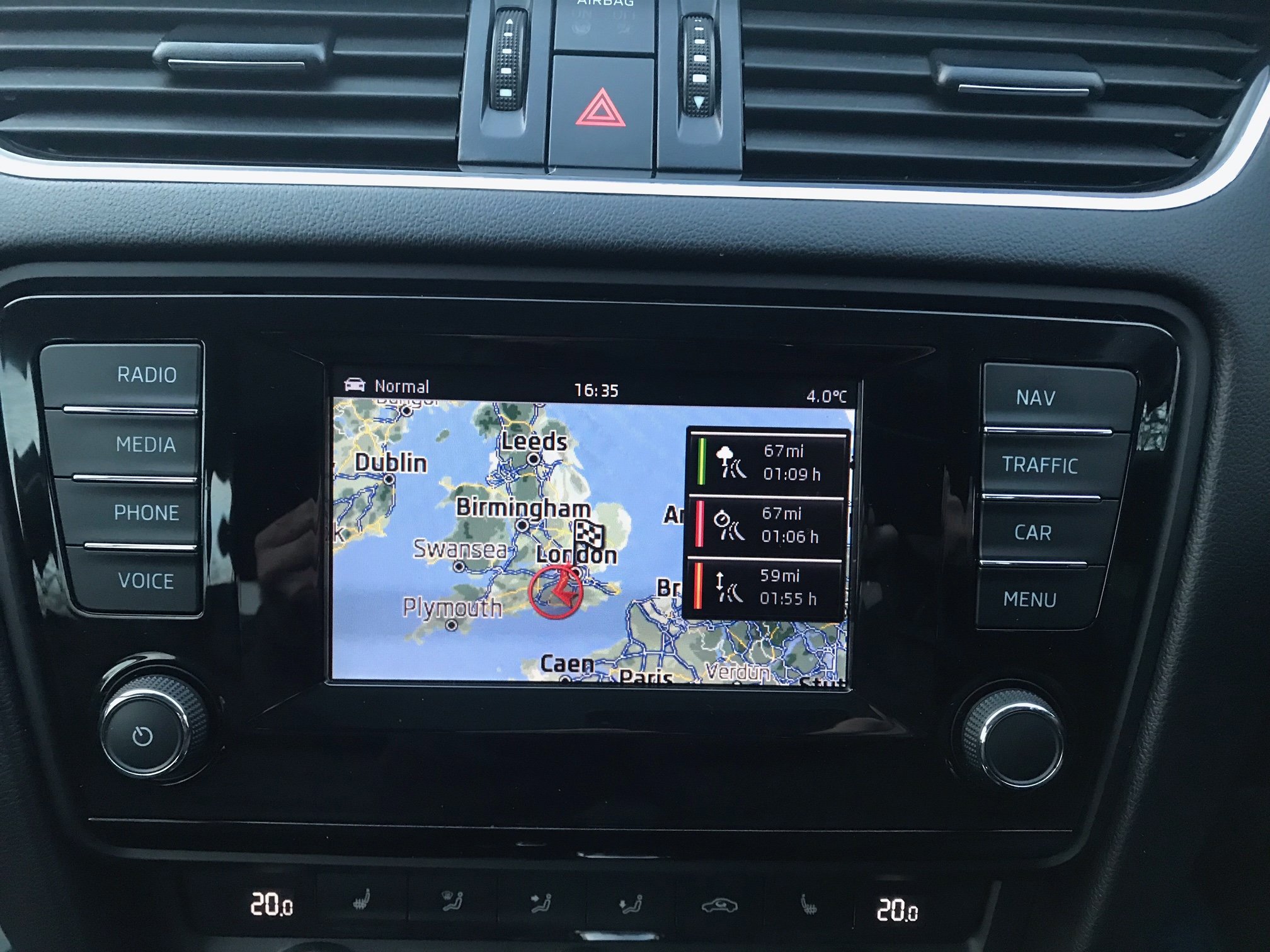
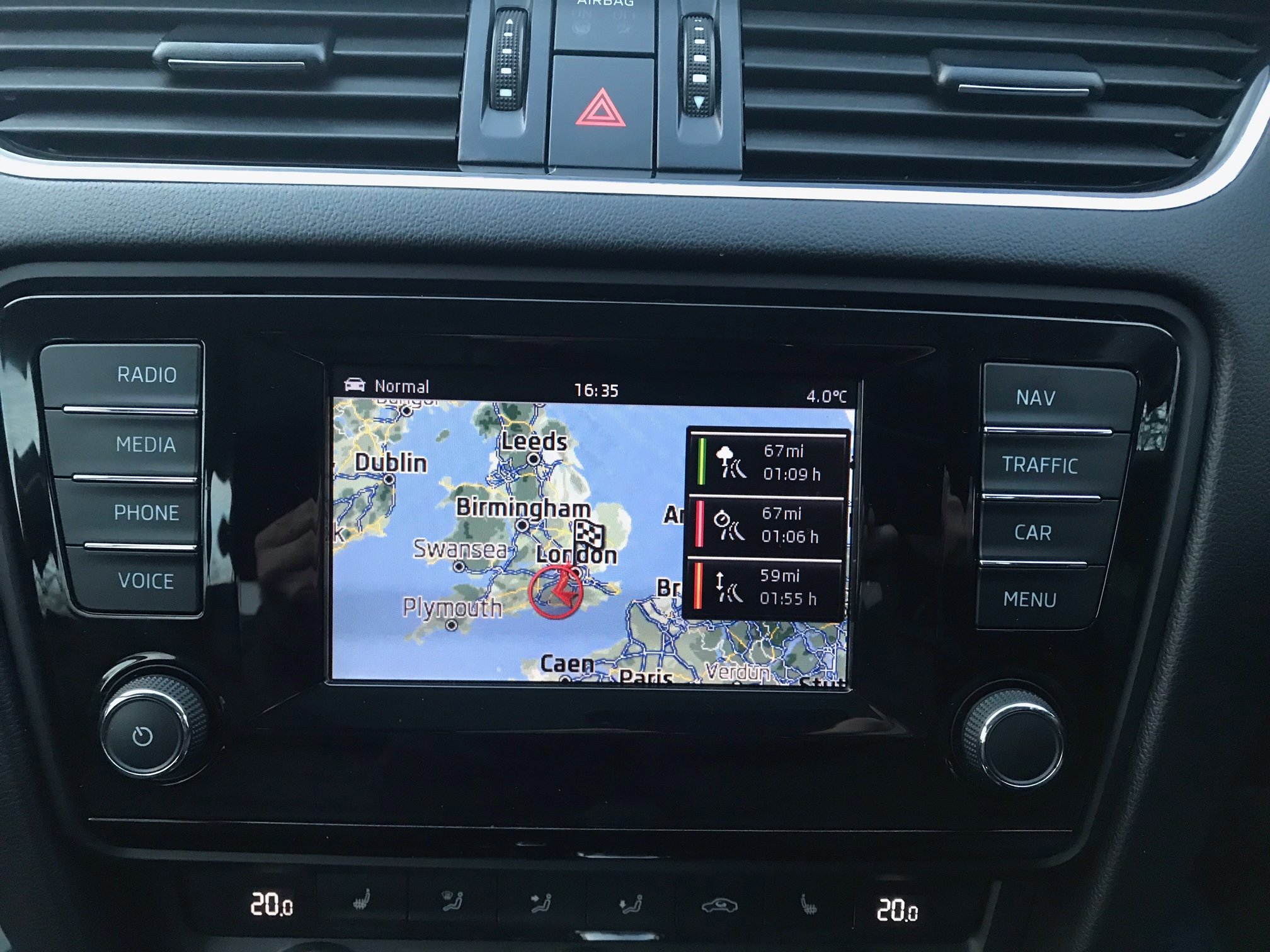
Hi All Thanks for the replies. Yes ive spent ages browsing the forum on the topic... Ok Looking at it from the beginning and the basics i suppose !! Can anyone tell me what sort \ type of unit i have installed based on the pic..? Is it possible just to swap the screen with a newer slightly larger one..? Perhaps a firmware \ software update could help, I've seen a lot of similar posts looks like there is a couple of highly experienced individuals in relation to this point on the forum. Would some detail here on my current version be helpful ?? I'm thinking its a fair way out of date now... If you can link me one of the posts on how to enter just a postcode id be very grateful.. I'm still trying to get the hang of the unit overall right now and still feel like I'm loosing.! Kr Paul
-
Hi All Recently purchased a 2014 Octavia lovely car all round great condition with all the extras ! But the infotainment system just sucks, its hard to navigate around, the touch screen isn't very sensitive and the screen is small... etc etc etc all in all very limited. As for the NAV requiring a full postal address to be entered is i find just pointless all i want to do is enter a postcode but google maps would be better than any car nav system IMO. So what are my options here any thoughts or ideas what sort of problems might i run into if i have it swapped ?? Thinking of replacing with a unit altogether that can run apple car play but my concerns are:- The car data that is displayed on the head unit display driving stats car stats etc. The reversing sensors the Nav data that is displayed on the dash
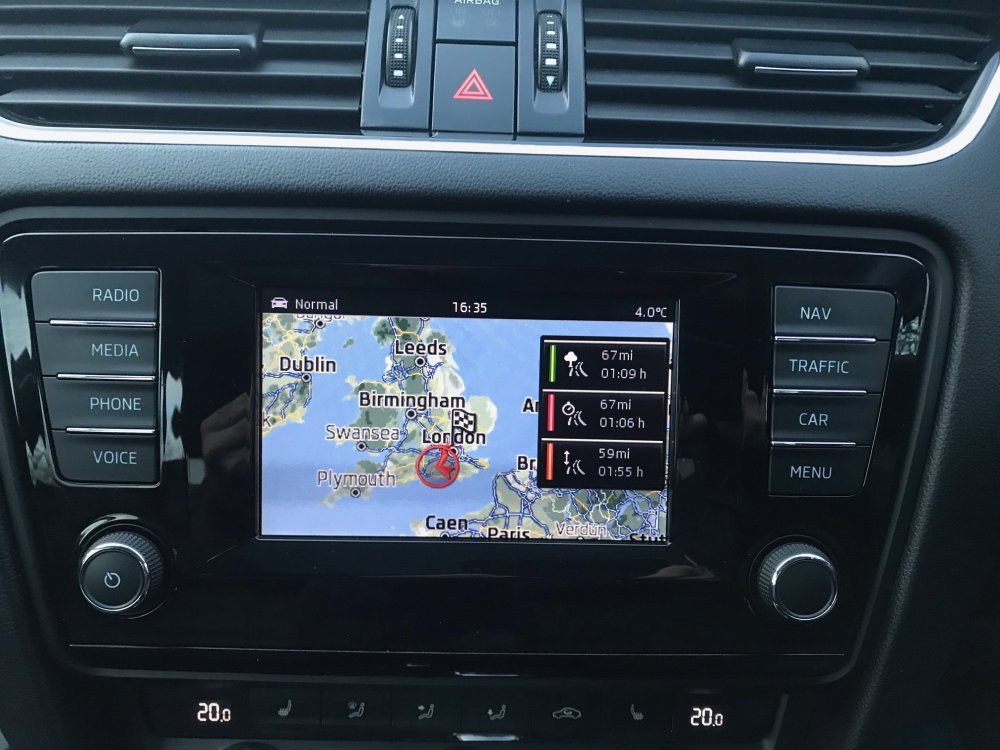
-
Hi All Called my local Main Dealer this morning. They confirm my car has had the DSG software update applied happy days. Many thanks all