.jpg.db4b62586e2bcfedd0aee3c0657e3847.jpg)

P-J
Members
-
Joined
-
Last visited
-
-
In June, I traded in my 71 plate race blue SportLine for a 25 plate graphite grey SE, but have just got around to uploading a photo.
.thumb.jpg.e657651268c3ecedd3adbc61896b12ab.jpg)
-
-
See my reply in this post.
-
Does the roller rotate to let you scroll up and down through the menus?
-
Video 'how to'. https://youtu.be/jBpux8Oyguw?feature=shared
-
This site has a Stoplock Compatibility checker for most car makes and models. Stoplock Pro is recommended for the Karoq. Stoplock Elite should also fit. https://www.hardwarexpress.co.uk/blogs/articles/stoplock-compatibility?srsltid=AfmBOoqoWEn0iIwsyYw0sqlmx3t7BmJPhsd3zcdTfPe-ZfWaceINSDzO
-
I have the Stoplock Pro. It fits the Karoq steering wheel well and gives a little extra peace of mind.
-
Hi Phil This video explains it all. Mode selection is from 01.39. https://youtu.be/fWEDeOLmRAA?feature=shared
-
--- I'm keen to get an automatic but have read some issues about DSG? It seems there are some issues for DSG in 1.5 TSI engines? Is that correct? Any (model) years to avoid? Do 1.5 TSI DSG engines have an issue starting from cold (kangarooing)? Or is that just manual? --- I have a Karoq Sport Line 1.5 TSI DSG (71 plate) that I've been driving for the past three years with not a single issue. No kangarooing.
-
I use a USB stick for media files, connected via a USB-C to USB-3 short cable. For example, this is the one I use: USB C to USB 3.1 Adapter 2 Pack You can also buy smaller USB sticks that will fit and still allow the cover to slide closed.
-
That's such a shame. Thanks for sharing.
-
No issues here with my 1.5 DSG.
-
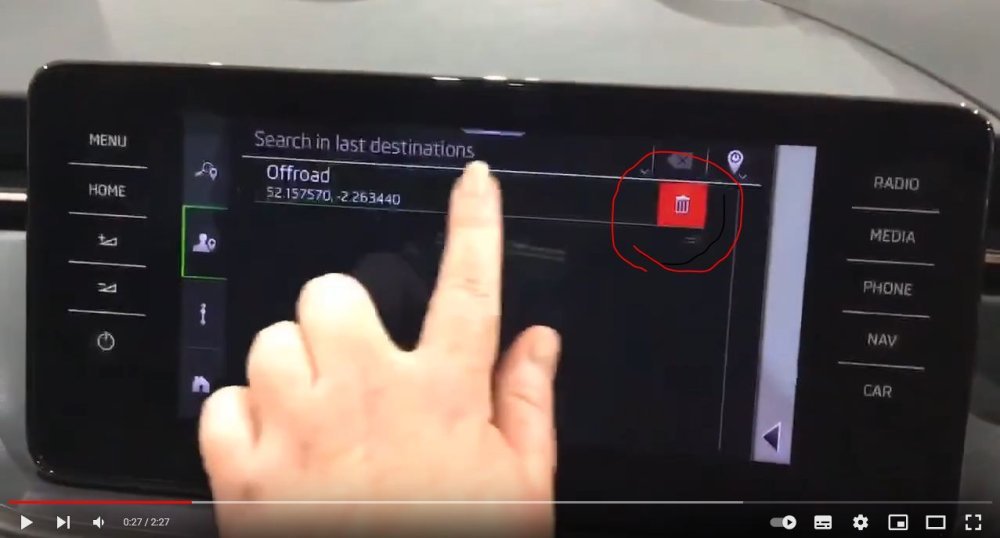
I have a 71 plate Karoq Sportline with Amundsen and can 'swipe and delete' destinations as shown in this Youtube video. https://www.youtube.com/watch?v=4v18Nr-w2nY
-
The Moon White looks great.

.jpg.4935d94f69c76f4fb4063b4789ecb27d.jpg)