Athrx
Members
-
Joined
-
Last visited
Everything posted by Athrx
-
May i present you my cheap bandaid fix.. First of all, going on a few assumptions here, first is that the mechatronic unit has been leaking slowly since day 1 of replacement, then that the garage cowboys used tiger seal instead of the real gasket that should be used. I'm assuming that because that's exactly what happened to mine. Now, if you can remove the battery, battery tray and pull the air filter box to the side enough, you'll see the breather black cap on the mechatronic. Assorted torx bits and set of sockets with extension bar needed. Once you find the right torx and hex socket they're good for the whole job. Oh and a set of pliers. That cap comes off harder than expected My unit started throwing faults at around 600ml (measured left in unit) out of 1L, so 400ml of "MVCHF" comma brand central hydraulic oil from halfords will set you good. It's £10 or so, chf11s spec so matches oem. The little valve is around 8-10mm outside diameter and 5mm inside diameter, syringe or funnel with a hose should work just fine to top it back up. If you want to do it the proper way, assuming it's a 1.2tsi, starter motor needs to come off, so don't bother, just use the breather hole and slowly pour in what you need, and if it stops shake the hose to force a bubble out. I'm doing this for the past year and a half and 50.000 miles. Once topped up it's trouble free for half a year or more, depending on gasket gods mood that season
-
Looks like you have/are looking at the monte carlo version, a dressed up fabia. All the trim bits can be bought separately, and there are no monte carlo specific bumpers/side skirts, which suggests they just stick on. A hairdryer and alcohol may or may not help. Be aware that the bumper plastic is very thin and the glue may take the paint with it.. not worth it
-
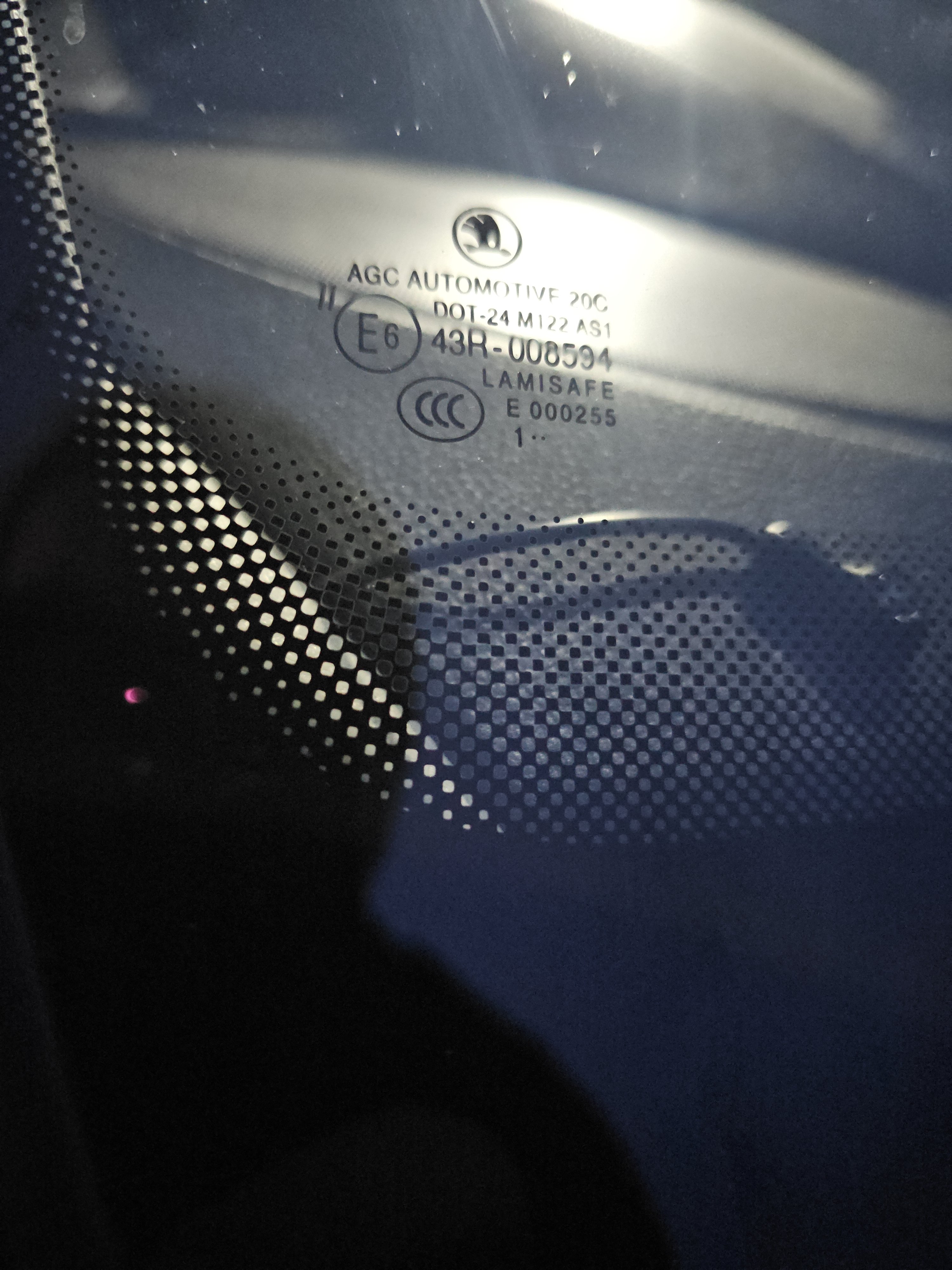
Looks like the front half has a very subtle tint, maybe windshield could have gotten away with a little bit more. No skoda logo means it's a replacement, pretty common for any car racking up miles. Thanks! I can now go and properly pester a few fitters to find me a tinted windshield
-
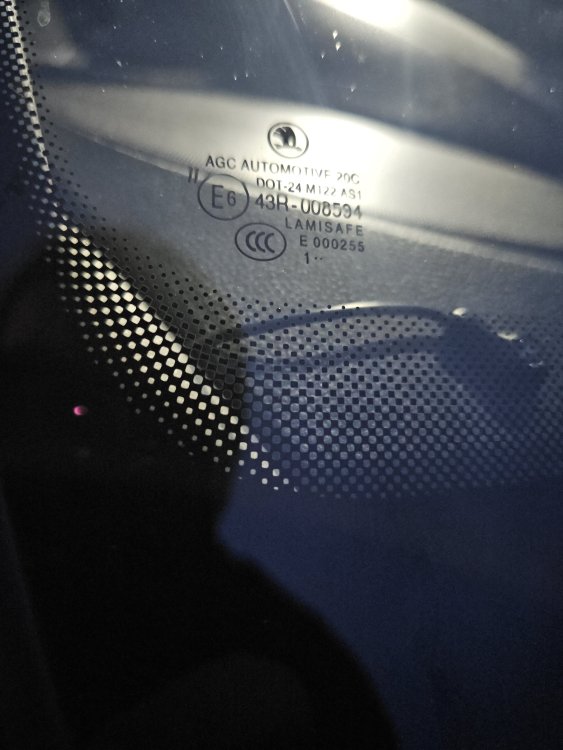
Thanks! It looks like yours even says solar tint. Is it an uniform tint? Or sun strip? Is it noticeable with the window open for contrast? Here's what my clear one says, for reference
-
Hi everyone. I'm looking to replace my windshield as it's now got a big heat crack in it, but i want the tinted one. Looking for oem part numbers, there's clear and there's tinted. Calling shops around they only seem to know about the clear one, denying the existence of such tinted glass. Now, the question: anyone with a vrs, monte carlo or privacy glass specced from factory, if your windshield tinted? And what does the label in the corner say?
-
Re about rattling in drivers door, it will be the door latch cable. Buy some dodo mat and felt tape and go at it. Also boot spare wheel well seems to take a lot of the background noise out. With these 2 done you'll notice most of the actual road noise comes from the front wheel arches and there's not much you can do about that
-
I've done oem with eddie_nl. Not super hard, but needs some weird brackets for the sensors to actually fit like from the factory. There are markings on the inside of the bumper for parking sensors, tow bar and exhaust cutout. Basically go to lllparts, use the diagram from your car and year from there and buy all the cheap bits, then ebay to buy the module and the actual sensors. Bumper and most of the boot trim need to come off, the oem module screws are on the left hand side in the arch somewhere, close to a ground point fortunately.
-
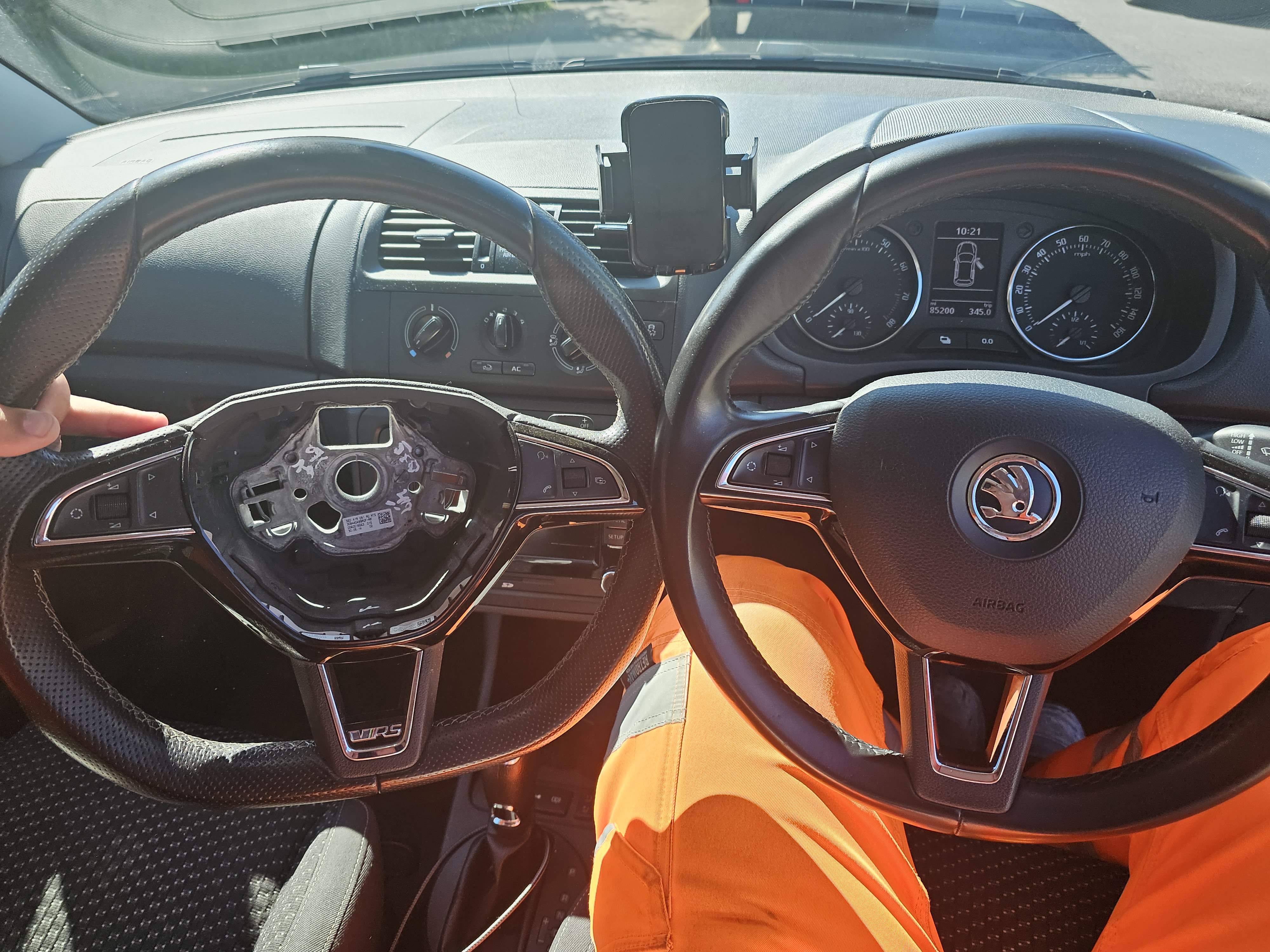
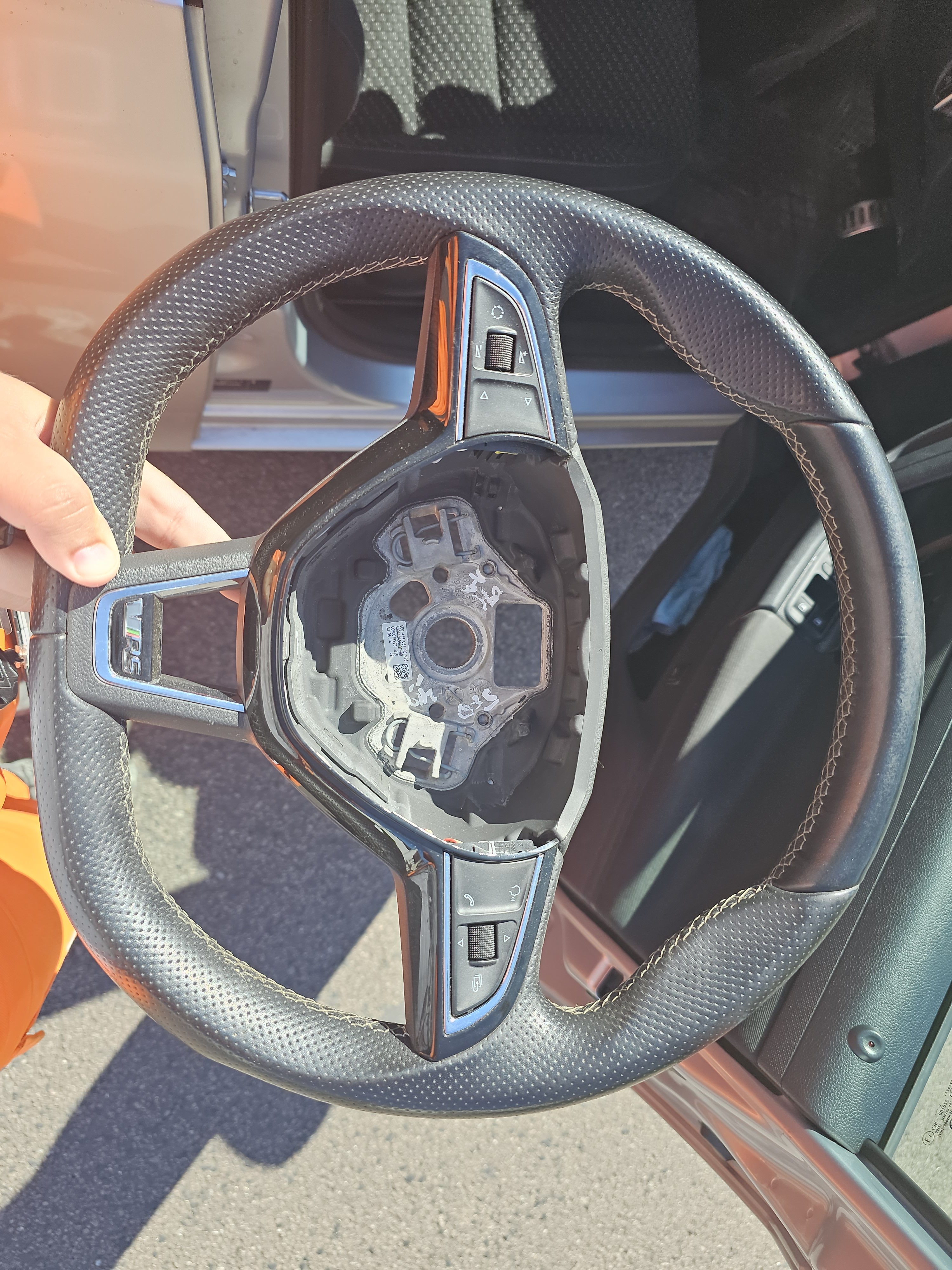
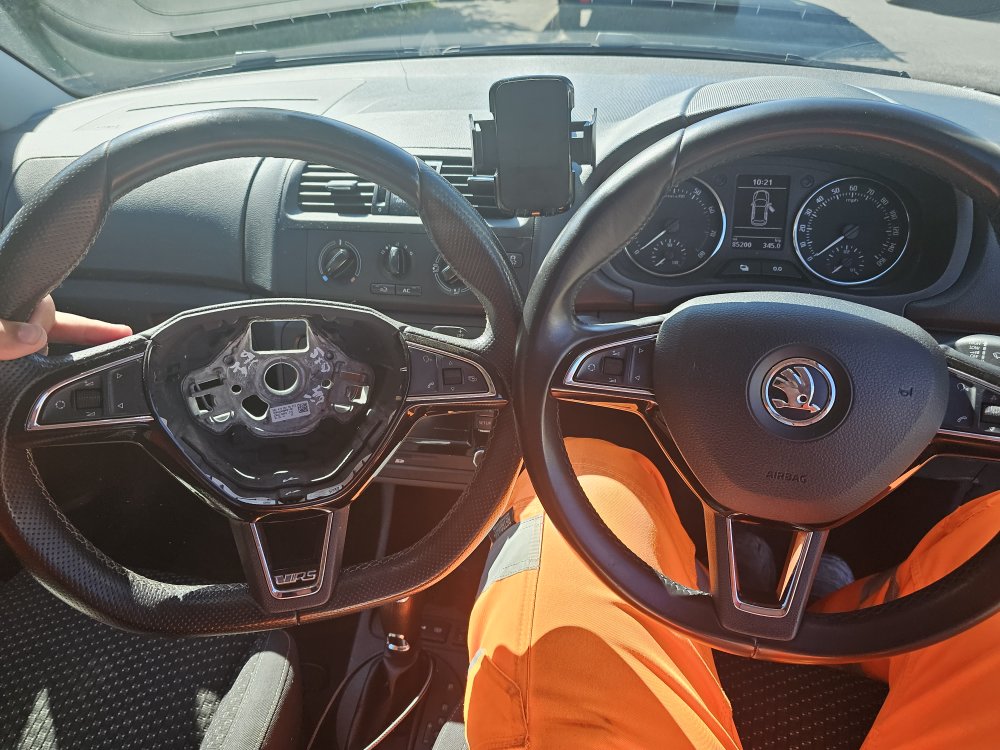
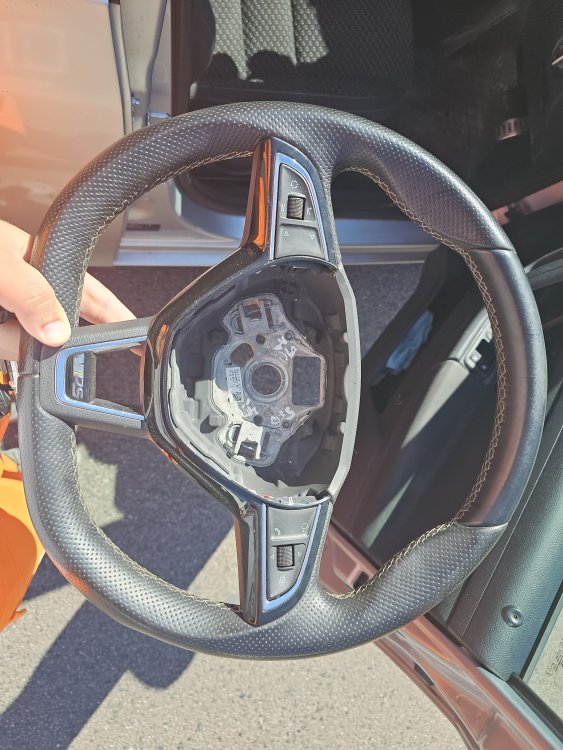
Right one i have no idea what it came off of, but all buttons work and has no dsg paddles. Left one is from a skoda octavia mk3, buttons don't work (need a version ending in G to replace them soon) but dsg paddles work a treat. Swapped them over last evening
-
It doesn't but it can take advantage if they're present. For a low line cluster at the very least you can scroll through information shown and reset, then adapt the phone and voice command buttons to do something on an aftermarket radio
-
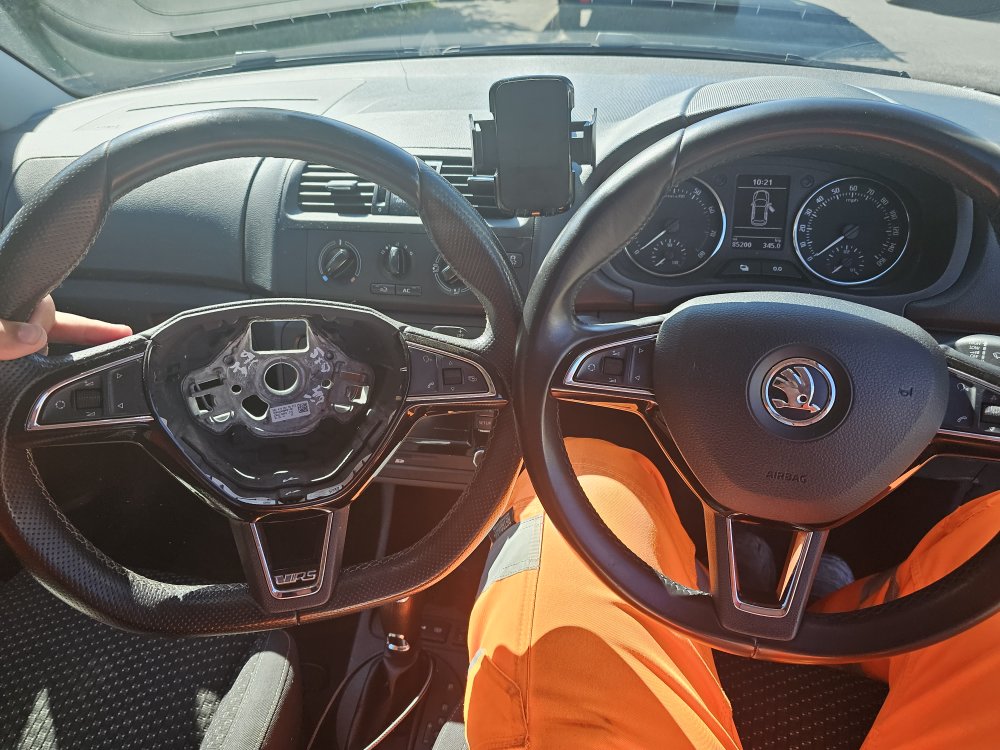
Upgrade 10.999? This beauty, with dsg paddles. Unfortunately i seem to require a different set of buttons to make everything work, so not quite done yet. If anyone has a set of 5E0919719G buttons, i'll be interested in buying them asap
-
I will soon have a full steering wheel with the buttons available as i'm upgrading to the dsg paddles stuff
-
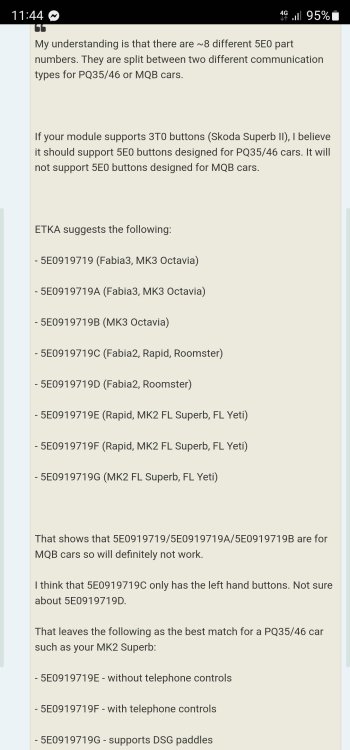
I got into a rabbit hole regarding this recently. The steering wheel itself is easy, buttons and airbag loom need to be from another pq25 platform car to fit
-
They as in rns310 and rns315. So far seems like my car is safe, only pre-fl ones have issues with seeing the maxidot and steering wheel buttons
-
Do you know if they take mfsw inputs from a facelift 2013 fabia? Already started doing my homework and people seem to be split on this one
-
You sir just saved me from buying another, newer, more expensive columbus just to see if there's something wrong with this old one. You described it perfectly, all the frequencies are there, as demonstrated by a frequency generator, there's just no "depth" once they're all together. As i only really need the upgraded version to skip tracks from my steering wheel, i'll buy a rns/rcd315 as well. Thanks!
-
I can agree and disagree at the same time. My old swing unit sounded really good once i got the bluetooth going, like it was perfectly tuned for the car's speakers. Then an aftermarket expensive kenwood unit sounded pretty meh out of the box, but with more settings than i know what to do with, i eventually made it sound better than the swing unit.. then i got a columbus and i had to fit a boot sub to make it sound acceptable again. If he has the time and the right ear for it, aftermarket will sound better in the end
-
My recent adventure with heavy plant pulling left suddenly suggests this is the track rods. Get a jack stand, lift each of the front wheels and try to move them left-right and up-down. Excessive left-right play will be track rods, up-down ball joint or top mount
-
Upgrade 10! Jbl passhub pro spare wheel subwoofer and of course windshield cracked, which means it's working well. £275 for the sub, £25 wiring kit from halfords and 3 hours pulling trims around the car and it's done. I really need to put some pictures.. damn upload limit
-
Yep, that seems to be it. If all the wires are there, get it above 19mph and see if it works. For the bluetooth switch, make sure it matches your plug. It's either absolutely huge or pretty small, but for fabia it's almost guaranteed the huge one. Turn yours off, press in and spin towards sidelights to remove and check
-
Vcds will give you the login codes if any are needed. Pioneer would be aftermarket, require an adaptor loom and fascia and not show up on the instrument cluster (but only cost about £40 more for adapters as you already own it). Don't bother with the no bluetooth switch. Timers and such can be set and forget, but the light sensor sensitivity is a bit hard to get right even with the app
-
Programming is just 1 tick box for the central electronics if it'm not mistaken. For the bluetooth i recommend going the oem route. A bluetooth module and a used columbus unit may end up cheaper than a proper (non-android chinese crap) navigation unit and you get integration with the instrument cluster this way. Overall i can say after i had a top spec kenwood unit with wireless android auto, it sits too low into the dashboard to be useful as a navigation aid and everything else costs too much for what you get/miss out on. And for the light switch, do it! Get a bluetooth one to program the coming/leaving home stuff as it will not talk to the rest of the car unfortunately. The app is a bit buggy and not even available on the play store for some reason. It's called "cfa light" for likely 99% of the switches out there
-
Upgrade 9.1: Leather steering wheel with buttons! Life changer and uplifts the whole dashboard look. I am now in search of a steering wheel from a facelift fabia vrs with the paddle shifters. I'm not even sure they exist in the uk Upgrade 9.2: full size spare wheel. Of course it was not included as standard..
-
Upgrade 9: Rear electric windows This one turned out to be the biggest pain in the backside to source all the parts for. Rough part no. List as follows X1 Drivers door trim 5J0867171 47H X1 Drivers door buttons 1Z0959858B 3X1 X2 Rear doors trim 5J0867435 47H X2 Rear doors button 5J0959855 REH X2 Connector rear buttons 1K0972704 C X2 Window motor connectors 1K0972961 X1Drivers door buttons connector 1K0972776 X1 Rear right motor 6R0959812 X1 Rear left motor 6R0959811 ^ both of these can be from skoda roomster without any issues. Now, for the windows mechanisms there are plenty of options available, they can be sourced as a pair for £35-ish. Skoda roomster lifters DO NOT fit. If you end up with a skoda roomster lifter, you need to salvage the long bar with the rollers from the old manual lifter and cut the metal sleeve from the wire another 1-1.5cm. reuse any old bolt you can. X6 window motor screws 1J0959821 These are infuriatingly rare to find. With all of these parts, I once again went to @Eddie-NL, he did his magic and now i have 4 electric windows. I wish i could explain exactly what wire goes where, but he's the man for the job here!
-
Now the heavy lifters. I found a scrap fabia vrs for parts, from which i salvaged the vrs seats with seat heaters, the buttons for them, the drl light switch and the 17" rims Upgrade 6: 17" alloys and michelin ps5's. Went from handling like a boat through corners to somewhat normal. It left my soul behind on some motorway potholes already but still worth it Upgrade 7: Vrs seats. Why are these not standard? Bonus, both come with under seat storage. Seat heaters were sorted by Eddie once again Upgrade 8: monte carlo black fog lights with daytime running lights. Wiring done as always by Eddie. Drl's can be switched off from near the fuse box. Fog lights were programmed to act as cornering lights, and they raise the same question: why didn't it come with these?? Anyway, it's just about the biggest facelift the front can get with these installed, makes the car look wider and a bit less like a furby doll. Upgrade 8.1: Auto lights. £40 off ebay, replacing the switch and hiding the light sensor somewhere facing the windshield.. 10 minute job.
-
Upgrade 5: Bonnet gas struts £50 from dark ice designs on ebay, 15 minutes and a set of torx bits and it's done