Combi_NX5
Members
-
Joined
-
Last visited
Everything posted by Combi_NX5
-
That's why wifi is already used for large amounts of data
-
What kind of question is this? Of course the wifi connection with the phone must work! it's so convenient, sometimes I don't even take my phone out of my pocket on short trips.
-
Ok, but how can such a product be launched on the market if it doesn't work as it should? We are baking here in the forum about this problem, dealerships don't really help. Is there a Škoda support service that registers this problem and solves it? How is it possible that you can't make software for half a year?
-
The test with the cable is positive so far, in all the trips today everything works without restarts.
-
it's not just a UK problem!
-
I have already visited them 8 times during the year. The last time (in May) they said that they had updated something, but even at the dealership's service, when I started the car, the multimedia restart happened immediately. I started a new test today. I connected the phone to multimedia with a cable, turning off the phone's wifi and bluetooth connection. And as a result, there was no restart during the 15-minute drive. I should mention that I use Android Auto with a Samsung phone.
-
yes, I also have an error about parking assistance, but it depends on how fast you drive at the time of restart. if I'm on the highway, then such an error does not appear.
-
Today I drove 3km to the store and the multimedia restarted 2x, it even restarted 2x on the way back. Is this normal? Of course I use Android auto wirelessly, listen to music and automatically use waze.
-
I don't have a HUD. After using octavia for 1 year, I managed to see waze navigation directions in the virtual cockpit in only two trips. No idea how to enable or disable it.
-
škoda service could not help by phone, so that they recommended restarting the multimedia. of course so it doesn't help! i thought of restarting the whole car by disconnecting the battery and everything is working now, although the data of two days' journeys of almost 300 km have been lost. I suspect a faulty SOS module.
-
not good again! škoda has not connected to the server for two days. Tried restarting the multimedia and updated information is not visible in the app or web version. what is going on? how to solve this problem? will the eSIM module run out? or something else?
-
In my case, Škoda's representative said that there were problems with the servers. Later everything worked fine again, but a lot of short trip data is now showing me combined into one trip.
-
my škoda was not online for 3 days. I will find out why it happened.
-
we pay attention to the symbol of the globe, a red cross.
-
hmm, not really
-
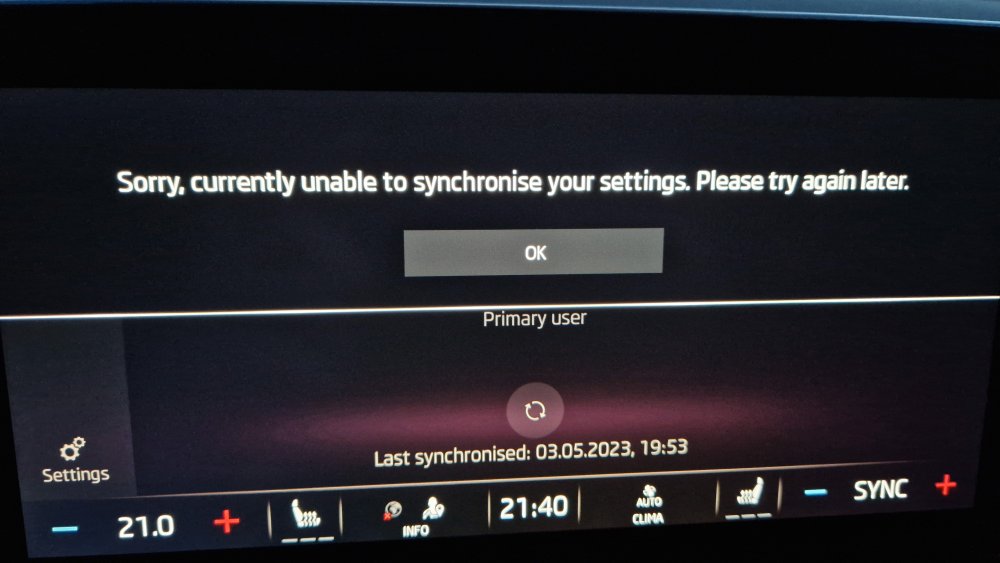
Is "MyŠkoda app" still not working for anyone today?
-
On the first drive after the update, the multimedia made a black screen and restarted. 🤦♂️ Later, another update appeared in the update queue.
-
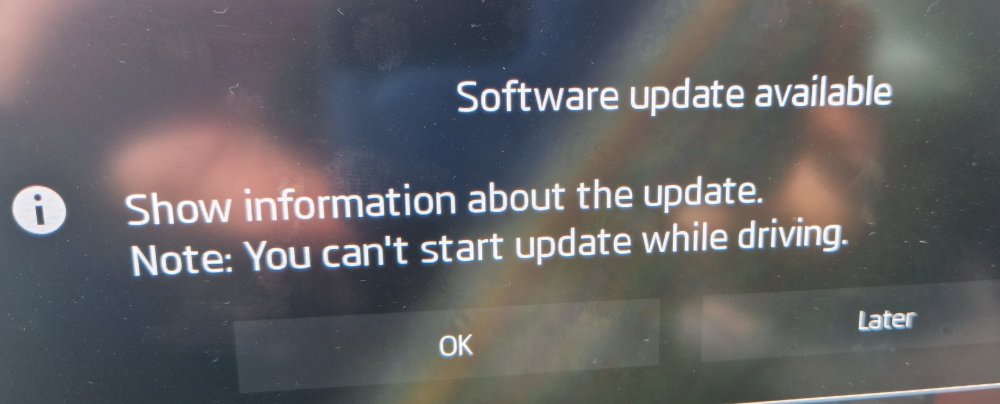
Some kind of update will be installed, we will see what will change 😀
-
For example, I don't use anything in the usb ports, but the reboot happens. I use Android Auto on a wifi connection on every trip. Can it cause restarts?
-
I'm already annoyed with this restarting every other day..
-
oh yes, it was working now 😀
-
Is there a global problem with škoda conncet at the moment, or am i the only one who can't connect? 🤔
-
Octavia Combi 2,0 TDI 110kW 7-sp. DSG the lowest consumption 4.1L/100km
-
the other two are just above the fog lights
-
pull the shortcut bar from the top, settings should be there.