Rifleman
Members
-
Joined
-
Last visited
Everything posted by Rifleman
-
There is a setting that lets you select the max volume when restarting the car. I guess it’s in case you’ve been belting out some heavy rock at a high volume when you turned the ignition off. Can’t remember where it is but I remember adjusting it when I got the car.
-
The only thing your’e missing is that the car’s software is bugged to hell and hardly fit for purpose (IMHO that is). There is a setting to make setting of the time automatic, which you would reasonably assume would automatically update the time using data from the GPS just like my previous 4 cars have (including a mk3 Superb) but sadly not. It seems to have no effect. The music system software is driving me crazy, it’s so bad. It’s a great car but the software is atrocious!
-
I fear you may be disappointed with usb playback on the mk4. The software is really bad. Playlists don’t work in that it will play from a list ok but as soon as you turn off the ignition the car forgets you were playing from a playlist. When you restart the system just selects a seemingly random track from any connected phone or from the first folder on the usb stick. It will remember if your were playing an album from the usb stick and continue from where it left off. The media playback software is very poor, far worse than previous models. Such a basic problem that I’ve not experienced in any other car. It’s THE most annoying aspect of the mk4 for me😕
-
I installed a Brodit mount when I first got the car but quickly realised I didn’t need it! It did indeed get in the way of both the infotainment screen and the closest smart dial. My iPhone 16 Pro Max fits perfectly in the charger pad compartment, no need to touch it while driving. Alternative, if you feel the need to touch and use the phone while driving 🚔👮♀️ it fits snugly on top of the closed cover of the cup holder and Skoda even provide a clever little cut out in the glovebox compartment to allow a short usb cable to be run out of there to power the phone if it’s placed on top of the cover. Save yourself some cash 😉
-
I think the OP is referring to the front facing camera which is part of the area view (360) system on the L&K.
-
So is mine, almost inaudible. Haven’t found any setting that changes it yet.
-
The infotainment system will play flac files from a usb memory stick or an external usb drive with no problem. I think maybe the problem is that your Plenue D player is not recognised by the infotainment system as an external usb mass storage device. I have my flac files stored on one of these Samsung usb sticks, quite small and unobtrusive. Samsung USB Type-C 256GB 400MB/s USB 3.1 Flash Drive (MUF-256DA/APC) https://amzn.eu/d/4krqAkR Only £20 on Amazon, copy your flac files onto it and you are good to go…
-
To edit the name of a stored favourite: With the favourites screen displayed, touch rather than tap the extreme right hand side of the favourite you want to rename and slide your finger to the left. You will see two options, a pencil symbol which you should tap to edit the name and a bin symbol which you should tap to delete the favourite if you wish. Hope this helps🤞🏼
-
My previous 2016 Superb (mk3?) colour was Jungle Green and it got so many compliments on its colour, it went really well with the anthracite Bellatrix wheels and the cream leather upholstery. Skoda removed the colour in the UK the following year. Would have chosen it hands down if it had been an option on my new mk4. The current Iced Tea colour is definitely not to my taste…
-
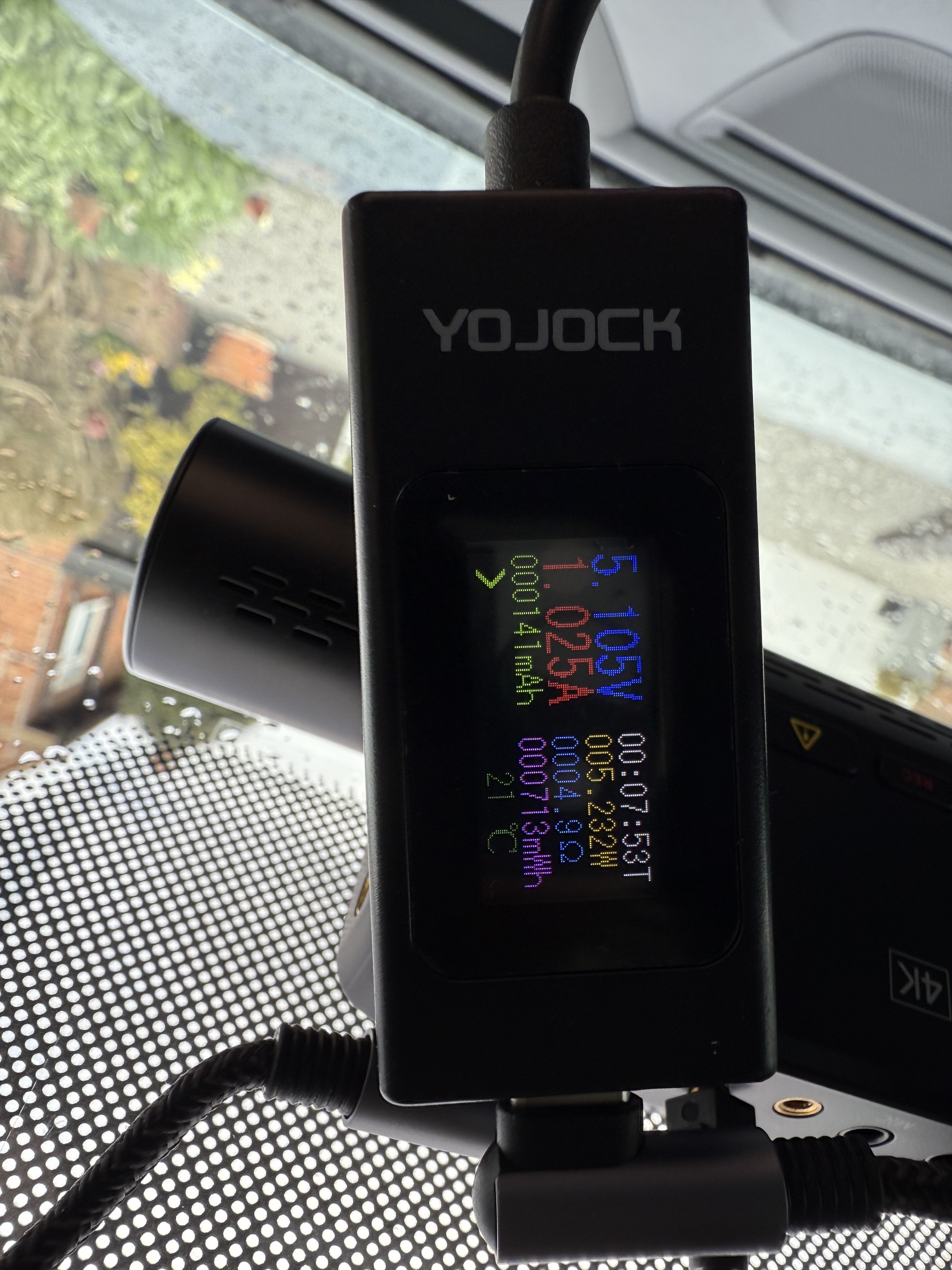
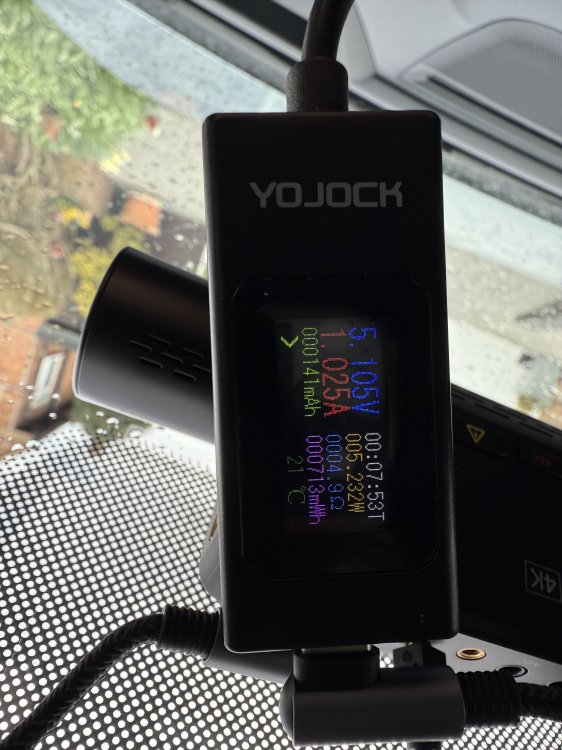
Here you go, 1.025A when recording
-
My VIOFO A139 Pro is working perfectly taking power from the usb-c socket. Here’s a link to the 30cm long cable I’m using. https://amzn.eu/d/6o4nWPd I have an inline usb-c power meter somewhere in a drawer in my garage. I’ll try to find it tomorrow, plug it in and try to get a picture of the power reading and post it here if I get the time… P.s. Don’t worry about the 60cm cable length as you can just push the excess up behind the headlining…
-
-
Unlike my previous mk3 Superb the mk4 doesn’t have a removable panel on the end of the dashboard on the passenger side. The glove box was really easy to remove on the mk3 too and there were a number of bolts to choose from for the ground. On the mk4 once the glove box is dropped there are no exposed metal parts. There is a single bolt just visible through a narrow gap but it sits about 5 or 6 inches behind the fusebox on the bulkhead and it’s impossible to get to it to fasten the connector to. I think I’ll either stick with using the usb socket on the mirror housing for power and forget about parking mode or get a professional installer to sort it out for me…
-
Well it didn’t last long! Back to the same problem again but I’ve been experimenting with the usb contents and the playlist formats. Found out it’s only when playing music from a playlist on the usb stick AND my mobile is in the car that the problem occurs. If I play an album by selecting it from the media players own menus then the resume function works fine. Resuming from a playlist works fine as long as my mobile isn’t anywhere near the car. I tried to report the to Škoda Customer Services but just got a stock reply to take the car back to the dealers for a diagnostic check, they won’t take a customers word for it. So obviously a software fault but Škoda have no system in place for customers to report bugs…
-
You say the hardwire kit isn’t hard to install. I finally managed to drop the glove box to expose the fuse box today, had to apply so much force I thought the glove box was going to rip away from its mountings! Anyway, I was going to install the hardwire kit but couldn’t find any suitable earth point in or near the fuse box. Found the necessary fuses to piggy back on for the battery and acc connections but was stumped for the earth point. Anyone done this already and would care to share we’re on earth (sorry for the pun) they found one?
-
While sitting in the car playing around with some settings the infotainment system crashed and rebooted itself, came back on after about 20s. Now the resume function on the media player works fine! 🤷🏼 I’ll see how long it lasts…
-
Anyone else using a usb stick as a music source? I don’t use streaming services, no point as I own over 1200 cds all of which I have ripped to flac format. I have a Samsung 256Gb usb-c memory stick filled with a selection of tracks from my collection. I expected that if I exit the car with a track playing from the usb stick then when I re-enter the car and turn on the ignition the same track would resume playing from where it left off but that is not the case. Instead the system plays a random music track located on my iPhone rather than resuming the track from the usb stick! I have to manually go through the process of navigating the media player menus to select the track that was playing from the usb stick. It’s really annoying me, very disappointing… Anyone having the same problem? Is there a way of reporting bugs to ŠKODA ?
-
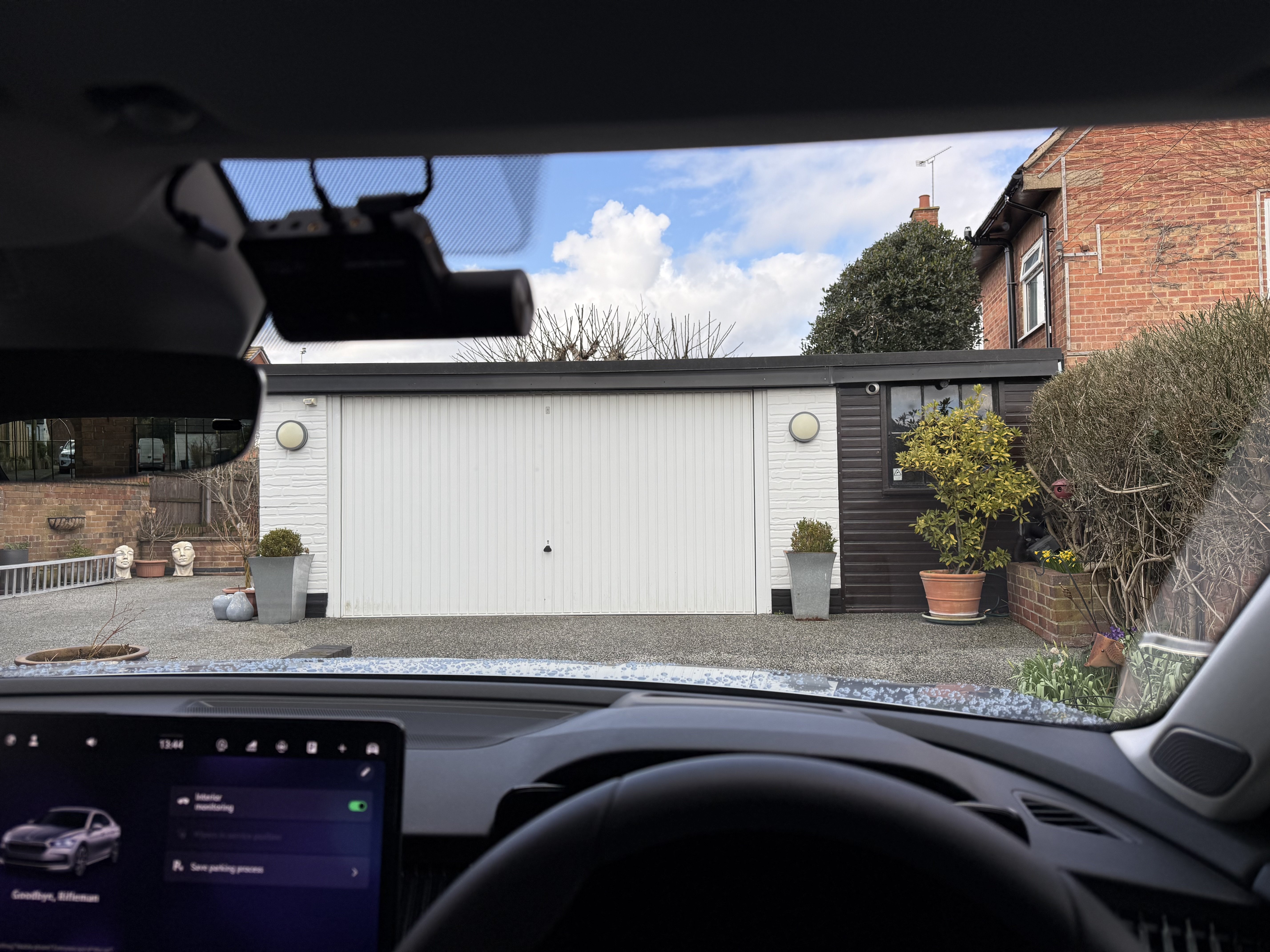
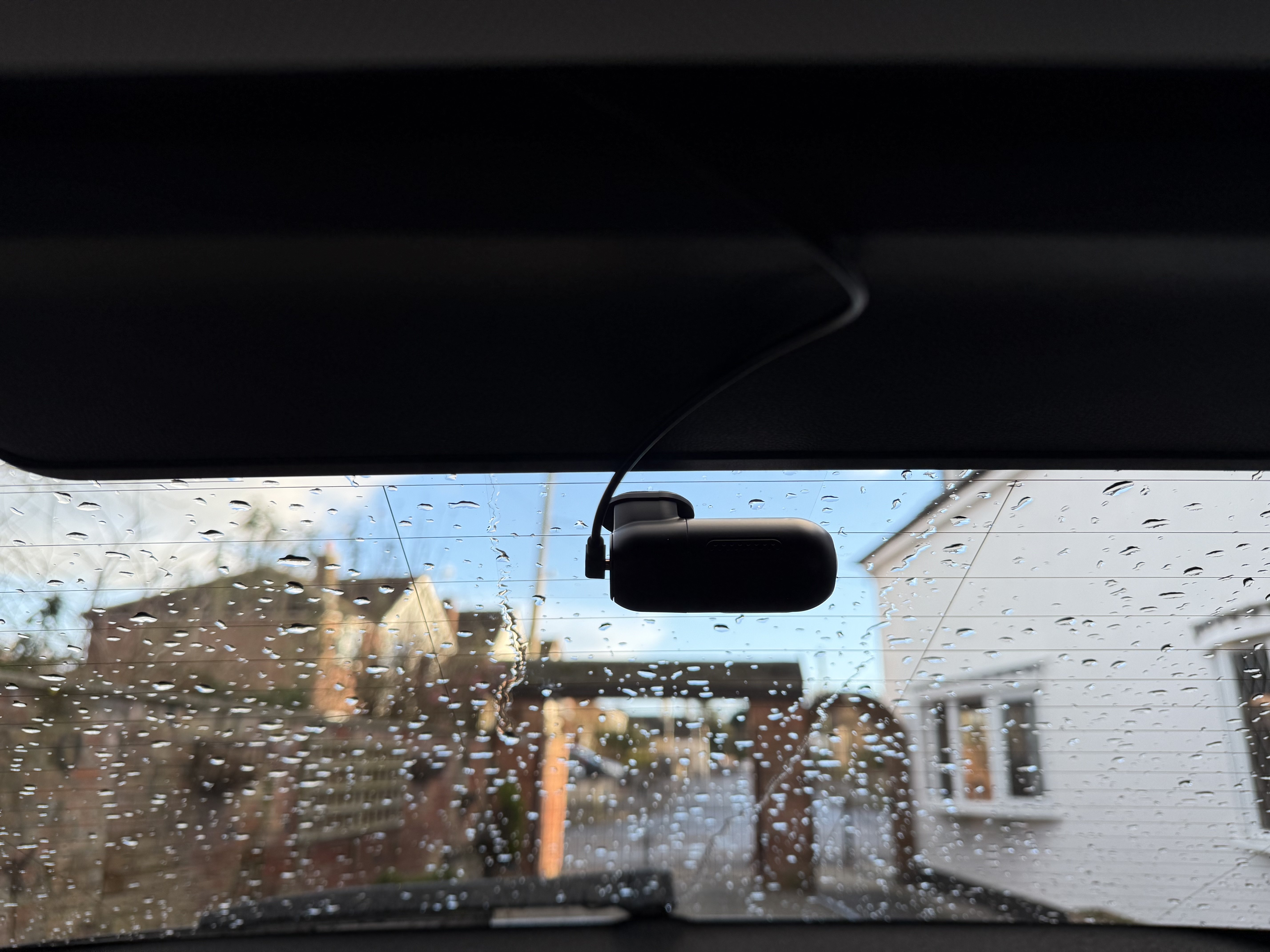
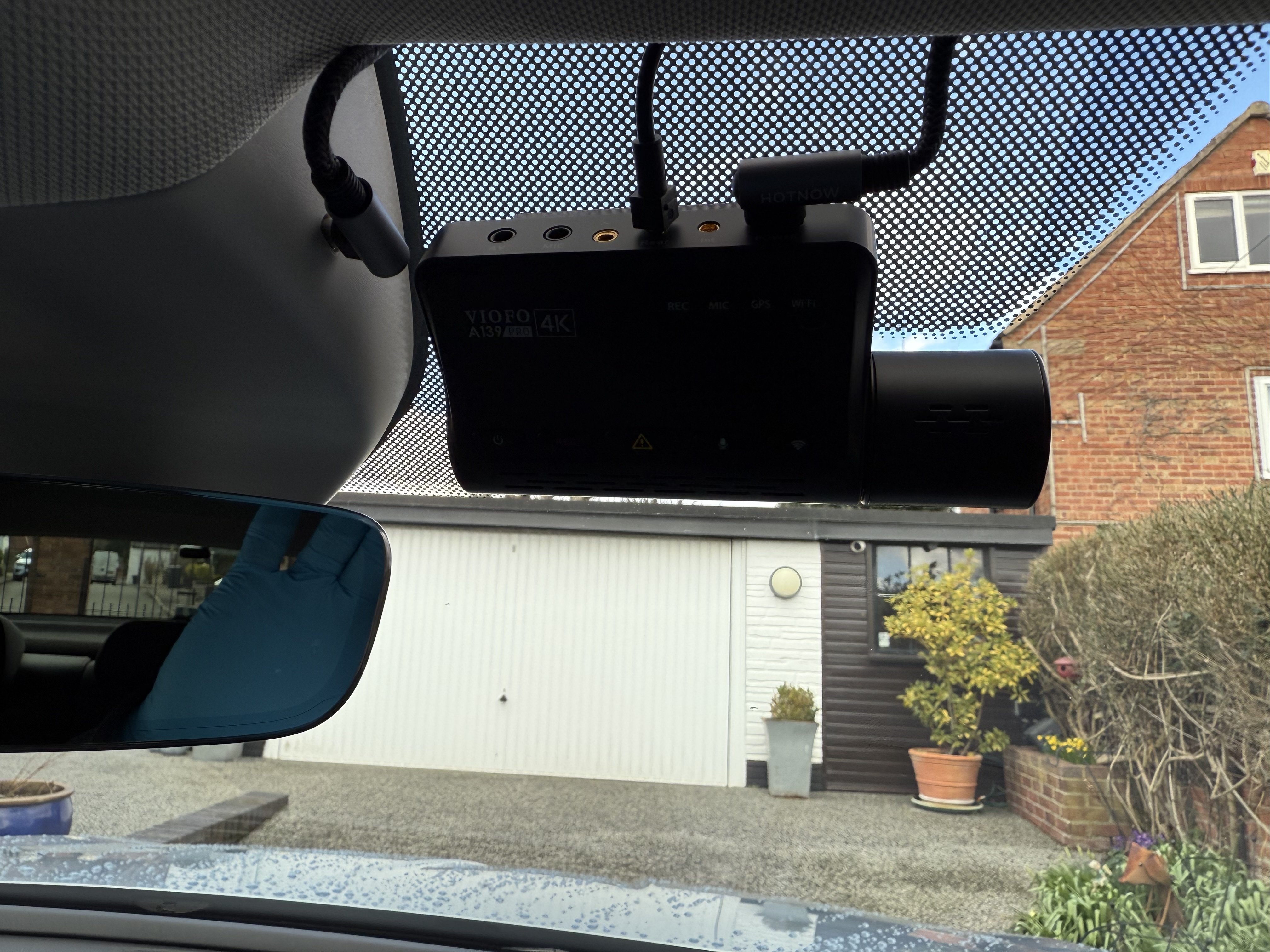
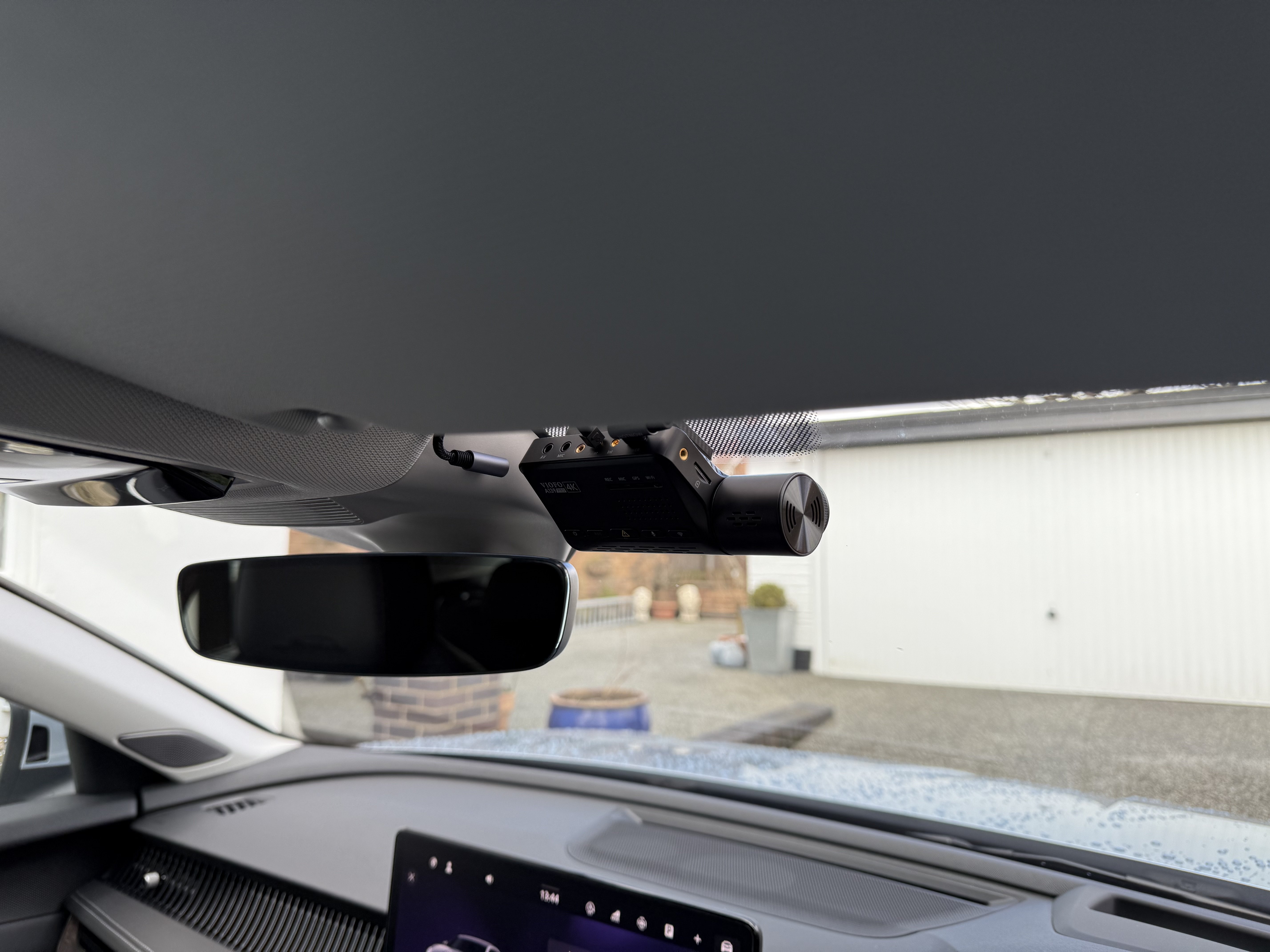
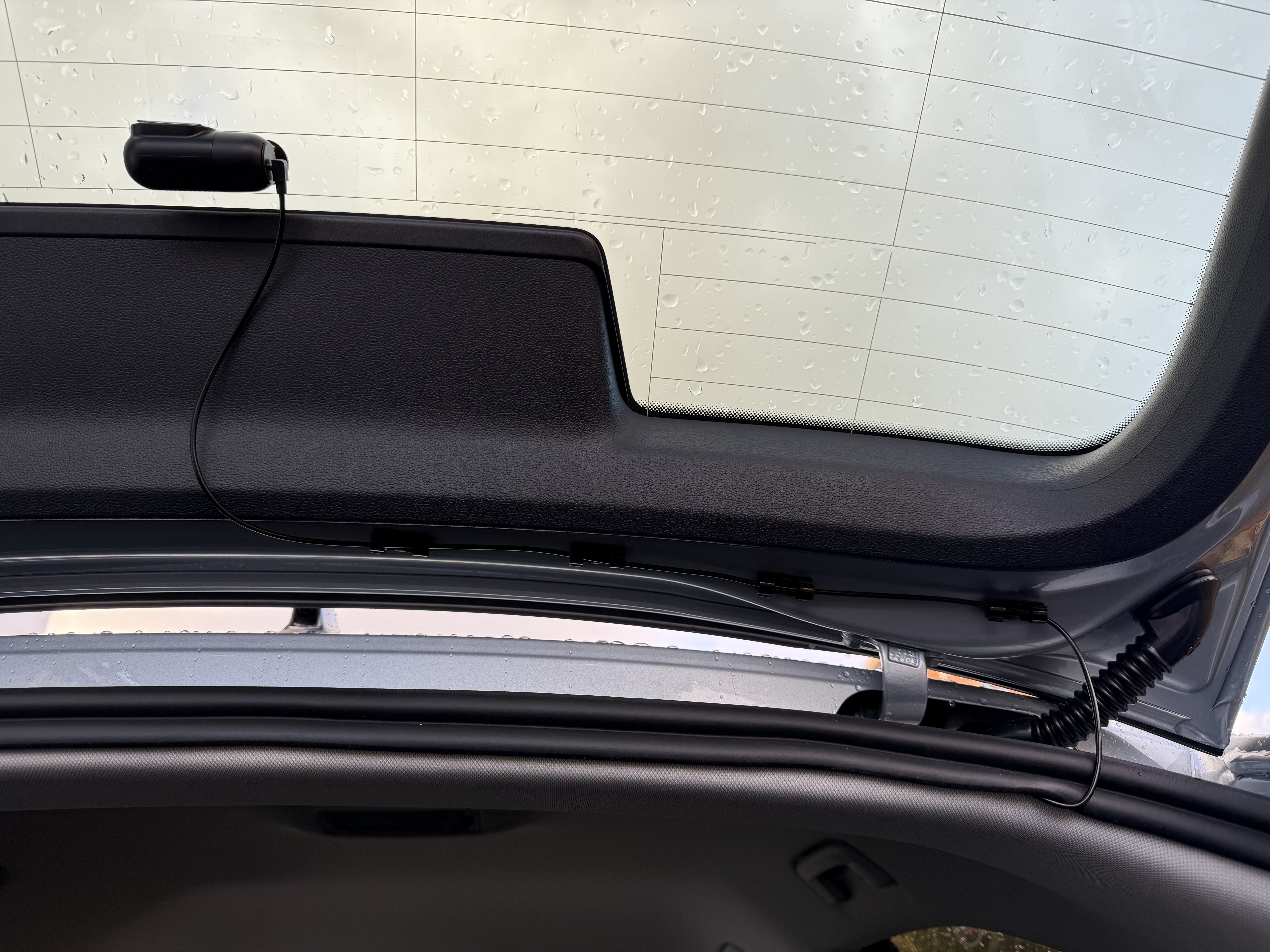
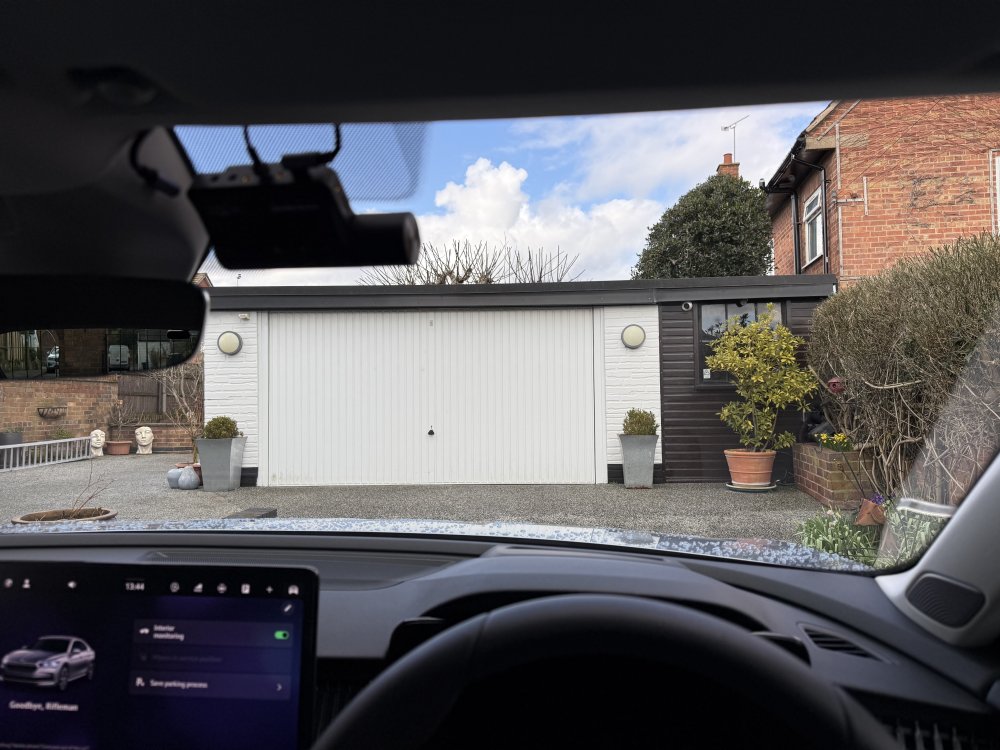
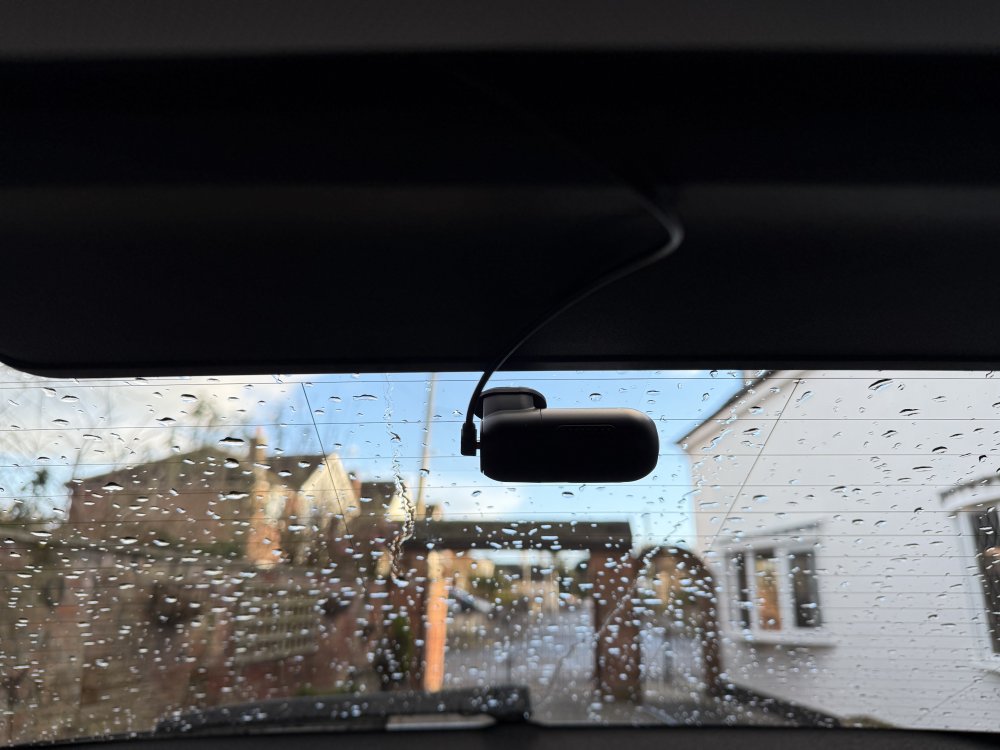
Two more pics…
-
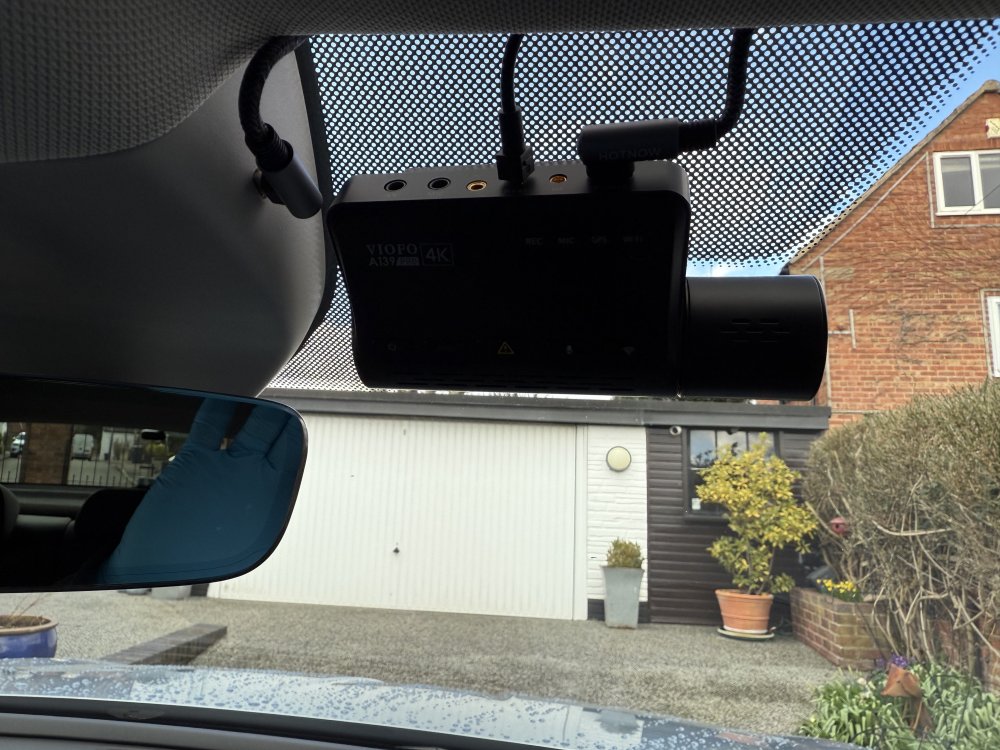
I did the camera install today, went with the Viofo A139 Pro 2 channel after all. Turns out the rear camera cable run was fairly easy after all. Up and running and works fine. Also fitted a screen protector to the infotainment screen, went on very easily with zero bubbles. It’s a matte finish so no reflections and amazingly resistant to finger marks so really pleased with that. Here are a few pics… Two more to follow.
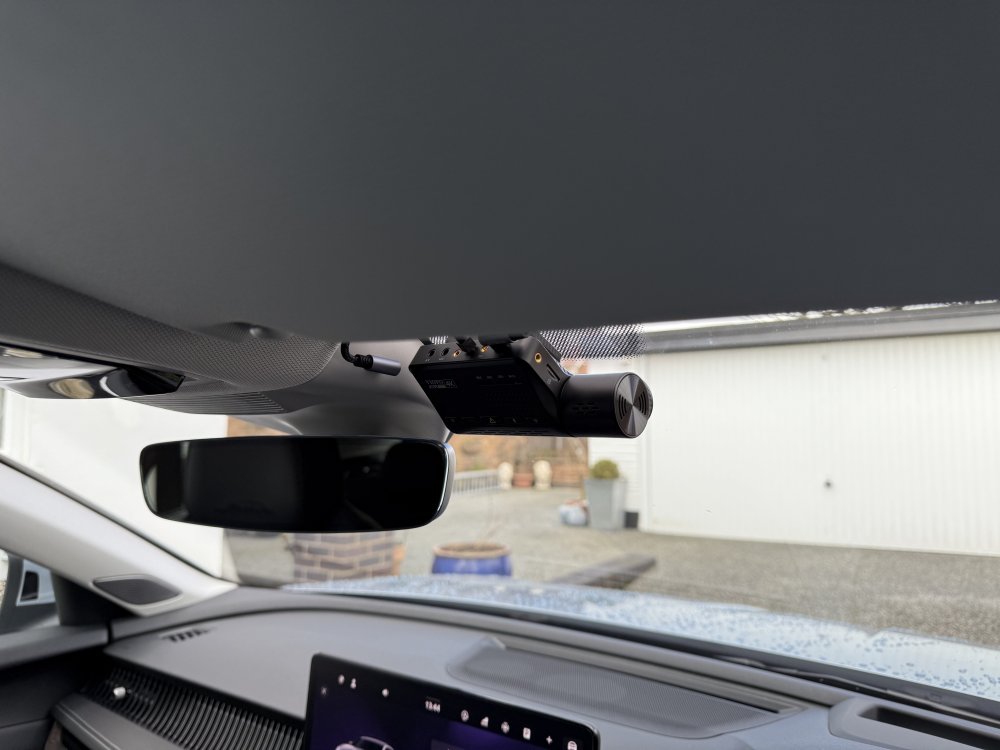
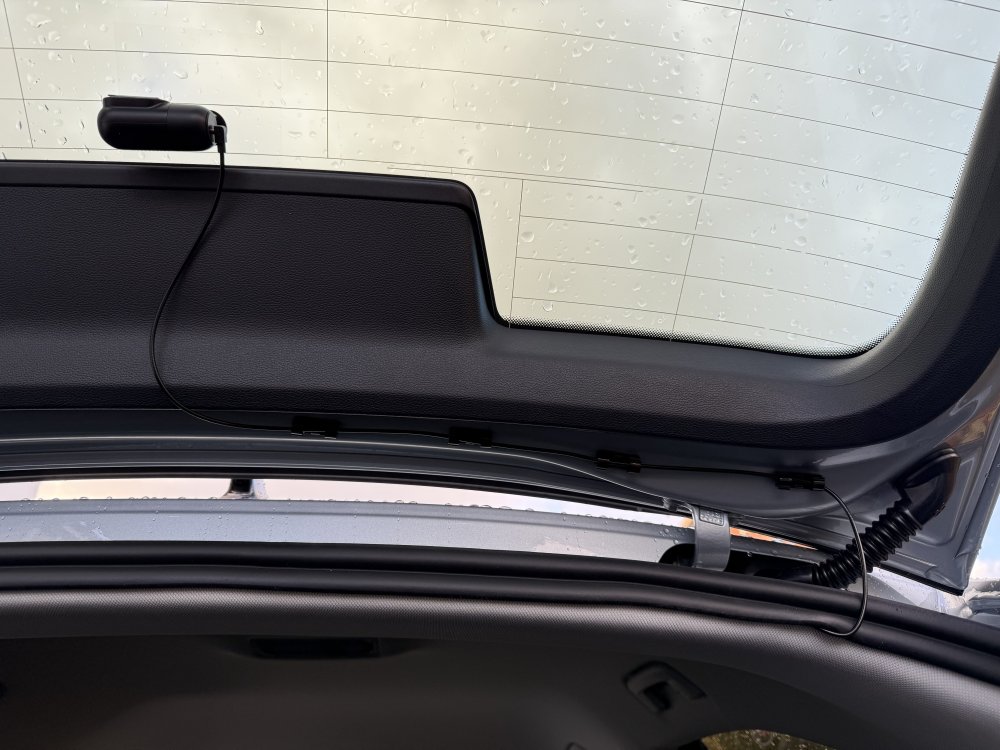
-
Picked up the new car today, very nice and worth the wait! First thing I tried when I got it home was the dash cam connected to the usb-c port in the rear view mirror housing. I have a new VIOFO A139 Pro two channel and a VIOFO A119 Mini 2 from my old car. Good news is they both work fine (both have usb-c power connectors), cameras power up when ignition is turned on, power down when ignition turned off. Bad news is that, as stated elsewhere, it is cable type dependant. Luckily I have quite a selection of usb-c cables in my collection (all purchased from Amazon) and found a couple that worked fine, others didn’t work at all. First impression is the ones that don’t work are the high power charging ones, 60w, 100w. Standard power cables (ones not specified as rapid/high power charging) are the ones that work fine. Im going to fully install one of the cameras tomorrow, probably the A119 Mini 2 as its form factor fits the RHD Superb better than the A139 Pro and the rear camera cable run looks like it could be a bugger to do. I’ll make my mind up tomorrow…
-
Picked up my L&K from the dealer today. They assured me it had the latest software available. Fingers crossed🤞🏼
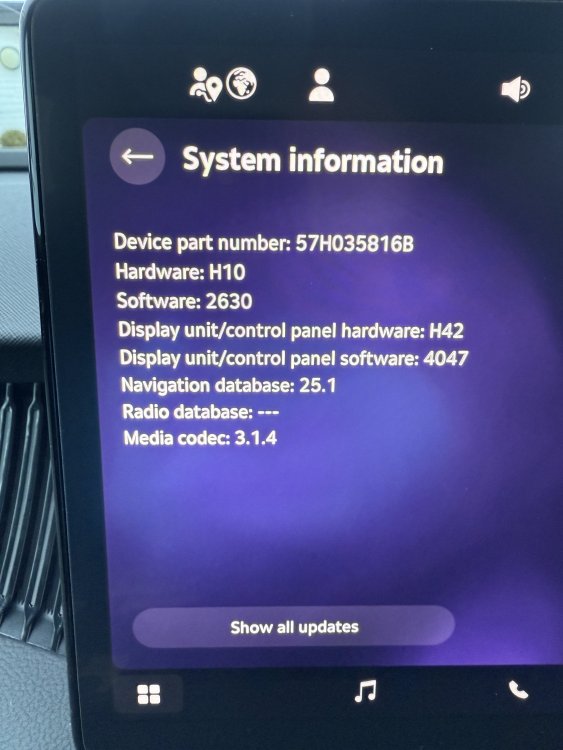
-
I’m retired now but I was a software engineer for over 30yrs. Some of this modern hardware baffles me! 1s and 0s are so much easier.. There was an old joke in the office:- Q: How many software engineers does it take to change a lightbulb? A: None, it’s a hardware problem. ;0)
-
According to the manual the spec for the usb-c socket in the rear view mirror is 15w max, all the others are 45w max so I’m thinking the rear view mirror one may not be “smart”. I have usb-A to usb-c and usb-A to usb-c adapters in my gadget box. When I get my car next week I’ll try my dashcam and report back with the results.
-
Forgot to mention that I got a quote from a dashcam installer for them to run the cable from front to rear cameras hidden behind the trim for me. I’m fitting the cams and the power cable myself. They wanted £170!, almost as much as I paid for the camera 😧
-
If single channel is enough for you Take a look at the VIOFO A119 MINI 2, £150 on VIOFO.com It supports 60fps too which is a bonus…