




GiscoYeti
Members
-
Joined
-
Last visited
Everything posted by GiscoYeti
-
-
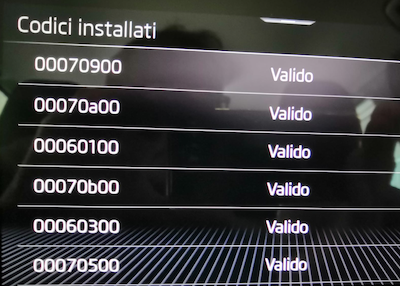
OTA updates, as written on the Skoda website, have some restrictions, which I see you're already aware of, and in my opinion the most important is the battery charge level, which must be above 50% and therefore in excellent condition. Charging/maintenance of the battery is not permitted during OTA updates, and the system must be online via Wi-Fi (2.4GHz) or a Hotspot. Thank you, and feedback is welcome.CarPlay and Android Auto require FEC and SWAP activation. For wireless connectivity, this is only possible with Amundsen (Wi-Fi), using the AAW2+ dongle or Carlinkit with a cable for other devices. Press and hold the menu button for 5 seconds to access the engineer menu and view the valid FEC codes.And inside You Have THIS
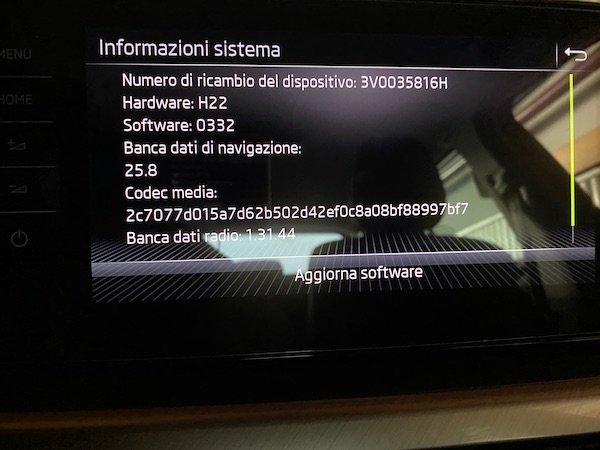
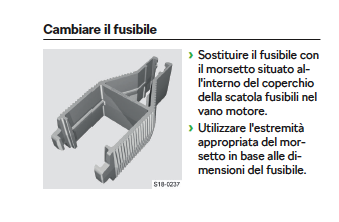 Only Amundsen with WIFI capability have wirelessHello, the litmus test is to hold a flame “away from the car” close to the oil dipstick, as it is made of metal. DPF (EURO 6D temp) was introduced in 1000 and 1500 cc cars following the 2022 restyling, and therefore only in the event of regeneration failure could gasoline be found in the engine oil, as is the case in diesel engines with diesel fuel. Certainly, in a worn engine or one with imperfect carburetion, there may be a smell of gasoline, but the engine oil level will not increase. Translated with DeepL.com (free version)Hello, as far as I know, this update method is for maps. Updates via USB with data and meta folders are complete when the word “resume” appears. For maps, it is important to activate the navigator to start and, when finished, the navigation database will be more recent.Hello, if you have a Wi-Fi connection in the Setup tab and a recent SW with Android Auto, what version of SW and HW do you have?
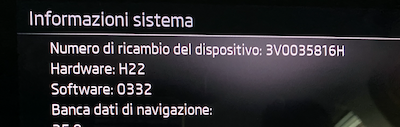 In Amundsen, I know how to access the engineer menu and check the function codes in service mode, as they are enabled in the packages purchased with the car, but in retrofit they are difficult to install even when purchasing a dongle (AAW2+ or Carlinkit) because the FECs are not enabled and even with the cable the Smartlink does not work. In MY20, they were enabled in all versions in the Style with Amundsen, and it was also wireless, in the Ambition with Bolero, but only via cable with the appropriate coding. Translated with DeepL.com (free version)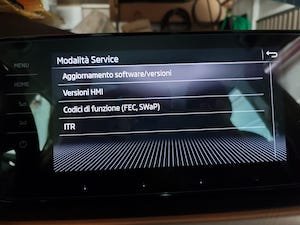
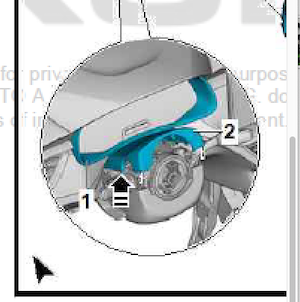
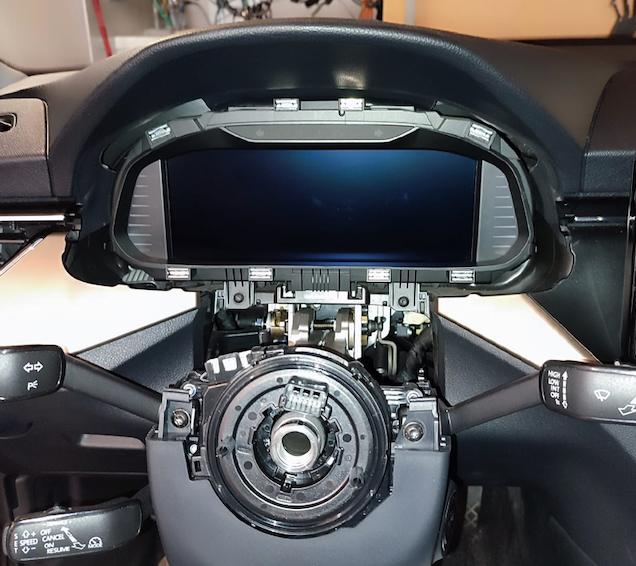
 I also removed the steering wheel, but it is not necessary to act in the direction of the arrow.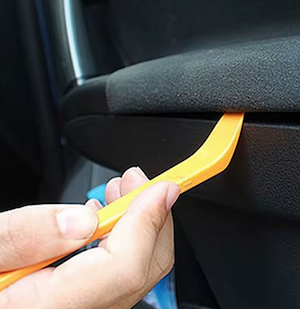
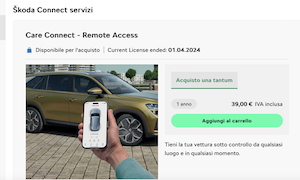
 OR This You need to check in the engineer menu whether FEC is active. I know that in Audi MY24 models you can purchase the navigation license online, but I don't think this is possible in Skoda models as they come with navigation as standard. I'm sorry I can't be of more help. You'll need to contact your dealer.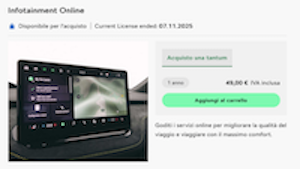
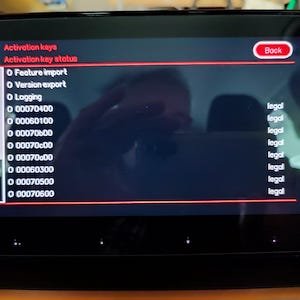
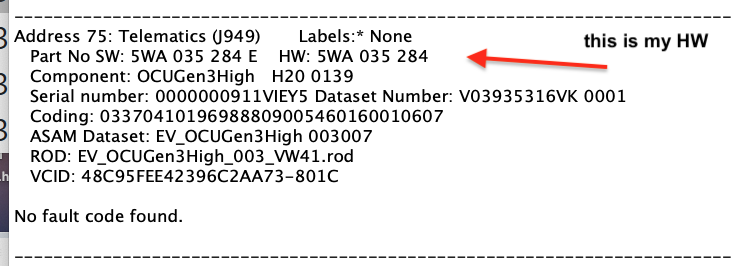
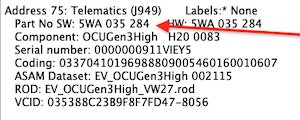
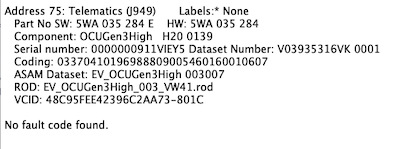
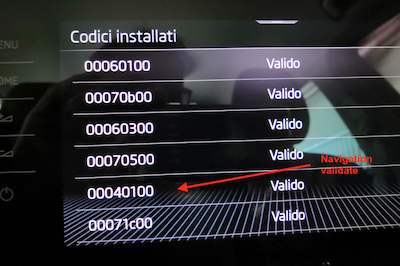 As far as I know, FECs/SWAPs are enabled only with packages purchased during the car's construction or enabled at the dealership in the case of 0071C during an official Skoda recall. Illegal activations are now available. In fact, updates are only activated if the FECs are in "legal" local mode.So I assume your hardware is HW 5WA 035 284 B, which is what you will need to find and install.
 YOU can open this link?




Important Information
Welcome to BRISKODA. Please note the following important links Terms of Use. We have a comprehensive Privacy Policy. We have placed cookies on your device to help make this website better. You can adjust your cookie settings, otherwise we'll assume you're okay to continue.
Account
Navigation
Configure browser push notifications
Chrome (Android)
- Tap the lock icon next to the address bar.
- Tap Permissions → Notifications.
- Adjust your preference.
Chrome (Desktop)
- Click the padlock icon in the address bar.
- Select Site settings.
- Find Notifications and adjust your preference.
Safari (iOS 16.4+)
- Ensure the site is installed via Add to Home Screen.
- Open Settings App → Notifications.
- Find your app name and adjust your preference.
Safari (macOS)
- Go to Safari → Preferences.
- Click the Websites tab.
- Select Notifications in the sidebar.
- Find this website and adjust your preference.
Edge (Android)
- Tap the lock icon next to the address bar.
- Tap Permissions.
- Find Notifications and adjust your preference.
Edge (Desktop)
- Click the padlock icon in the address bar.
- Click Permissions for this site.
- Find Notifications and adjust your preference.
Firefox (Android)
- Go to Settings → Site permissions.
- Tap Notifications.
- Find this site in the list and adjust your preference.
Firefox (Desktop)
- Open Firefox Settings.
- Search for Notifications.
- Find this site in the list and adjust your preference.