Breezy_Pete
Sponsor
-
Joined
-
Last visited
-
It probably only illuminates when the level is low (yellow) or the pressure is low (red). Find and unplug the oil pressure switch and go for a drive, you'll soon see a red light methinks. Usually the only sensor on the engine with just one wire going to it. If this is a 1.2 TSI, it's near the top of the engine, rear left, plug goes downward onto it.
-
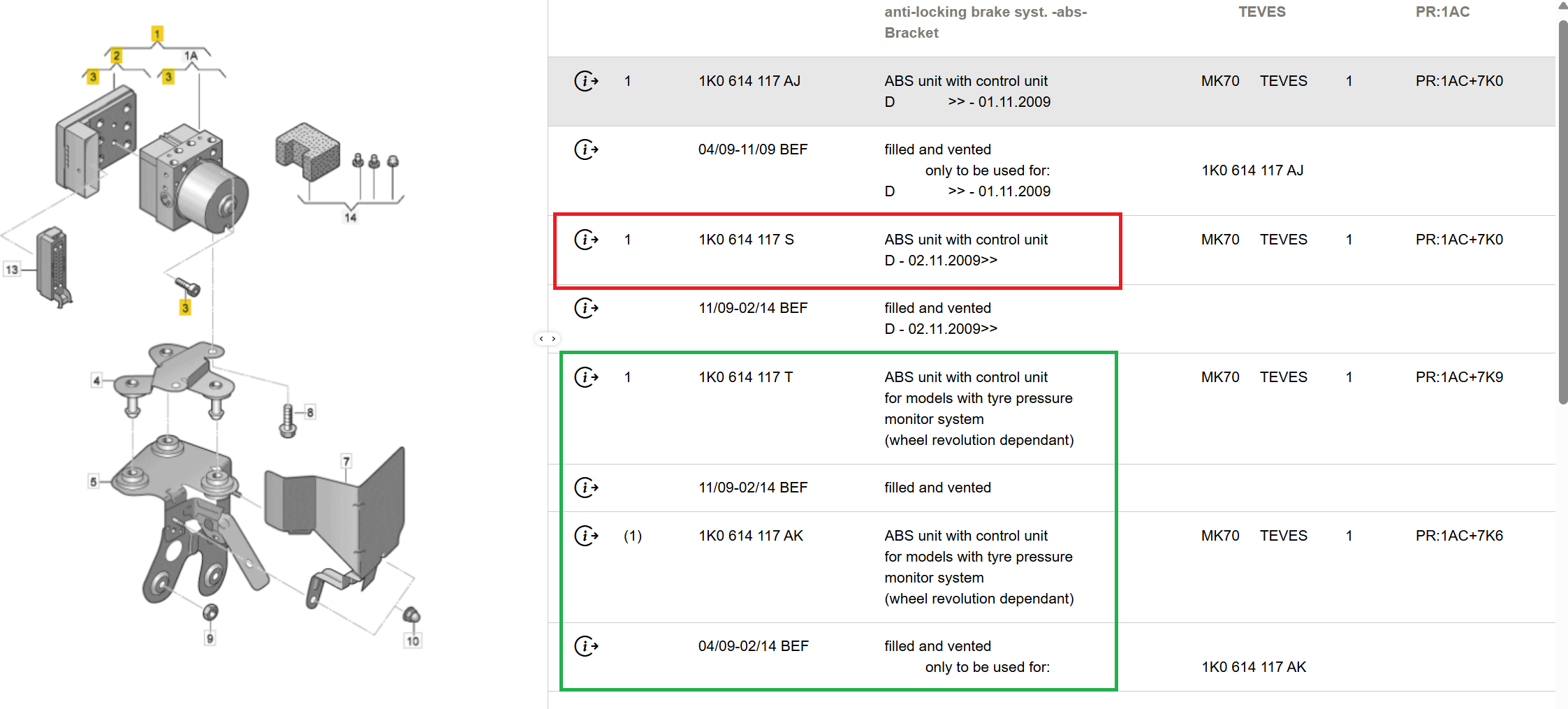
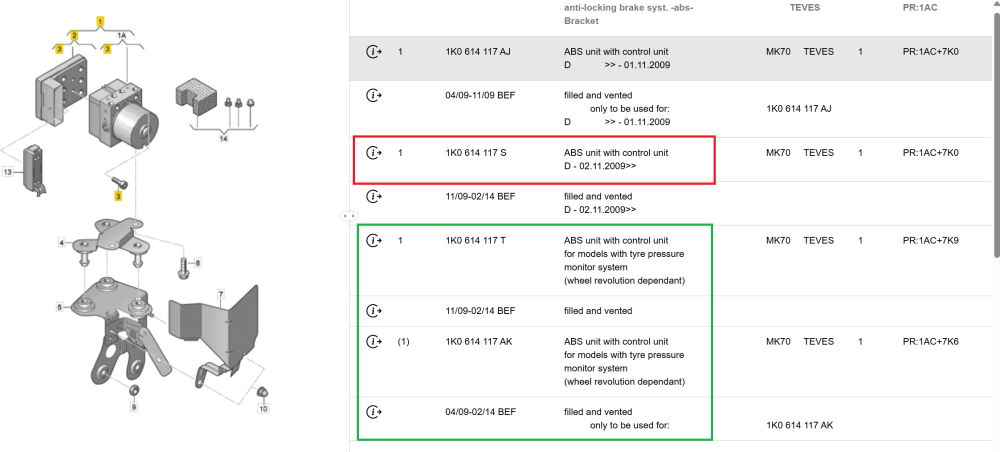
Other way round, probably. VCDS probably picking up part number of just electronic bit, ETKA giving only option of whole lot including hydraulics section. No listing for just electronic bit. I doubt it's a case of ESC or TPMS, it may be simply that ESC versions all automatically include possibility of TPMS, so it's not mentioned. 7K6 means Indirect tire pressure monitoring system, 7K3/4/5 are all direct (pressure sensing) TPMS variants. Your car's data says 7K0 - Without tyre pressure monitor though, possibly only due to lack of button and wiring though. @Cairus is sure to be better able to help, if he can find time.
-
Not sure that's conclusive though, 'cos the units that do mention TPMS seem to only be within the page devoted to Yetis that have ABS without Electronic Stability Control. Yours has ESC.
-
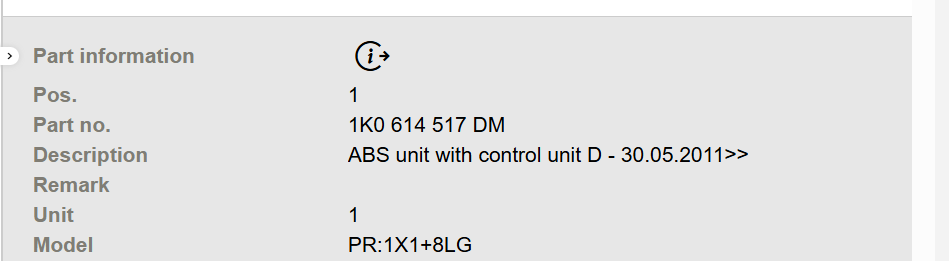
For your VIN, the ABS control module part number shows as 1K0 614 517 DM No mention of TPMS in its description.
-
What part number is showing in scans for your ABS module? A quick glance at parts list suggests different part numbers for with and without TMPS. If you let me know your VIN by PM, I can look up.
-
@Alvin600 I can attempt to look up which parts are involved, using your VIN to make sure that only parts fitted to your specific car will be listed. I'll message you privately, so that you can supply the VIN to me. You're too new to start such a conversation, but you will be able to reply to my message.
-
Oh well done. Very poor design in lots of ways. When I did mine recently, I found that the driver's side long bolt had been replaced by a much shorter one (65mm instead of 100mm), and that was previously done by a garage. Can only have had a few mm engagement with the thread in the console. ☹️
-
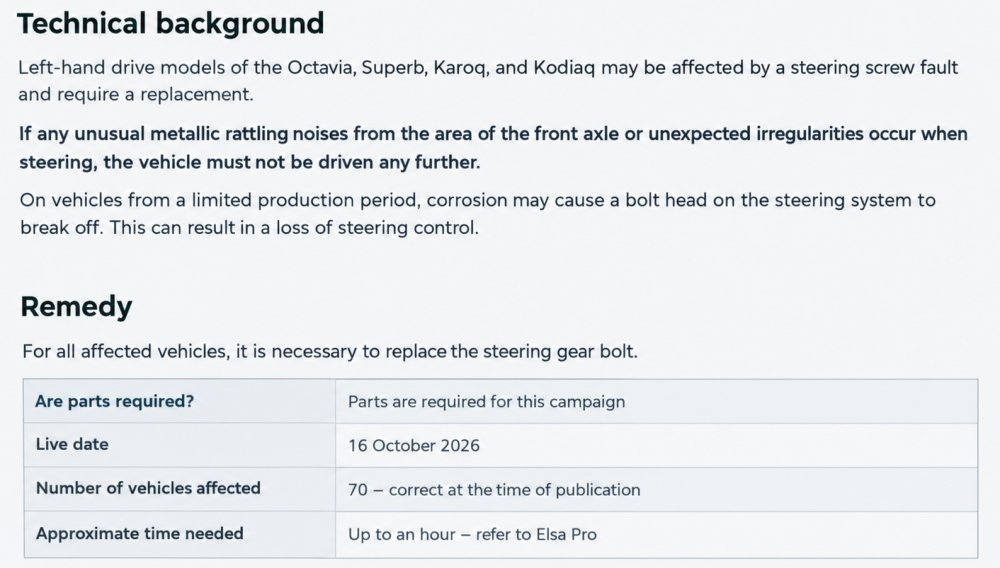
Can't see why they'd say left hand drive if it wasn't specific to them.
-
See Occyvrs's 2nd post on page 1, with info from internal VW comms:
-
Don't think anything will free it now as there'll be loads of aluminium oxide and aluminium metal clogging up the threads, and no way to remove. Hope I'm wrong. The bolts that hold the console on go into steel of chassis, rather than alloy, so won't suffer the same galling. If you do try to shear the front console bolt that's stuck, I did it with long, multiple extensions on a good 6-point 18mm socket, long enough to fit a 2' breaker bar to in front of the car, then applied a really surprising amount of force persistently before the bolt broke. Sweaty job.
-
Don't say I didn't warn you. I had to shear the bolt to get mine apart, then bought a whole new console with bush pre-fitted.
-
Use my part number in ebay with word genuine, and you get item number 277634634997 New genuine at about half price compared with dealership if you use the coupon.
-
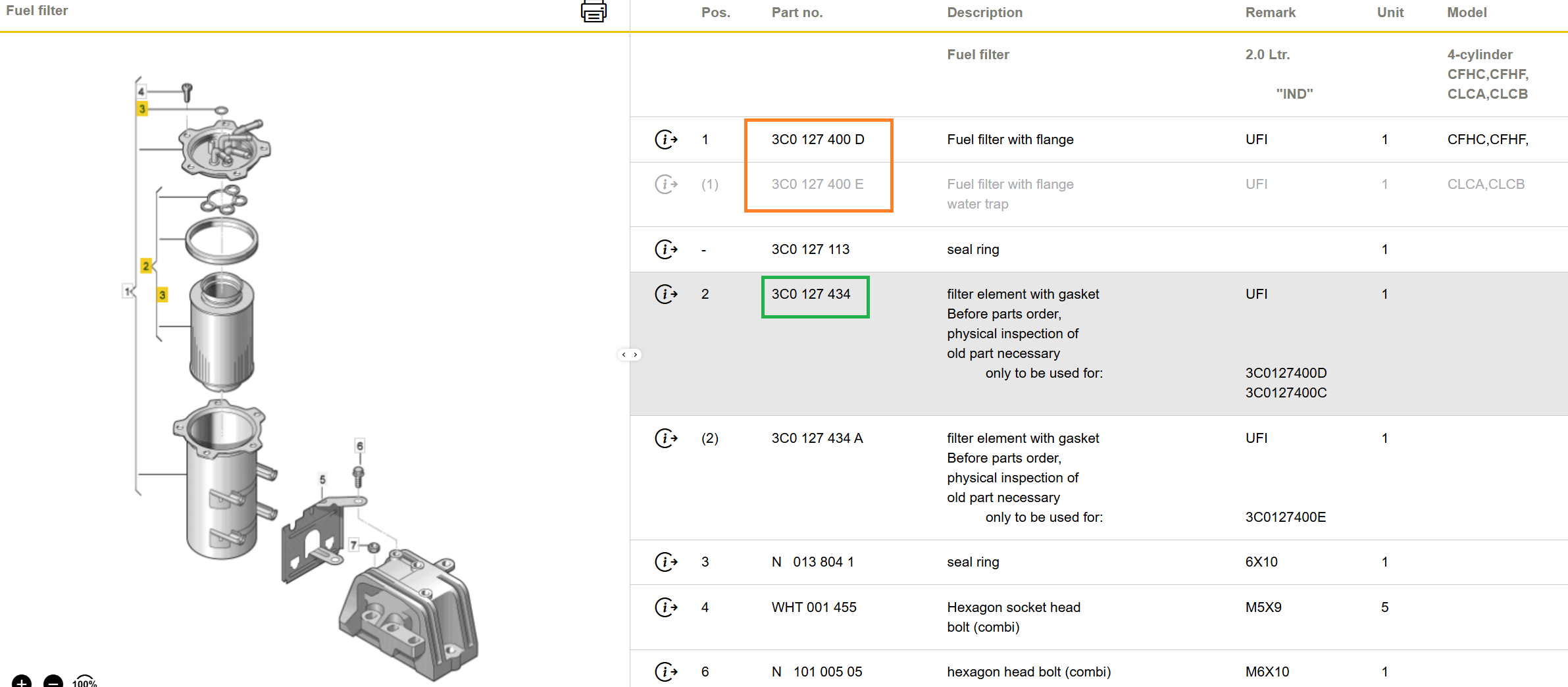
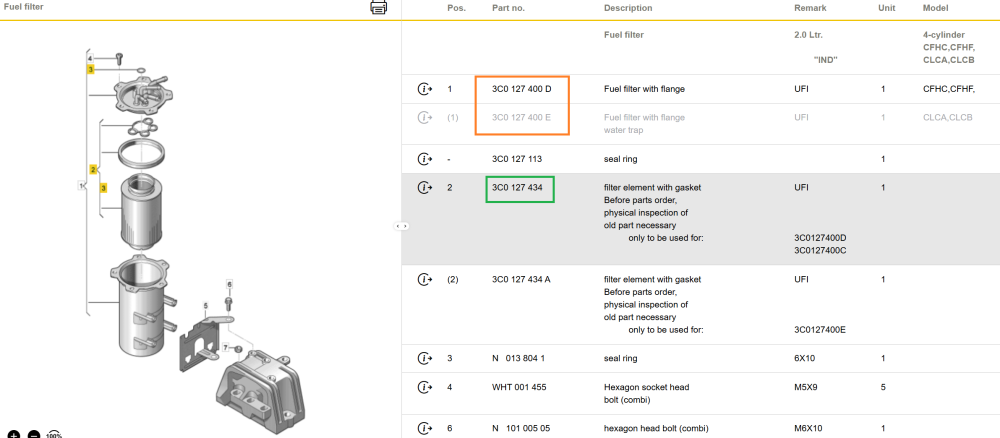
Armed with VIN, it appears to be the part number shown in the green box. The one below the green box is for the housing (3C0127400E) that is greyed out within the orange box of 'Pos. 1s', so I'm assuming that is not suitable for yours. No idea why your housing has a misleading part number label on it. Probably a 'subassembly' that doesn't exist in the spare parts catalogue. 3C0 127 434 filter element with gasket is a mere £41.15 + VAT from Skoda. 😆
-
Message me with VIN, please Nick.
-