



Skip to content

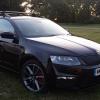
Octavia FL finally here
Featured Replies

Ordered January delivered last week, should of been end March but I intercepted the order and opted for silver roof rails, glad I did it was worth the wait.

Here are pics I took the other day....

post-4111-12727006220671_thumb.jpg

post-4111-12727010788483_thumb.jpg

post-4111-12727010871401_thumb.jpg

post-4111-12727010952333_thumb.jpg

Edited by Superted

Nice motor, but I'm personally not a fan of silver rails :|

  • Author

Wow! Looks ACE!!! :thumbup:

Thanks, I like it alot, can't stop grinning everytime I jump in, only drawback is that so far only covered 270 miles, beeen really busy this week................... :D

Looks really good.

Are you using std Skoda Bluetooth as I see you have an iphone. Does it work OK.

Also, where is the power coming from?

Many 0000's of miles happy driving.

  • Author

Looks really good.

Are you using std Skoda Bluetooth as I see you have an iphone. Does it work OK.

Also, where is the power coming from?

Many 0000's of miles happy driving.

Yes, VW BT, GSM III, works extremely well, the holder you see is an active Brodit unit and the power is fed directly from the fuse panel. This was pretty much my first job after getting the volcanic ash off the windows...........

Yes, VW BT, GSM III, works extremely well, the holder you see is an active Brodit unit and the power is fed directly from the fuse panel. This was pretty much my first job after getting the volcanic ash off the windows...........

Wow

That's luverly B)

So, did you just order the steerring wheel, or is there anything else., as this is all the dealer is telling me I need, and I dont want to order the car and find they were wrong (they all seem a bit unsure)

Also, for the iphone charger, did you just cut the cigaretter socket from a charger lead (sorry I am not very technical)

ta.

Looks sweet i am actually liking the Estate version alot they are some cool looking ones about..

  • Author

So, did you just order the steerring wheel, or is there anything else., as this is all the dealer is telling me I need, and I dont want to order the car and find they were wrong (they all seem a bit unsure)

Also, for the iphone charger, did you just cut the cigaretter socket from a charger lead (sorry I am not very technical)

ta.

You order the BT package and if you want the full function controls you order with DSG. You then get full function and paddle shift as the DSG is also Tiptronic.

As for the phone, the iphone won't work with GSM III as its not rsap (remote sim access protocol) I have the HTC HD2, you will need a phone with rsap.

To install the active cardle either purchase with cig charger or voltage regulator fitted, this takes the 12v down to 5v which the phone is happy with. If you stick 12v up the phone it's goodbye phone. So be careful.

You can get the cig adaptor interfaces from Maplins, that's where i get most of my kit from.

Hope that this helps.

Cheers

Yeah thats certaintly a good looking motor :yes:

Looks fantastic...white rocks! :thumbup:

From build week 22, GSMIII b/t will work with non rsap phones, e.g. iPhone

  • Author

From build week 22, GSMIII b/t will work with non rsap phones, e.g. iPhone

Still, phone aside the car looks good, don't you think?..... :happy:

What is the BT package????

I have been to three dealers now, and all they tell me to order is the steering wheel. (for the Octavia)

Is this right, or is there somehting else I need?

Car looks good :thumbup:

rob

Yes, VW BT, GSM III, works extremely well, the holder you see is an active Brodit unit and the power is fed directly from the fuse panel. This was pretty much my first job after getting the volcanic ash off the windows...........

so the bluetooth handsfree kit definately works with the iphone then?

nice looking motor :thumbup:

so jealous, want mine now. :(

Create an account or sign in to comment

Recently Browsing 0

  • No registered users viewing this page.

Important Information

Welcome to BRISKODA. Please note the following important links Terms of Use. We have a comprehensive Privacy Policy. We have placed cookies on your device to help make this website better. You can adjust your cookie settings, otherwise we'll assume you're okay to continue.

Account

Navigation

Configure browser push notifications

Chrome (Android)
  1. Tap the lock icon next to the address bar.
  2. Tap Permissions → Notifications.
  3. Adjust your preference.
Chrome (Desktop)
  1. Click the padlock icon in the address bar.
  2. Select Site settings.
  3. Find Notifications and adjust your preference.
