



Skip to content

Vector image of my Fabia VRS how long d/you think this took...
Featured Replies

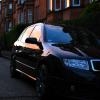
I was looking into vector images after seeing something on E38. Basically using a photo then tracing the outlines of colour sections in single colour filled blocks. Came out OK though I could do much better if I took my time and hadn't run out of patience at the bumper area. Original pic is at the bottom. Think I need to get some clean pics of the car as a starting point though...

car4.jpg

DSC_8374-1.jpg

That's quite cool :D fancy doing a silver octy 2 sport ;) lol

I like it.

Looks very good, just needs more work on the bonnet I think.

you know illustrator will do that for you in 1 click?? :thumbup:

you know illustrator will do that for you in 1 click?? emoticon-0148-yes.gif

I was about to say this - Then didn't want to be the one to upset him emoticon-0144-nod.gif

  • Author

Yeah I ran out of patience, will spend more time on it or have another go sometime...

One click? Are you talking about the artistic effects? I thought you still had to mark out the sections in illustrator. The Art effects in PS give a similar effect with cutout but definitely not the same. How would you do it?

  • Author

I should clarify, I have full CS$ so illustrator is there but I've never really bothered using it.

One click? Are you talking about the artistic effects? I thought you still had to mark out the sections in illustrator. The Art effects in PS give a similar effect with cutout but definitely not the same. How would you do it?

yep it's called live trace.

Used to turn pixel images into vector ones

a huge array of changeable options for vector size, number of colours etc etc

For example:

original

SN850285.jpg

one click using live trace "Colour 6" setting

SN850285-vector.jpg

Edited by PastyBoy

Nice looking car pasty.

Nice looking car pasty.

That was probably when it was at it's best.

3 of the 4 wheels have since has some serious kerbage and someone was kind enough to crease the rear 3/4 buy the fuel filler while manouvering in a car park

It's also bloody filthy at the moment! :rofl:

Edited by PastyBoy

  • Author

Thanks, will have a look at it in Illustrator. Not sure it'll give the effect I wanted because it'll keep a very direct relationship with the photo. Doing it by hand allows me to tune out detail where I want to and keep it in where I don't. Might be a better starting point though. Will have a play about.

Edited by Dougie S

Thanks, will have a look at it in Illustrator. Not sure it'll give the effect I wanted because it'll keep a very direct relationship with the photo. Doing it by hand allows me to tune out detail where I want to and keep it in where I don't. Might be a better starting point though. Will have a play about.

Oh yeah by all means it's no replacement for taking the time and effort to do it by hand however playing with the settings might give you a good starting point (as you say) :thumbup:

Create an account or sign in to comment

Recently Browsing 0

  • No registered users viewing this page.

Important Information

Welcome to BRISKODA. Please note the following important links Terms of Use. We have a comprehensive Privacy Policy. We have placed cookies on your device to help make this website better. You can adjust your cookie settings, otherwise we'll assume you're okay to continue.

Account

Navigation

Configure browser push notifications

Chrome (Android)
  1. Tap the lock icon next to the address bar.
  2. Tap Permissions → Notifications.
  3. Adjust your preference.
Chrome (Desktop)
  1. Click the padlock icon in the address bar.
  2. Select Site settings.
  3. Find Notifications and adjust your preference.
