



Skip to content

parts for octavia mk2
Featured Replies

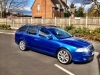
hi all I've now bought a skoda octavia vrs 2.0t estate on a 57 plate everything is in excellent condition apart from the gear knob silver top is a little worn so my question is other than dealers where can i get original skoda parts??

I paid for the gear knob cap less than 7 EUR from the dealer. Why bother ordering such a small thing online. The one for vRS has the code 1Z0 798 005

Edited by Clodius

  • Author

thanks for the replies guys clodius so i don't need to change the whole knob its just the cap that flicks out is that right?

Correct. You just take a pocket knife and push it out.

post-53838-0-85815000-1330688353_thumb.jpg

post-53838-0-52684800-1330688359_thumb.jpg

post-53838-0-33632800-1330688365_thumb.jpg

Isn't there a VRS one of those or am I mistaken?

The pictures I've posted are for vRS

Think that's the mk1 version or at least modelled on the mk1 version. Have a search on here - sure I read a thread about it a while ago.

Ive just had delivery of the vRS one from super skoda so have the original chrome 6 speed one in perfect condition if u want it for £4 delivered? PM me

  • 2 months later...

Anyone know if the Fabia VRS one fits? Need to replace mine, don't fancy the chrome one but the Fabia 6 speed one with the Vrs symbol looks ok.

http://www.ebay.co.u...=item5891b08b23

Ive just had delivery of the vRS one from super skoda so have the original chrome 6 speed one in perfect condition if u want it for £4 delivered? PM me

Pm sent

Create an account or sign in to comment

Recently Browsing 0

  • No registered users viewing this page.

Important Information

Welcome to BRISKODA. Please note the following important links Terms of Use. We have a comprehensive Privacy Policy. We have placed cookies on your device to help make this website better. You can adjust your cookie settings, otherwise we'll assume you're okay to continue.

Account

Navigation

Configure browser push notifications

Chrome (Android)
  1. Tap the lock icon next to the address bar.
  2. Tap Permissions → Notifications.
  3. Adjust your preference.
Chrome (Desktop)
  1. Click the padlock icon in the address bar.
  2. Select Site settings.
  3. Find Notifications and adjust your preference.
