



Skip to content

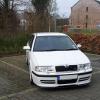
Hi all ! :) Newbie ! Owner of Octavia vRS WRC 100/100
Featured Replies

Hi all ,i m Joe and im pleased to have become a member of Briskoda ! im the proud owner of an Octavia vRS WRC 100/100

post-89109-0-33345600-1335881985_thumb.jpg

post-89109-0-40386000-1335881998_thumb.jpg

Welcome Joe , nice looking car :)

Hi and welcome aboard.

Nice car and the very last WRC (100 of 100)

Nice looking Car Joe,

Did you remove the stickers? I prefer them stickered up to be honest, but still nice :thumbup:

  • Author

Nice looking Car Joe,

Did you remove the stickers? I prefer them stickered up to be honest, but still nice :thumbup:

No the stickers were already removed when i got the car , not really a big fan with the stickers to be honest

Welcome

Easily the nicest mk1 I have ever seen mate

  • 2 weeks later...
  • Author

few quick snaps, what you guys think? :)

99.jpg

98.jpg

97.jpg

94.jpg

09.jpg

08.jpg

02.jpg

04.jpg

nice looking car mate. Love white... anyways, welcome! :rock:

must admit thats delicious lol

Really good looking example.

Damn you have made me sooooooooo jealous. :envy:

Lovely motor!

  • Author

Thanks guys :)

Only subtle mods, 312mm drilled upgrade brakes up front plus drilled on rear also with coilovers and polyflex bushes.

Alpine headunit and Kenwood soundsystem.

That looks great. Does need stickers though ;-)

An absolute stunner! enjoy it mate :)

  • 1 month later...

Hi All

I own 75/100 and i am having terrible truoble actually finding out more history about the cars and also what makes them original.

Mine still has all the lettering etc and i want some alloy wheels to put it back to spiders, but what size???

Any help with my issues would be welcome and just to reiterate there mpg i recently went on holiday and averaged 37.5 which included motorway and windy lanes, great fun!!!!!

many Thanks

Alan

Edited by brownsea74

Create an account or sign in to comment

Recently Browsing 0

  • No registered users viewing this page.

Important Information

Welcome to BRISKODA. Please note the following important links Terms of Use. We have a comprehensive Privacy Policy. We have placed cookies on your device to help make this website better. You can adjust your cookie settings, otherwise we'll assume you're okay to continue.

Account

Navigation

Configure browser push notifications

Chrome (Android)
  1. Tap the lock icon next to the address bar.
  2. Tap Permissions → Notifications.
  3. Adjust your preference.
Chrome (Desktop)
  1. Click the padlock icon in the address bar.
  2. Select Site settings.
  3. Find Notifications and adjust your preference.
