



Skip to content

Not bad for an iPhone
Featured Replies

Hello.. Me again!

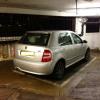
Took this on my iPhone and quite liked it so thought it should be shared :)

9A9BBF5F-3785-49BE-AE88-30DF2EF037CD-13113-0000074592289707.jpg

That's damn good indeed! It has to be said, I'm a fairly keen photographer and I've not bothered replacing my Ixus since getting a 4s, yeah the dslr is for the proper stuff, but for a quick snap I really can't fault it. I don't even bother with anything like Instagram either.

This one's come straight off the phone in not a particularly good lighting situation

7a6973e4.jpg

Oh yeah, everybody, meet Josie!

This is the view from my office taken with a 4S running iOS 6 panorama mode.

8006496097_936e118098.jpg

This is a simple photo taken on the 4S yesterday using HDR mode. The details looks stunning on my 24" screen.

8006532799_4c31b639cd.jpg

It really is an impressive camera. I must use it more!!!!

Oh yeah, everybody, meet Josie!

Very cute and great photo. My cat is black and very difficult to photograph.

Not bad quality these days are they. Looking forward to my iPhone 5 :) my phone snaps will be a lot better haha

Create an account or sign in to comment

Recently Browsing 0

  • No registered users viewing this page.

Important Information

Welcome to BRISKODA. Please note the following important links Terms of Use. We have a comprehensive Privacy Policy. We have placed cookies on your device to help make this website better. You can adjust your cookie settings, otherwise we'll assume you're okay to continue.

Account

Navigation

Configure browser push notifications

Chrome (Android)
  1. Tap the lock icon next to the address bar.
  2. Tap Permissions → Notifications.
  3. Adjust your preference.
Chrome (Desktop)
  1. Click the padlock icon in the address bar.
  2. Select Site settings.
  3. Find Notifications and adjust your preference.
