



Skip to content

Fabia Vrs Rubber swap?
Featured Replies

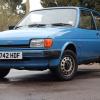
Hi all just sold my Octy and on Saturday I bought a 2005 Fabia Vrs - I'll get some pics up once I have finished detailing it (8 hours so far!)

I'm looking to swap tyres with a car I'm going to sell, basically the Fabia has crap 'Sunny' tyres and I have a MK1 Focus that is leaving the fleet which has some decent Dunlop tyres on it.

The Focus is on 205/50 R16

The Fabia is on 205/45 R16

Will I be able to swap them round?

Ta!

Yep they should be fine. I'd check with your insurance company first though.

If you ever need to replace a tyre, then you'll have to replace with 205/50/16, unless you get 4 new and go back to 205/45/16

If you have to swap over to the spare, you might get ABS errors while driving as one wheel will be rotating at a different speed to the rest.

  • Author

Ah cheers, I just replaced the front tyres on the Focus so I think I will swap the Dunlops over to the rear of the Fabia and then buy two new front tyres for the Fabia either Uniroyal or Proxes in 205/50. The rears on the Focus are a bit perished.

Got any good tyre reccomendations for the Fabia?

Edited by Craig01

According to a tyre calculator here: http://www.etyres.co...-calculator.htm 50 profile are 20mm (3.38%) bigger in diameter than 45 profile. Tyre places recommend a max of 2.5% change. This will mean your speedo and milometer will be slightly out, although probably the speedo will read more accurately to the true (GPS) speed, as most under-read anyway.

As for tyre choice, there are many threads on here about the subject. Uniroyal Rainsport 2 are normally reconmended by people. I have them and like them. I bought a 2nd pair last week.

Edited by Jim H

  • Author

Ah cheers Jim useful tool that site. I'm hoping as long as they don't rub or anything like that on full lock then it should be fine.

Create an account or sign in to comment

Recently Browsing 0

  • No registered users viewing this page.

Important Information

Welcome to BRISKODA. Please note the following important links Terms of Use. We have a comprehensive Privacy Policy. We have placed cookies on your device to help make this website better. You can adjust your cookie settings, otherwise we'll assume you're okay to continue.

Account

Navigation

Configure browser push notifications

Chrome (Android)
  1. Tap the lock icon next to the address bar.
  2. Tap Permissions → Notifications.
  3. Adjust your preference.
Chrome (Desktop)
  1. Click the padlock icon in the address bar.
  2. Select Site settings.
  3. Find Notifications and adjust your preference.
