



Skip to content

Front Mudflaps

Featured Replies

Hello everyone.

I am looking at adding the Protection Pack to my Skoda Octavia vRS and was wondering, with all the experience and knowledge on here, if anyone could confirm or deny whether mudflaps can be fitted by the stealer to the rear of the car?

Thanks in advance.

Paul

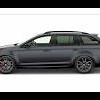
What about on estates?

What about on estates?

I think the estate ones fit straight on but someone else might confirm if you search it should get an answer fairly easily.

They also fit the estate, though not quite perfectly but it's pretty close to it. I ordered fronts only when I got my vRS but the dealer thought it looked odd so fitted rears for me too! I think others have used a hair dryer to soften them to help with fitting.

Sarge.

Leave them in a bucket of warm water for 5 minutes and they'll mould perfectly to the shape ;)

  • Author

They also fit the estate, though not quite perfectly but it's pretty close to it. I ordered fronts only when I got my vRS but the dealer thought it looked odd so fitted rears for me too! I think others have used a hair dryer to soften them to help with fitting.

Sarge.

Leave them in a bucket of warm water for 5 minutes and they'll mould perfectly to the shape ;)

Thanks for the tips :)

Guys I want to fit flaps to my black vrs estate. Which in your opinion look the best... Official little skoda ones or some big flappy ralley type?

Official ones only, rally-style look rubbish (imho ofc.), don't suit the car at all.

Official ones only, rally-style look rubbish (imho ofc.), don't suit the car at all.

I do agree personal taste thing but if you like the look of rally style ones yourself then they are the ones for you, the rally flap style ones fitted properly I would say offer more protection than OEM but its not a price im willing to pay!

Create an account or sign in to comment

Recently Browsing 0

  • No registered users viewing this page.

Important Information

Welcome to BRISKODA. Please note the following important links Terms of Use. We have a comprehensive Privacy Policy. We have placed cookies on your device to help make this website better. You can adjust your cookie settings, otherwise we'll assume you're okay to continue.

Account

Navigation

Configure browser push notifications

Chrome (Android)
  1. Tap the lock icon next to the address bar.
  2. Tap Permissions → Notifications.
  3. Adjust your preference.
Chrome (Desktop)
  1. Click the padlock icon in the address bar.
  2. Select Site settings.
  3. Find Notifications and adjust your preference.
