



Skip to content

Felicia diesel not talking
Featured Replies

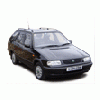
A couple of times now the local independent Volkswagen group specialist has tried to get diagnostic information off my 97 diesel Felicia but they've not been able to get it to talk. They said they've had no problems with older Golfs etc. of a similar vintage, it's just my old Felicia.

Does anyone know why this would be? Does it even have a diagnostic port?

Thanks

Hi Red Studio, They should have no problems reading from your 97 diesel Felicia. The diagnostic port is in the same place as on all Felicias, under dash to right of steering wheel. Once connected the ignition must be on.

Good luck

  • Author

I think they found it ok. They just couldn't get a meaningful conversation going with it. Now I know where it is I can take a look and see if there's anything obviously disconnected. They tried it a year or so back and then more recently to check my starting trouble (glow plugs that time) but it's not telling them anything about those or anything else for that matter.

Thanks

I think the management system on the diesel Felicia is way too simple to do any diagnostics....

They are going into address 41 and not the usual 01?

there are diagnostics but they are pretty simple things. check that they are trying address 41 instead of 01 as fordfan says above and check that there is power at the correct pins (can't remember but somewhere on the net will say)

best to treat it as a basic indirect diesel with a fancy temp sender to control the glow plugs and cold idle speed really, blank the egr valve off and make sure there are no air leaks at all and no leaky injector leak off pipes etc.

Create an account or sign in to comment

Recently Browsing 0

  • No registered users viewing this page.

Important Information

Welcome to BRISKODA. Please note the following important links Terms of Use. We have a comprehensive Privacy Policy. We have placed cookies on your device to help make this website better. You can adjust your cookie settings, otherwise we'll assume you're okay to continue.

Account

Navigation

Configure browser push notifications

Chrome (Android)
  1. Tap the lock icon next to the address bar.
  2. Tap Permissions → Notifications.
  3. Adjust your preference.
Chrome (Desktop)
  1. Click the padlock icon in the address bar.
  2. Select Site settings.
  3. Find Notifications and adjust your preference.
