



Skip to content

Pickup (fun) front outer wings?
Featured Replies

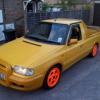
Picked up another pickup :) but it's got the front wing problems (rusted channels) and I wanted to look at replacing..

I've done a search and have found that the pickup ones are different to the car ones.. but I cant find what I need to order?

Anyone able to point me in the right direction / part number etc? thanks :)

http://www.briskoda.net/forums/topic/183487-felicia-fun-front-wing-removal/

(but no part number etc :) )

Just use the normal reinforced body type hatchback/estate wings, and chop off the little bit you don't need with a sabre saw, it's a bit of a fiddle but it's easy enough, just keep trail fitting them till they are right.

The wings are bonded on with some pretty aggressive stuff that stick like **** to a barn door, and they are also bolted too, there's 2 that are tricky to get to right inside the door shuts

100_0876.jpg

this is what mine looked like when I took the wings off. Not a pretty sight, I found the best way way to completely chop out all the rotten metal back to some nice clean steel.

100_0925.jpg

not very pretty welding in here I'm sad to say, but it's plenty strong enough... I then used an L shaped panel repair section which I obtained from a local body shop

100_0945.jpg

also ended up replacing both of the wing filler plate sections too, these about are £10 from the skoda dealer and I had to wait 6 weeks for them iirc

that looks good compared to my mk1 golf inner wing...i could cry!

  • Author

Thank you all! Looks like it will be 'fun' (see what i did there)

Create an account or sign in to comment

Recently Browsing 0

  • No registered users viewing this page.

Important Information

Welcome to BRISKODA. Please note the following important links Terms of Use. We have a comprehensive Privacy Policy. We have placed cookies on your device to help make this website better. You can adjust your cookie settings, otherwise we'll assume you're okay to continue.

Account

Navigation

Configure browser push notifications

Chrome (Android)
  1. Tap the lock icon next to the address bar.
  2. Tap Permissions → Notifications.
  3. Adjust your preference.
Chrome (Desktop)
  1. Click the padlock icon in the address bar.
  2. Select Site settings.
  3. Find Notifications and adjust your preference.
