yesman
Members
-
Joined
-
Last visited
-
Nope, no more notifications, thats blank now.
-
Looks like update 0334 is the answer, as all I can say is since I had the large system update on to software 0334 and the repeated 3 other updates I've not had the daily update prompt for over a week now.
-
Thought I'd let you know that finally, hopefully, without talking too soon!🤞, my infotainment updates seems to be sorted, at the start of last week I had a huge system update that took a combination of 4 20 minute journeys to download, and then could only update whilst the engine was off, after that updated I got a notification that there was 3 updates, all were the original updates I'd had 3 months ago, even though it was only the application one that kept repeating daily, they were "successfully" completed last thursday, although 1 did require me to lock my car for a minute!🤷♂️ but since then I've haven't had the daily applications update message that I'd been getting. So it would appear to address this issue Skoda have had to send out a huge system update just to install 3 small update, well thats what I hoping.
-
I had exactly the same, there's was no onscreen prompt like there had been, it was in notifications waiting for the install to be started. It took ages, and then this morning there was confirmations the installs had completed, when normally the infotainment page would have been empty! Like I said, not holding my breath!!
-
I hear your pain!! It definitely getting very frustrating now!!
-
Mine still doing the "applications" every day after 10 weeks!! Yesterday it was in notifications but hadn't given me the prompt to install it, started the install which was still happening 15 minutes later when I got home and turned the engine off. Checked this morning and on notifications there was 3 installed notifications. Be interesting if the update comes back again today, not holding my breath!! Going to a VAG specialist tomorrow to drop my Misses Seat Ibiza in and I ask them what they know about it.
-
It'll be interesting if they say the same as others have been told, Keep us posted.
-
I'm still getting the Application update every day, its probably been 2 months now, I've done a lot of Googling on the subject and found its a Skoda wide problem, happens on any model, it seems owners are being told by Skoda dealears that Skoda are aware and there should be a new update to sort it, most have been told that there's nothing the dealer can do, either because they need to see the update trying to install, or basically even they have to wait for the new Skoda update. I have read of a couple of cases where they claim they sent theirs in and it was sorted, but nearly all have said they've been told it can't be sorted. I have refrained from ringing Skoda because I have a pretty good idea of what I'll be told, but after 2 months now its getting pretty frustrating it popping up every day.
-
I had to originally, a "shop" update and a "registration" update, over the last few days the "shop" update seems to have disappeared, so I'm presuming its actually completed but I'm still getting the "registration" update. Had a bit of a panic this morning because the infotainment centre started up with a app opening than came up the can't open app on a black screen, thought had locked up completely, but when I pressed the Home but it was as it should be, thankfully.
-
I've tried a soft reset and that didn't work.
-
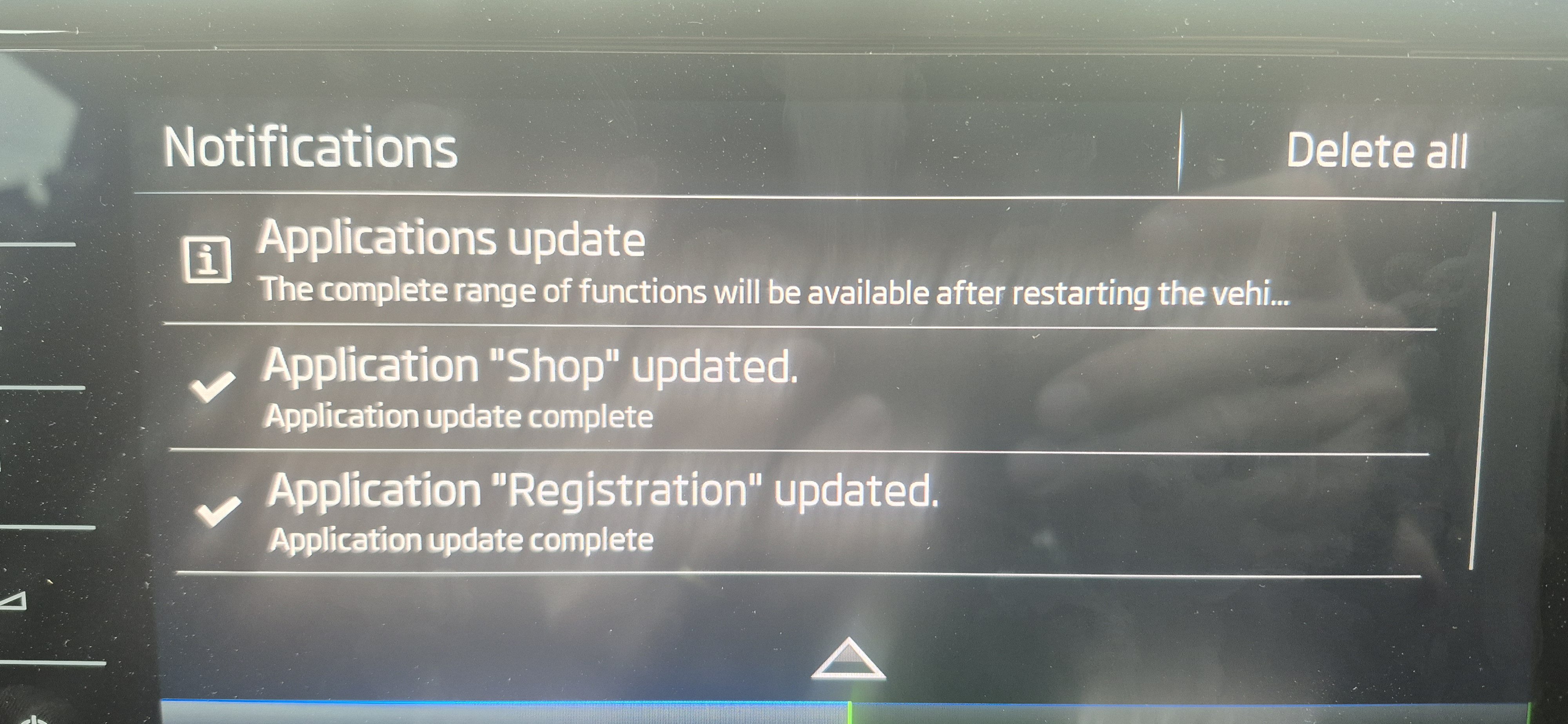
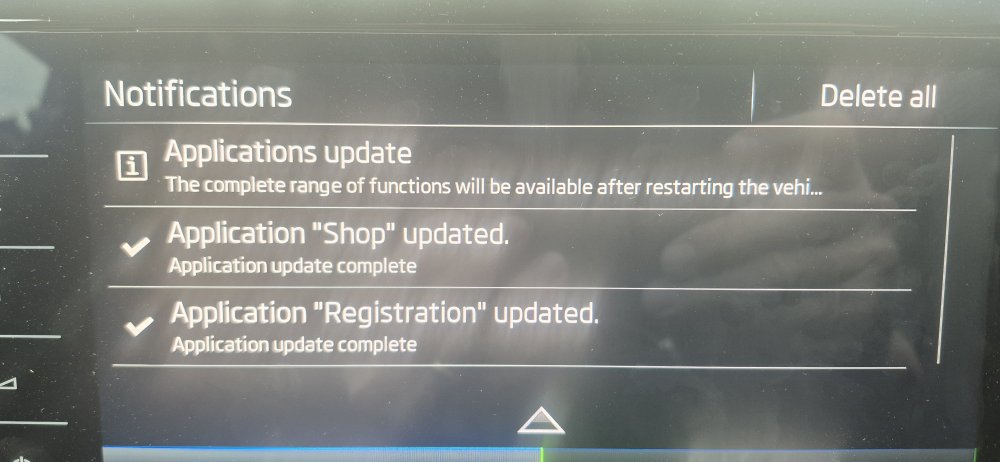
These are the updates I'm getting daily, both go to 100% and both say they've updated, and will complete on restarting the vehicle, but the next day both will come back! I've found the Shop App, which I did know existed, so not sure if thats new. But can't find the Application app anywhere.
-
Hi, how can you see what maps version you have? I take it thats an automatic update as well?
-
Hi all, Anyone else getting repeat Infotainment updates that don't appear to be installing, I'm getting this problem on my 2024 Superbs Infotainment unit nearly every day, when I look on the Information tab I can see the updates and when it says they're installed, and a prompt to say the installation will be active the next time the car is started, so all looks correct. But literally the next day I'll get another message on the screen to say updates are available and ready to install, and the same process has repeated itself for about 2 weeks now. I've looked on the Net and it looks like its a Skoda issue over all the ranges but there doesn't seem to a resolution. Has anyone else had this? If so have you got it sorted or is it a trip to the dealer? Cheers
-
So recently had to do a hard reset on my Infotainment unit, phone wouldn't start up and was just sat in "waiting" anyway the hard reset sorted that, it also did an update when restarting too, but I believe as a result of the hard reset and maybe the update, I'm now getting the "s-pin not set" warning message on the "don't forget your belongings" closing screen. I can't remember see it before. So I went in to my user profile, which is the primary user profile and turned on the s-pin protection, not realising that this meant every time the Infotainment unit starts I need to enter the s-pin, when entering it you can tick a box to remember your s-pin so you don't need to enter it each time, but this turns of the s-pin protection so you get the s-pin warning when the Infotainment unit is turning off!! Literally going around in circles!! Is this normal and I've just missed the message before? is it the consequence of the update? Or am I missing something when trying to set the s-pin not to be used every time? Cheers
-
Phone call at 3:30 to say it's done and ready to pick up, job for tomorrow morning, that's less than 36 hours, only got fo drive the Audi home and now to Skoda, Skoda are even going to arrange the pick up of the Audi with Enterprise!!