



Skip to content

Haldex blue controller
Featured Replies

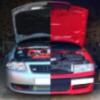
And this is what'll look like when I swap my TTRS wheels on to her

image_zps2cd315a2.jpg

I love the S3 but was not big enough for the family.... :sweat:

few more years when they fly the nest we shall see... :rofl:

I love the S3 but was not big enough for the family.... :sweat:

there's a solution to that problem ...

transfers all the gubbins from the S3 into the Octavia 4x4 :happy:

Octavia's much better looking than S3

Better chassis too

More space

totally makes sense

not really!!

an s3 can be picked up for a few k, job done, the 4x4 octy is still around 1k, then you need to spend a lot to get it to match the s3.

makes sense if you wanna waste a lot of $$$

  • Author

image_zpsf4bec4e3.jpg

image_zpsc28986cd.jpg

image_zps85992b80.jpg

Here's a couple pics from yesterday's small S3 meet at my house. Got a few things from Mark @ Brotek. Incl stage 1 shark re map:) total flying machine now. Just gotta get the Haldex Blue on her and then some lovely Angelwax Ag hard metallic silver polish to rub her down with:)

Lovely car mate, been looking at them myself!!

  • Author

Cheers pal.

  • Author

Well as with most VAG cars you buy on the service history rather than mileage. But with the mk1 8L S3's, 2003 is the year to go for like mine.

I see marks s3 got into the pic,he remapped my Octavia last year,he said he was going up to Aberdeen to remap 2 s3,mark is a great guy to deal with.

  • Author

yea hes a good guy. He too did my octy 4X4 as well. Plenty of detailing products to sell as well

Create an account or sign in to comment

Recently Browsing 0

  • No registered users viewing this page.

Important Information

Welcome to BRISKODA. Please note the following important links Terms of Use. We have a comprehensive Privacy Policy. We have placed cookies on your device to help make this website better. You can adjust your cookie settings, otherwise we'll assume you're okay to continue.

Account

Navigation

Configure browser push notifications

Chrome (Android)
  1. Tap the lock icon next to the address bar.
  2. Tap Permissions → Notifications.
  3. Adjust your preference.
Chrome (Desktop)
  1. Click the padlock icon in the address bar.
  2. Select Site settings.
  3. Find Notifications and adjust your preference.
