



Skip to content

smoke problem!

Featured Replies

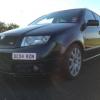
i've had my skoda for a couple of days now. I know after a diesel car's been mapped its expected to have a fair bit of smoke, but even with the car running normal on a road, no hard acceleration or anything, theres a fair bit of smoke! i serviced it today using diesel engine flush as well and the problem is still there. Does anyone know what could be causing it ? got a feeling i need to get injector cleaner. ps. this is my first diesel so i'm still pretty unsure of problems that can usually occur! thanks.

It could have had the silly resistor mod done, that makes 'em smoke like a chimney.

It shouldn't smoke if the map has been done right.

There is a balance. You have to add fuel to get power, but the smoke comes from excessive fuel for the available air supply. The smoke is just wasted fuel. If it's really smokey then you're wasting a lot of fuel.

Try a Shark Performance map. Ben's remaps are very widely recognised as not being smokey.

As above, I'm running a unit 18 map and it doesnt smoke anymore than stock tbh. Might be worth checking for boost leaks too.

  • Author

thanks! i'll need to have a good look over it when i get time and try the fuel treatment for the injectors, if that fails there's a guy i know up here in scotland who does it for a living, i'll get the car in to let him have a look over it

Create an account or sign in to comment

Recently Browsing 0

  • No registered users viewing this page.

Important Information

Welcome to BRISKODA. Please note the following important links Terms of Use. We have a comprehensive Privacy Policy. We have placed cookies on your device to help make this website better. You can adjust your cookie settings, otherwise we'll assume you're okay to continue.

Account

Navigation

Configure browser push notifications

Chrome (Android)
  1. Tap the lock icon next to the address bar.
  2. Tap Permissions → Notifications.
  3. Adjust your preference.
Chrome (Desktop)
  1. Click the padlock icon in the address bar.
  2. Select Site settings.
  3. Find Notifications and adjust your preference.
