



Skip to content

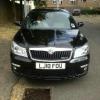
Few pics of my new Vrs
Featured Replies

Hi demillea

The grill looks nice :)

Did you spray the whole grill incl the bars in situ with plastidip or did you remove it?

Looking at doing this to mine but think I would need to get the glosifier as a matt finish would not match my wheels.

  • Author

Hi mate I sprayed it all then removed it from the centres but I would recommend either covering them or spray the and just go over with the glossifier as it was a pain in the ass to remove it from the centre

DMilleaVRS

  • Author

Fitted my seat inserts and new stubby atenna courtesy of rcaero

Cheers

Posted Image

Posted Image

DMilleaVRS

  • Author

Parrots in :-)

Posted Image

Posted Image

Posted Image

DMilleaVRS

Don't leave your heated mirrors on all the time, after a few years the glass can delaminate and the adhesive that holds the glass in situ fails and the mirror can fall out!

Good advice as that's exactly what happened to mine

Sent from my GT-I9300 using Tapatalk 2

  • Author

Cheers well spotted but I thought unless I pressed the rear heating and mirror heating button no heat is applied to the mirror?

DMilleaVRS

nope as far as i know once the button is turned to that position then there is hea applied to the mirror!! sweet car, i like the work so far! best of luck with it!!! :rofl:

Cheers well spotted but I thought unless I pressed the rear heating and mirror heating button no heat is applied to the mirror?

DMilleaVRS


A common misconception on the Octavia (you are not alone in thinking this)...


...but as mentioned above the mirror heating works independently to the rear heated screen.

To be honest i was an old vec c driver and heated mirrors were not even optional......didn't notice until one day i read the manual..... :giggle:

Create an account or sign in to comment

Recently Browsing 0

  • No registered users viewing this page.

Important Information

Welcome to BRISKODA. Please note the following important links Terms of Use. We have a comprehensive Privacy Policy. We have placed cookies on your device to help make this website better. You can adjust your cookie settings, otherwise we'll assume you're okay to continue.

Account

Navigation

Configure browser push notifications

Chrome (Android)
  1. Tap the lock icon next to the address bar.
  2. Tap Permissions → Notifications.
  3. Adjust your preference.
Chrome (Desktop)
  1. Click the padlock icon in the address bar.
  2. Select Site settings.
  3. Find Notifications and adjust your preference.
