



Skip to content

Newbie to photography, looking for some comments!
Featured Replies

Hi guys and girls, 


Only had my Nikon D5200 a week or so, but thought I would showcase some of my snaps! Feel free to rate or slate :)


post-110296-0-67191700-1388697501_thumb.jpg


post-110296-0-34123400-1388697505_thumb.jpg


post-110296-0-51808300-1388697509_thumb.jpg


post-110296-0-65545000-1388697540_thumb.jpg


post-110296-0-14483000-1388697544_thumb.jpg


post-110296-0-29134600-1388697546_thumb.jpg


post-110296-0-64270900-1388697580_thumb.jpg


post-110296-0-41995700-1388697615_thumb.jpg

Photography is all about personal preference, people will love it and it wont do anything for others. What are you suing for photo editing? Some people love just out the camera look, personally even if i take a photo i love i still need to clone, crop and adjust levels. You will also find if you shoot in RAW you have all the information the camera captures unlike the JPEG. This helps out even more once again when editing.


Its nice to see some slow shutter speed in some of the water photos. Love that silky water look.


My opinions are all personal preference! im not being horrible :happy:


The 2nd photo the duck is unfortunately not full in the frame. I think it would be better with more focus on the ducks and foreground rather than the whole area. Your focus is more of the middle of the photo. I also think it would have been better in colour and not Sepia tone.


The 5th photo, I would have cropped the bottom right up to the start of the stand. Give a wider effect and it would also get rid of the persons shadow on the left.


The 7th photo, i gather is meant to be more focused on the water droplet on the rail as appose to the rail?


The 8th photo, i'm not sure what your aim is, the focus is on the foreground and tress and the background, water and tree area is not in focus. Same with photo 3.


You have great potential it's just getting to know your camera, and what settings to use. I'm still learning, so don't take anything i say personally, its just my view. I welcome criticism on my photos from anyone.

  • Author

Comments much appreciated!

Must be honest some of the Sepia ones i wasn't sure about.

The ones you said you werent sure about the aim of the photo -well, there wasn't one really! It was a family day out and i just took some as we were walking around! :P

Waterfall one is my favourite so far, but as you said i am still getting to grips with it.

I did manage to pick up on ebay a 35-200mm lens, for £25! Its an old TOKINA lens. It's all manual, but that doesn't bother me, you learn faster that way!

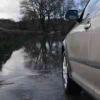
I will try to get some with the car in frame when i find a spot!

Thanks Again :)

post-110296-0-45428200-1389393989_thumb.jpg

post-110296-0-12194200-1389394001_thumb.jpg

post-110296-0-33562100-1389394036_thumb.jpg

post-110296-0-07411700-1389394039_thumb.jpg

post-110296-0-58134200-1389394041_thumb.jpg

Love the end picture, the tree Stump?


What software are you editing with? if any.


The dog is out of focus. You need the focus set on his eyes to make him sharp, the focus is more on the log. But i do like the photo.


Also, Make a Flickr account. It wont reduce the quality of you work when uploaded.  :happy:


Good pick up on the lens.

  • Author

Yeah it was just a tree stump, on the beach.... must have got washed up there after the storms. But thanks :)


with the photos on here i've just been using Picasa, however I am pretty good with Photoshop as well :) 


I think it was just on Auto at that time, he doesn't stay still very long!


I shall do that.... might already have one....  :think:

Create an account or sign in to comment

Recently Browsing 0

  • No registered users viewing this page.

Important Information

Welcome to BRISKODA. Please note the following important links Terms of Use. We have a comprehensive Privacy Policy. We have placed cookies on your device to help make this website better. You can adjust your cookie settings, otherwise we'll assume you're okay to continue.

Account

Navigation

Configure browser push notifications

Chrome (Android)
  1. Tap the lock icon next to the address bar.
  2. Tap Permissions → Notifications.
  3. Adjust your preference.
Chrome (Desktop)
  1. Click the padlock icon in the address bar.
  2. Select Site settings.
  3. Find Notifications and adjust your preference.
