



Skip to content

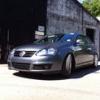
Anyone not running on OEM wheels?
Featured Replies

I've got 2 sets of 18" rims in my garden shed. Anyone else using aftermarket (or other manufacturer OEM) wheels on their Superb??

These are my 8.5x18 et 25 with 215/40/18's Merc SL splits

2b931521d569a158fabf653abafa7a47_zps6127

And these are my 7.5x18 et 40 with 225/40/18's VW Phaeton Champions

d64cce447644e5389246b89f42e12da5_zps96be

Anyone think these would suit the shape of the Superb?? (Oh and I just found out that AP does coilovers for the Superb for £550!)

  • Author

Nobody??

I've got aftermarket ones on mine :) 

  • Author

19" R8 V10's??

They genuine?? How is the ride on 19's???

Nah they're not genuine!! I should have bought some quieter tyres! The ride hasn't changed from 18-19. My main worry is if I lower it what will it be like?


H&R are the only company that make the 40mm springs for the v6! 


WP_20131121_018.jpg

WP_20131121_016.jpg

  • Author

It's a 4x4 yeah?? I think AP make coilovers for all Superb II - only company I found that does coilovers at a silly prices.

I have some genuine R8 rims, but there are only 8.5x18 & 10.5x18. They are in my shed alongside the Phaeton rims. (And 2 sets of mk2 GTi rims, mk5 jetta sport classix, several interiors.) I was recently offered a set of 9.5x18 Mercedes SLA rims. They would look amazing on a dropped estate with stretch tyres & a dtm front spoiler from Superskoda.

Create an account or sign in to comment

Recently Browsing 0

  • No registered users viewing this page.

Important Information

Welcome to BRISKODA. Please note the following important links Terms of Use. We have a comprehensive Privacy Policy. We have placed cookies on your device to help make this website better. You can adjust your cookie settings, otherwise we'll assume you're okay to continue.

Account

Navigation

Configure browser push notifications

Chrome (Android)
  1. Tap the lock icon next to the address bar.
  2. Tap Permissions → Notifications.
  3. Adjust your preference.
Chrome (Desktop)
  1. Click the padlock icon in the address bar.
  2. Select Site settings.
  3. Find Notifications and adjust your preference.
