



Skip to content

MKIII Vrs Foglight Bulb Confermation Required Please
Featured Replies

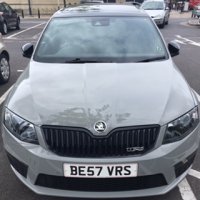
I've looked into the Octavia MKIII Vrs Foglight bulb fitting and I was told the bulb is an H8 . The H8 bulbs don't fit as one of the locating pins is too wide so the bulb won't seat properly. I understand it can be trimmed and made to fit. I have been in touch with the local dealer who has told me the bulbs are in fact H16. Is there a different code for H16 bulbs?


I've looked on various sites for bulbs and there is a very limited choice for H16 bulbs.  Can anyone on hear confirm that H16 is the correct fitting  ( we all know what dealers are like for info )


Thanks in Advance

Sorry can't confirm vRS, I know H8's are the standard car (Elegance in my case) so I understand how you've mis-ordered.


H16's wow, not a lot of choice on them especially, if you're only gonna use road-legal ones.


BTW. 4,200K maximum with a Cmark for road legal use is what I've been advised.  Good luck with your search.


Regards

T

There are H16 - I have 50w Cree H8's fitted to mine but I had to trim them (takes 2 seconds)

  • Author

There are H16 - I have 50w Cree H8's fitted to mine but I had to trim them (takes 2 seconds)


Which bit do you trim Mr X ?

Which bit do you trim Mr X ?

The large tab of the 3 needs to be trimmed and the other 2 just chamfered. This just makes it easier to twist in.

  • Author

The large tab of the 3 needs to be trimmed and the other 2 just chamfered. This just makes it easier to twist in.


If you put the large tab at the 6 o clock position do you trim the left or right side and do you make it the same size as the other 2 tabs. what do you mean by chamfered?

Get the angle grinder out Goldfinger - what can possibly go wrong :)

  • Author

Get the angle grinder out Goldfinger - what can possibly go wrong :)


I'll end up cutting the car in half

Two white skips - that's a bonus isn't it?

  • Author

Two white skips - that's a bonus isn't it?

:moon:

Create an account or sign in to comment

Recently Browsing 0

  • No registered users viewing this page.

Account

Navigation

Configure browser push notifications

Chrome (Android)
  1. Tap the lock icon next to the address bar.
  2. Tap Permissions → Notifications.
  3. Adjust your preference.
Chrome (Desktop)
  1. Click the padlock icon in the address bar.
  2. Select Site settings.
  3. Find Notifications and adjust your preference.
