



Skip to content

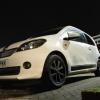
What front splitter?
Featured Replies

Know there's a couple aftermarket kits out there, but that's not what I'm after. Only genuine Skoda parts. Both of these are genuine suppliers. 


Basically, my query is that in the UK Skoda shop I see small indendtations on the plastic, on the CZ site I do not. However, I can't tell if they're the same part as they're from different angles. 


Basically, anyone have any advice? (The CZ site is signifcantly cheaper, it works out just under £100 for the part). Or do I just order from my Skoda dealer, and accept that I'll need to pay more?


EDIT: Helps if I post the links....


http://www.theskodashop.co.uk/product/Front_bumper_spoiler_-_CitiGo_1ST071606A2Z0


http://eshop.skoda-auto.com/cz/en/b2c/Exterior-accessories/front-bumper-spoiler-citigo-1st071606ax/46/3/24/43/1001

Edited by Camlep

Seem to have the same part number so I guess they're the same. Personally I would order from my local dealer but that's just me.

Had this with a part for my Rapid from the CZ site. I went through my dealer and they ordered it for me no problem.

It wasn't available in the UK but I got it [emoji106]

Sent from my iPhone using Tapatalk

  • Author

Looks like a dealer phone call will happen next month. Thanks, all. :-)

Thinks (again) "... should have bought a Monte Carlo ...!"

  • Author

Thinks (again) "... should have bought a Monte Carlo ...!"


Nope! You still won't convince me! :-P

I would absolutely miss the fuel efficiency of the stop/start Greentech engine. And I'm really OCD about that rear decal. 

The sport, which was the one available at the time I bought mine, was nice but lower MPG and higher insurance. Seemed silly. I loved exterior styling of the sport. 

And I now have the exterior styling of the sport, with better MPG and lower insurance, and without the interior that clashes (unless you have a Red car!). 


Do like the Monte (bar that rear decal), but I'd really miss the Greentech!

Create an account or sign in to comment

Recently Browsing 0

  • No registered users viewing this page.

Important Information

Welcome to BRISKODA. Please note the following important links Terms of Use. We have a comprehensive Privacy Policy. We have placed cookies on your device to help make this website better. You can adjust your cookie settings, otherwise we'll assume you're okay to continue.

Account

Navigation

Configure browser push notifications

Chrome (Android)
  1. Tap the lock icon next to the address bar.
  2. Tap Permissions → Notifications.
  3. Adjust your preference.
Chrome (Desktop)
  1. Click the padlock icon in the address bar.
  2. Select Site settings.
  3. Find Notifications and adjust your preference.
