



Skip to content

APR stage 2+ package, Octavia 2.0 TFSI *FEELER*
Featured Replies

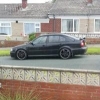
I will very shortly be selling my stage 2+ Octavia VRS TFSI. Just gauging interest in selling the stage 2+ package separate and putting the car back to standard for sale. Package would include :


- APR stage 2+ mapped ECU (map cost £600) Will need immo defeat to work.

- Milltek full turbo back exhaust, sports cat (cost £1200)

- APR HPFP (cost £800)

- Forge twintercooler (cost £650)

- MTC 3" induction kit & pipercoss filter (cost £250)


I would need the following in exchange


- Standard/stage 1 ECU

- Full standard turbo back exhaust.

- Standard HPFP

- Standard intercooler hoses

- Standard engine cover/air box assy


I'm looking at £1400 on top on the above parts, mods cost over £3500 when new! Car is very nippy at 280-290hp!


I have invoices for the parts, most from Awesome GTI in Manchester


Obviously parts would need to be picked up exchanged with me in Cumbria LA13


If I don't get any interest I will sell the car with the mods as originally planned


Is this a TSI or a TFSI?

  • Author

TFSI buddy

Has it not come off your car? Which is marked on your profile as an LE TSI?

  • Author

No I have a stage 2+ TFSI in red and also the L.E TSI but the TFSI has to go :-( Will be up for sale with mods if not sold in next week or so

How old is all the stuff/when was it fitted?

Create an account or sign in to comment

Recently Browsing 0

  • No registered users viewing this page.

Important Information

Welcome to BRISKODA. Please note the following important links Terms of Use. We have a comprehensive Privacy Policy. We have placed cookies on your device to help make this website better. You can adjust your cookie settings, otherwise we'll assume you're okay to continue.

Account

Navigation

Configure browser push notifications

Chrome (Android)
  1. Tap the lock icon next to the address bar.
  2. Tap Permissions → Notifications.
  3. Adjust your preference.
Chrome (Desktop)
  1. Click the padlock icon in the address bar.
  2. Select Site settings.
  3. Find Notifications and adjust your preference.
